
DLDR: Delivering the right content to the right audience, scaling the results from affiliate or ads promotion, and a safe back up to avoid account loss risk…all these drive more people toward managing multiple X accounts. However, industry surveys from major social media management platforms suggest that over 30% of marketers identify 'unpredictable account bans' and 'login failures' as their top operational risks on X.
Below are useful ways to help manage multiple accounts successfully:
Official guide: Add accounts and switch among them on X or Twitter's website or mobile application: Menu → Tap your Profile or the more icon → Create new account or Add existing account.
Social media schedule management tools: Tools like Buffer and Hootsuite support schedule posts, track performance, and manage several accounts from one dashboard.
Anti-detect browsers: Each account runs in an independent browser profile with different fingerprints.
Verified cloud phone solution: Full device-level isolation with independent environments for each account, each mobile has unique digital identities.
The official account switcher is easy to use but limited in scalability. Schedule management tools improve workflow but have weak performance on its ability to avoid unpredictable account risks. Antidetect browsers add a layer of isolation but come with complexity and limitation against advanced detect mechanisms. For better security, scalability, and stable performance like real devices, cloud phone stands out as the most reliable solution for managing multiple X accounts at scale.
Why Might You Need Multiple X Accounts?
Content segmentation and audience targeting: Managing multiple Twitter accounts allows you to separate personal, professional, and niche content while engaging specific audiences or communities. This ensures followers receive relevant updates without confusion and helps boost engagement, loyalty, and overall social media effectiveness.
Social media marketing and brand management: Multiple X(Twitter) accounts enable marketers to manage different brands or campaigns simultaneously. Each account can target distinct audiences, increase visibility, and maintain a consistent brand voice without mixing contents.
Ecommerce and dropshipping promotion: Each product line or store can maintain a professional social media presence by operating in a dedicated Twitter account. This separation builds brand-specific audiences and improves customer trust.
Affiliate marketing and traffic generation: Affiliates can run separate Twitter accounts for different niches. This enables better traffic segmentation, higher conversion rates, and reduces the risk of account restrictions on any single Twitter account.
Risk Mitigation & Backup: Backup accounts act as a safety net in case of account suspensions, restrictions, or technical issues, ensuring your social media presence remains uninterrupted.
Challenges May Stuck You to Having Multiple X Accounts on One Device
“Can't Complete Sign-Up”
The first challenge users may face when trying to manage multiple X (Twitter) accounts is the inability to complete the registration process. Many users encounter the error message “Can’t Complete Sign-Up”, preventing them from proceeding further. It often occurs when there are too many sign up attempts, multiple accounts from the same IP address, device fingerprint conflicts, unqualified email and phone number etc, which may trigger X(Twitter)’s anti-spam system. This means that multi-account management can be blocked right at the starting stage, making it difficult to scale or even set up additional accounts successfully.
If you encounter the “Can’t Complete Sign-Up” error while creating X(Twitter) accounts, click here to learn detailed reasons and proven fixes.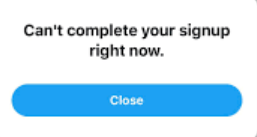
Stuck in 2FA loop
It is frustrating to get stuck in a 2FA (two-factor authentication) loop when logging in. This usually happens when the platform detects unusual login behavior—such as switching between multiple accounts, using the same device or IP, or logging in from different locations within a short period of time. In such cases, X repeatedly asks for verification codes via SMS, email, or authentication apps, even after the correct code is entered. Users may find themselves unable to proceed, as the system continuously redirects them back to the verification step, creating an endless loop. If you're experiencing this issue, you can refer to this step-by-step guide to get back your accounts. This issue not only disrupts account access but can also delay operations, especially for marketers managing multiple X(Twitter) accounts at scale.Risk of account suspension and association
When managing multiple X (Twitter) accounts, the major challenge is the risk of account suspension and cross-account association. X actively monitors user behavior to prevent spam and abuse, and activities such as operating multiple accounts from the same device or IP address, frequently switching between accounts, or performing suspicious actions (e.g., mass follows, likes, or reposts) can trigger temporary restrictions or even permanent suspensions. In addition, when multiple accounts are accessed within the same environment, they may become linked by the platform’s detection system. Once one account is flagged or restricted, other associated accounts may also be affected, leading to a chain reaction of limitations or suspensions.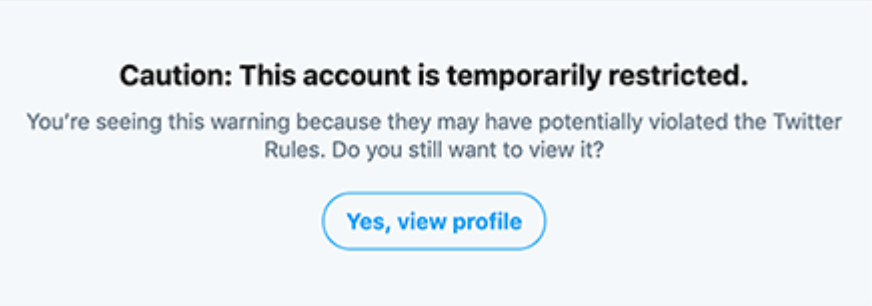
Management complexity
Handling multiple Twitter accounts manually can quickly become overwhelming. This will easily lead to low efficiency or even errors .Scalability limitation
As the requirement of accounts grows, traditional methods (switch on a single device or use social media schedule management tools ) become less effective. Scaling without proper tools increases both operational difficulty and risk exposure.
How to Safely Manage Multiple Accounts on X?
1. Official guide:
X (Twitter) allows users to create and/or operate up to ten (10) accounts for different, non-duplicative purposes. And the platform provides a straightforward official method for users to create or add existing additional accounts, and switch between them to manage multiple X accounts seamlessly.
Android: In the top menu, tap the navigation menu icon or your profile icon, then click the down arrow icon in the header to Create new account or Add existing account. Once you've added additional accounts, you can toggle between them by tapping the downward-facing arrow in the header.
IOS: Tap the navigation menu icon → click the more icon → Create new account or Add an existing account. After adding your additional accounts, you can access the accounts by tapping the profile icon of the account you wish to use, then tapping the smaller, additional profile icons next to the more icon. Tap the navigation menu again to return back.
PC: Click your profile icon on the side menu and choose the more or the plus icon, from where you can Add an existing account.You can switch between accounts by tapping your profile icon, and then clicking the smaller, additional profile icon(s) next to the more icon.
2. Social media schedule management tools
Social media schedule management tools are one of the common ways to manage multiple X(Twitter )accounts. Platforms like Buffer and Hootsuite allow users to schedule posts, track performance, and manage several accounts from a single dashboard, making them ideal for streamlining daily workflows.
3. Antidetect browser
Antidetect browsers are designed to create isolated browser environments with unique fingerprints (cookies, user agents, Canvas, WebGL etc), making each account appear as if it is operated from a different environment.
4. Antidetect cloud phone solution
Cloud phone is a fully independent virtual Android environment hosted on the cloud that can be accessed remotely. VMOS Cloud excels in multiple social media accounts management. Each device has unique device parameters such as device brand, model, Android version(Android 10-16), storage, IMEI, phone number, bluetooth address, network settings. Device-level isolation, advanced anti-detection ability, robust multi-account management features etc make it to be the most reliable solution for managing multiple X (Twitter) accounts safely.
How to Use Cloud Phone for Managing Multiple X Accounts?
As managing multiple X (Twitter) accounts becomes more complex, traditional methods such as switching on a single device or basic social media schedule management tools often fall short—especially when it comes to account safety, scalability, and efficiency. This is where VMOS Cloud comes in. As a professional cloud phone solution for social media, it provides fully independent virtual devices for each X(Twitter)account, allowing users to manage multiple Twitter accounts in separate environments. With device-level isolation, advanced anti-detection ability, robust multi-account management, comprehensive features(AI-driven automation, SMS service, proxy management etc), VMOS Cloud excel in reducing risk of account flag while enabling more efficient and scalable X(Twitter) accounts management.
Step 1: Go to VMOS Cloud official website to sign in or download the client as per need(Web, Windows, MacOS, Linux,iOS, Android supported).
Step 2: Choose the package and create your cloud phone.
VMOS Cloud offers flexible pricing plans: pay-as-you-go and subscription plans, making it easy to optimize feature-to-cost ratios. New users can also enjoy a free trial, allowing you to test the service before committing. Pricing starts from $4.99/month for basic configuration, and for the most advanced configuration only costs $11.99/month.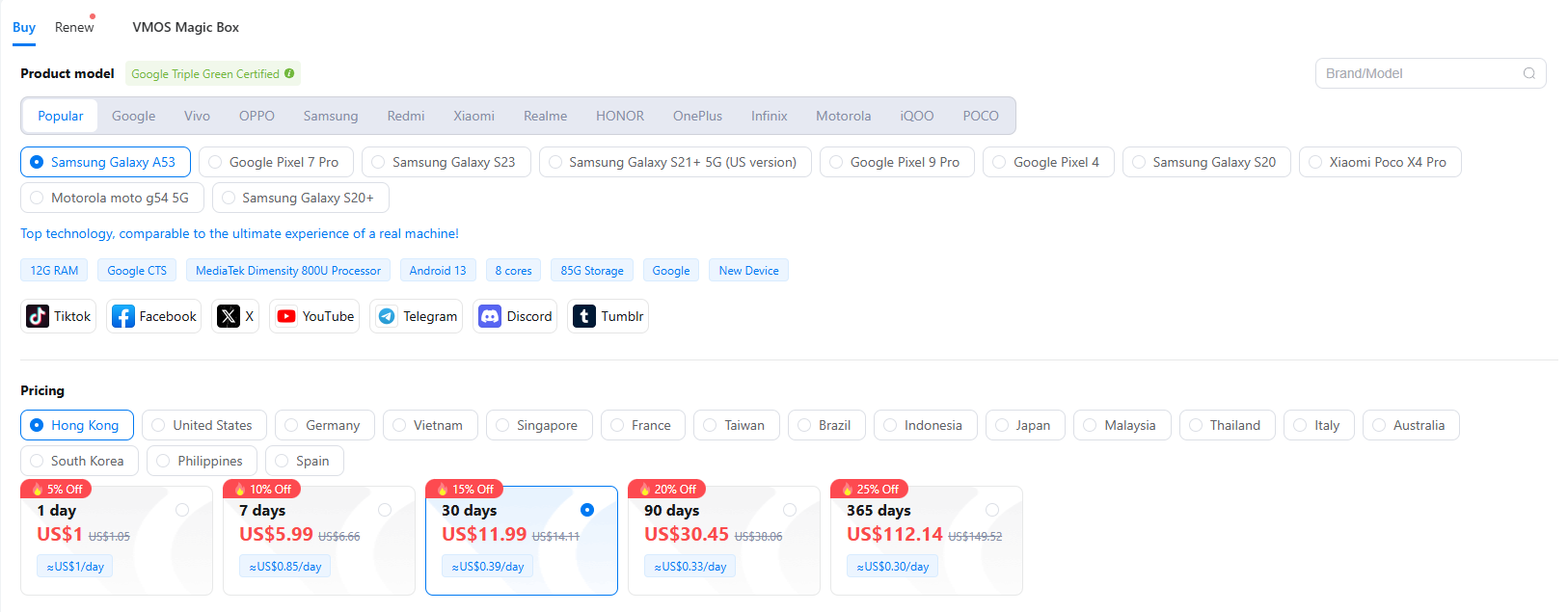
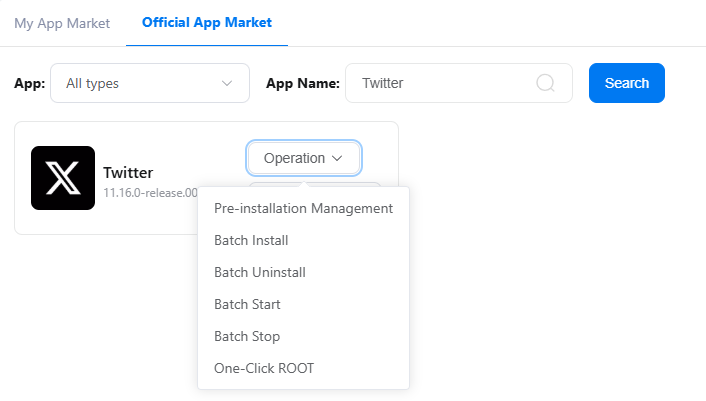
Step 3: Install Twitter in the built-in APP Store. If there are multiple devices, Batch Install will make it easy to install X(Twitter) for all the required devices simultaneously.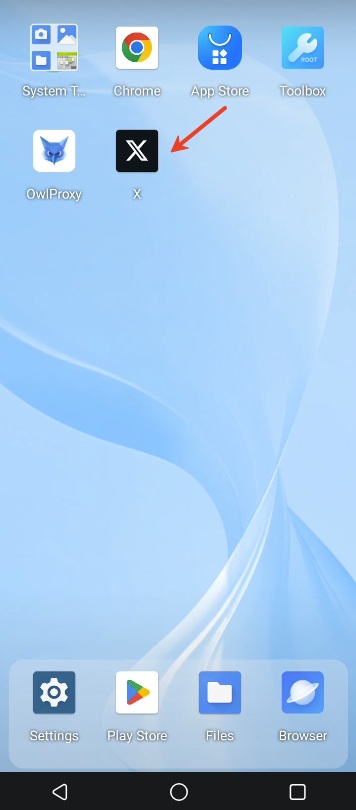
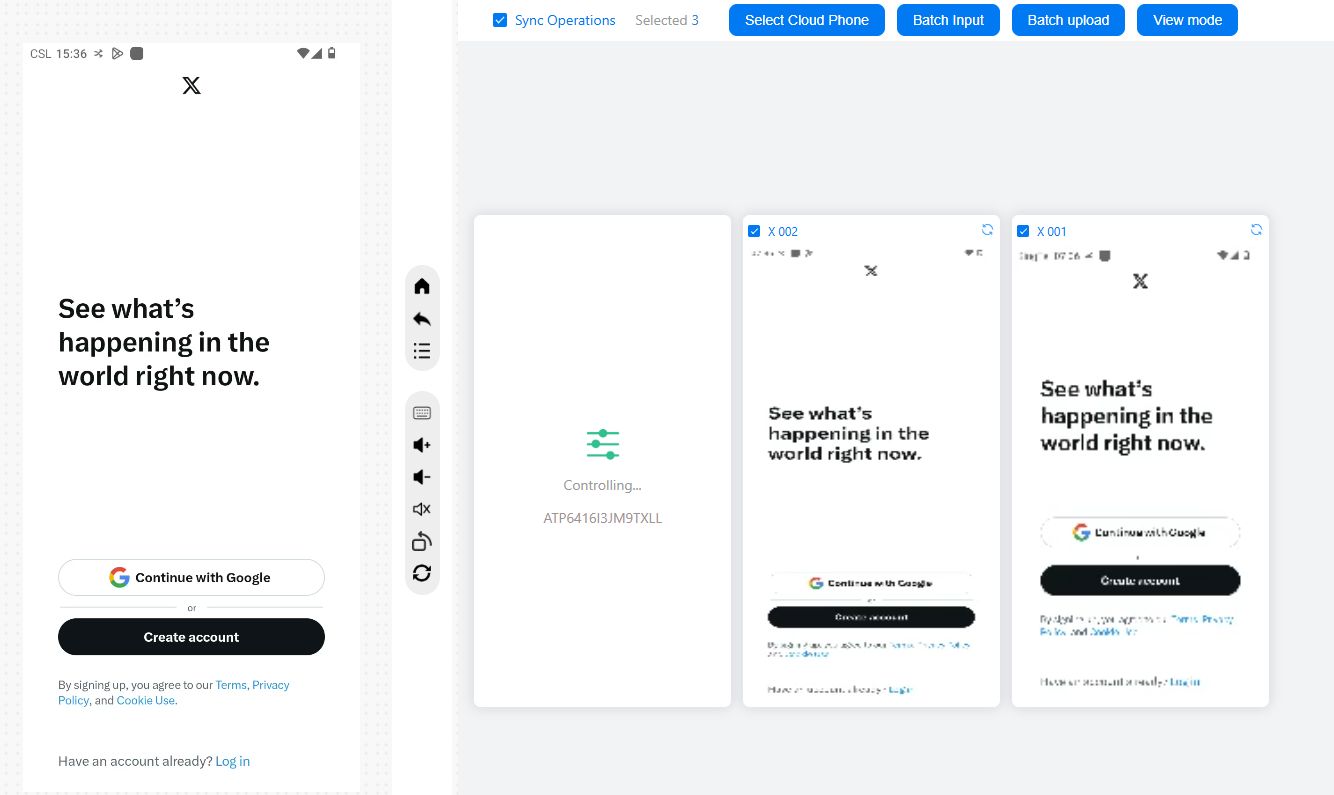
Step 4: Launch X(Twitter) on cloud phone and log in to your accounts. Batch operation and synchronization features make it easy to control multiple Twitter accounts on a centralized dashboard.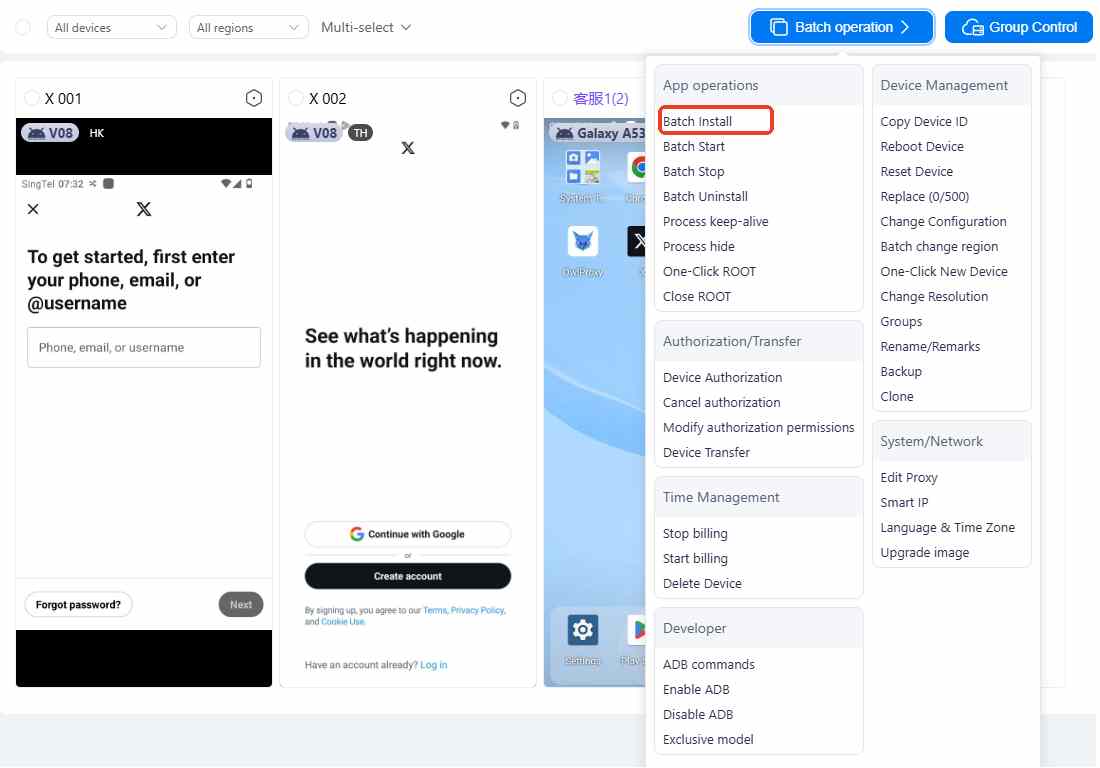
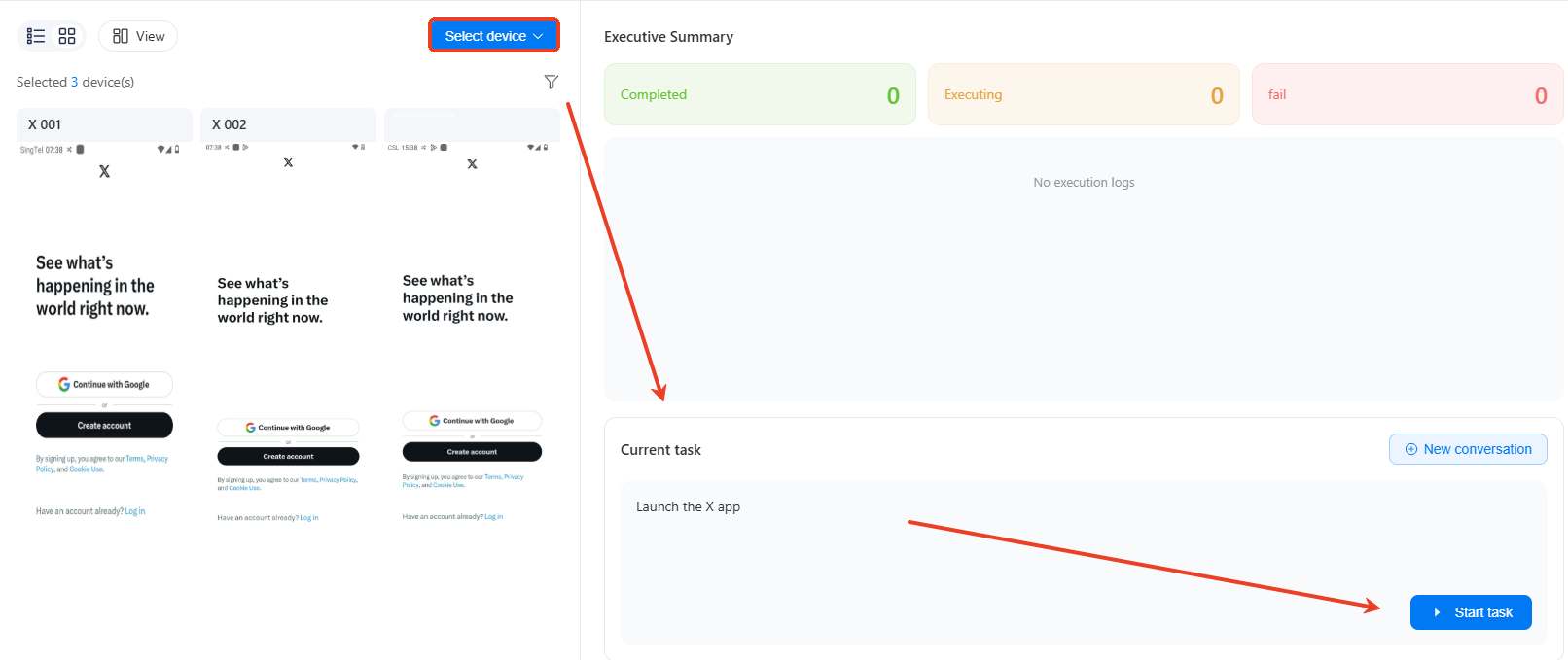
Step 5: VMOS Cloud supports AI-driven automation, allowing social media marketers to convert simple text instructions into executable actions. Instead of manually managing each account, users can build automated workflows that handle repetitive tasks(login, posting, and engagement activities etc) just like natural user behavior. This helps to save time while maintaining consistent activity. More importantly, these automated interactions are designed to mimic human behavior patterns, which helps reduce the risk of triggering anti-bot detection systems and supports long-term account trust building.
FAQs
Can I have multiple twitter accounts?
Yes, X (Twitter) allows users to create and operate up to ten (10) accounts for different, non-duplicative purposes.
How to create a second Twitter account?
To create a second X (Twitter) account, simply open the X app or website, go to your profile menu, find the “Add an existing account or Create new account." to complete the signup of a new account by inputting and verifying your details and setting up your profile. Once created, you can easily switch between Twitter accounts within the app without logging out.
Is it safe to manage multiple X accounts on a cloud phone?
Yes, managing multiple accounts on a cloud phone is safe. It provides a good solution to create isolated virtual environments for each account, enabling every account to run separately. This greatly reduces the risk of accounts being detected as association or flagged due to abnormal activity.



