
If you've tried to create a new X (formerly Twitter) account in 2025 and hit a wall with the "Can't Complete Sign-Up" error, you’re not alone. This frustrating roadblock can derail everything from personal use to brand growth, but understanding its causes and solutions can get you back on track. In this article, we will break down what the error means, why it happens, and the feasible solution can fix it—including a modern workaround using Cloud Phones for consistent results.
What Does the "Can't Complete Sign-Up" Error on X Actually Mean?
This error message typically appears during the final steps of X account creation, halting progress without a specific reason. It might show as a generic error pop-up, a frozen screen, or a prompt asking you to "try again later." Unlike temporary glitches, this error often persists across multiple attempts, suggesting a deeper issue with your registration environment or X’s security filters.
In technical terms, X’s backend systems flag your sign-up attempt as high-risk behaviour. This could be due to suspicious activity patterns, conflicts with existing account data, or violations of X’s terms—even if unintentional. The error acts as a protective measure to prevent spam, bot accounts or duplicate profiles, and indicates that there is an issue preventing X from completing the account creation process. However X does not provide specific reasons for this error, so there are several common potential causes.
7 Key Reasons and Proven Fixes for the "Can't Complete Sign-Up" Error in 2025
To fix the error, you first need to identify its source. Here are the most common triggers based on 2025 user reports and X’s updated security protocols:
1. Too many sign up attemps
X will temporarily blocks sign-ups after a certain number of failed attempts to prevent abusive behavior. If you try to sign up accounts too many times, which could let's X notice what you are doing and trigger this error.
2. Shared IP address
Shared IP such as WiFi, public networks or VPNs, these reused IP address will be the most frequently way to be flagged as bot activity in the X's detection system. If your current IP has been linked to spammy sign-ups, can cause X to block sign-ups until further verification. This is especially common with dynamic IPs, where ISPs reuse addresses previously tied to banned accounts.
3. Device fingerprint conflicts
Every device has a unique "fingerprint" based on hardware IDs, browser settings and app data. X will check your browser user agent "Incognito Mode", WebGL, fonts, cookies and localStorage to match the history in its fingerprint records. If you've deleted and reinstalled the X app for many times, or used the same device to create multiple accounts (even if deleted), the anti-bot tools may recognize the device fingerprint and block new sign-ups to prevent duplicates.
If you are facing this error from the above situations, you can try the following troubleshooting steps:
Stop using the free VPN or proxy, and replace it with a real residential IP, this can give X a positive signal about your identity.
Don't use the device that erase all content and settings and reset to factory settings. Try close the incognito mode, if fails you can start the registeration journey on another clean browser or device.
Clear cache, cookies and app data to eliminate corrupted files:
Mobile App: Go to Settings > Apps > X > Storage > Clear Cache + Clear Data. Reinstall the app if needed.
Browser: Settings > Privacy > Clear Browsing Data, selecting All Time.
Disable the automated tool.
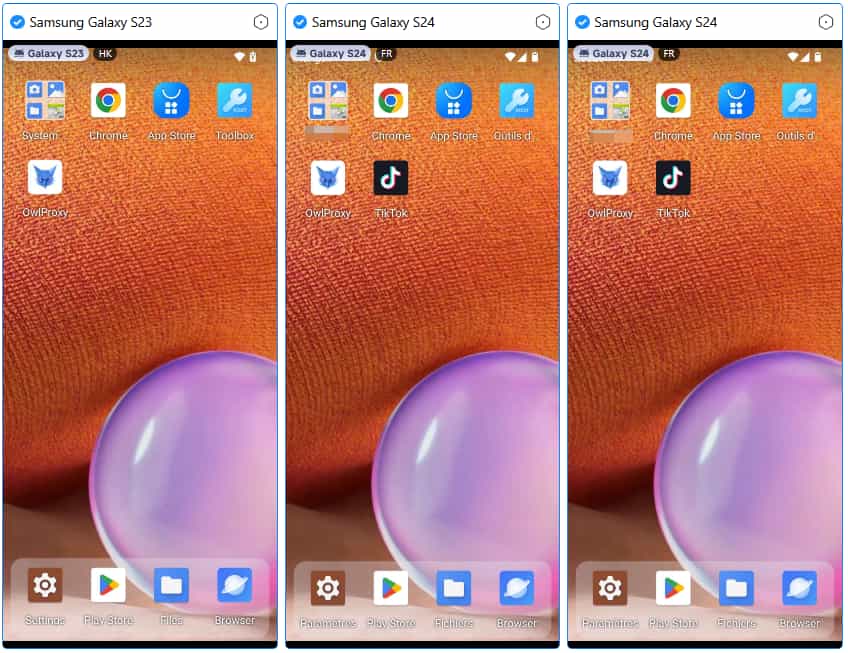
Change a new equipment, considering using the VMOSCLOUD's virtual Android phone to create X account in a safe, independent enviroment.
3. Unqualified email and phone number
There are some reasons from email and number may stop you finished the sign up process. First, virtual numbers and SMS verification platforms will cause 99% failure rate. Second, numbers from restricted areas, or these are frequently abused. The last one is phone number abused, for example, one specific phone mumber is already associated with 5 more accounts, or it was used for a banned account, X will block new sign-ups tied to that contact method. This applies even if you’ve forgotten old accounts—X’s systems retain this data for security.
4. Regional limit
The X server itself blocks registrations from certain countries. It restricts sign-ups in regions with high spam activity or regulatory challenges. For example, if you’re in a country where X faces legal scrutiny, or where recent bot attacks originated, your sign-up attempt may be blocked regardless of your actions.
In this two cases, you can try doing like this:
Use a real SIM card always.
Check if your Email aphone is overused: Login X's Help Center and search "Account Limits" to see how many accounts are linked to your contact info. If over the limit, use a new email or a secondary phone number.
The number should ideally be from a country permitted by X (USA, Japan, Indonesia and more), and keep your GPS or IP location same as the number you're used with the help of stable proxy. If need, you can try cloud phone that supports many country servers, which device's IP is the server you choose.
Do not use the same number to register multiple accounts.
5. Missing sign up requirements
There are some requirements issue will also bring you "can't complete sign up" error. In some countries, Twitter implements age restrictions that disrupt the sign-up process until their requirements are met.
Ensure that your sign-up meets X's requirements, such as using a unique and strong password, can minimize errors.
Make sure you are over 18 years old when fill in the account information, otherwise you are unable to finish the registeration. Because X will take a multi-faceted age assurance approach to verify or estimate whether users are 18 or under.
6. Official server disruption
This is very rare situation, sometime the X's servers can experience temporary outages or maintenance windows that disrupt sign-ups. This usually resolves within hours, but persistent errors suggest a deeper issue.
Check X's server status: first, confirm X isn't facing outages. Check X's Status on tool like StatusGator. If servers are down, wait 30-60 minutes and retry.
Wait 24 Hours: Temporary sign-up restrictions or technical issues are often resolved within 24 hours. Be patient and try signing up again after a day.
7. Contact X support
If none of the above steps work, for this persistent errors, please submit a request via X's Help Center to report the "Can't complete signup" error through Twitter's bug report form. Include details like:
Error message screenshot (if available)
Device type, OS, and browser and app version
IP address
Use Safely Account Management Tool VMOSCloud for Secure Registration
For users managing multiple accounts or facing recurring IP/device issues, cloud phones offer a reliable workaround. VMOSCloud provide virtual Android environments with dedicated IP addresses and unique device fingerprints, mimicking real phones without hardware limits. Here's how they help:
| Feature | Benefit for X Sign-Up |
|---|---|
| Isolated IPs | Each cloud phone gets a unique IP, avoiding blacklist issues. |
| Custom Device Fingerprints | Prevents X from detecting repeated sign-ups on the same hardware. |
| Geographic Flexibility | Choose server locations to customize device IP without regional restrictions. |
To use VMOSCloud create a virtual device, and install X within the cloud environment. This method is especially useful for building account trust over time—X rewards consistent, low-risk activity, which cloud phones facilitate by maintaining stable IPs and device data.
By following these steps, you'll likely resolve the "Can’t Complete Sign-Up" error and get your X account up and running. For recurring issues, especially with brand accounts, please make sure you are following the platform's guideline.
FAQ:
Q: How long does X’s sign-up restriction last?
Most within 24-72 hours. If the error persists beyond a week, it likely indicates a permanently banned IP or linked email, requiring X support intervention.
Q: Is using a cloud phone safe for X registration?
Yes, Cloud Phone don’t violate X’s terms—they simply provide a clean environment for registration. Avoid "jailbroken" or modified cloud phones, as they may trigger additional security flags.



