
DLDR: Managing multiple facebook accounts helps separate personal and business activities, supports region-specific campaigns, and mitigates risks if one of accounts is blocked. However, it comes with challenges as well, including account login verification, shadow bans, temporary or permanent restrictions. Because Facebook tracks user behaviour, device fingerprinting, where you come from and how you operate with the profile.
Below are some useful ways to create and manage multiple Facebook accounts:
Add extra personal profiles: "Create another profile" on "Your Profile" interface → "Get Start" and "Give your profile a name" → double check and complete the process. Switching between profiles and managing them within Facebook.
Meta Business Suite: Centralized management of pages and operations on one platform.
Social media schedule management tools: Use tools like Hootsuite, Buffer, and Later to schedule cross-account posting and track performance of multiple accounts.
Buying verified and aged Facebook accounts via trusted platforms
Antidetect cloud phone: Independent environments with device-level isolation for each Facebook account.
Each method has its pros and cons.Extra personal profiles are officially supported and easy to switch but limited in scalability. Meta Business Suite and social media scheduling tools benefit account activity management and performance tracking but lack in anti-detection and account separation. Buying verified and aged Facebook accounts is convenient but falls short in account security. Cloud phone provides device-level isolation for each account, bringing each device a separate digital parameter and some reliable providers such as VMOSCloud secure your Facebook account by updating advanced OS-level patches. This makes it the most reliable and efficient solution for creating and managing multiple Facebook accounts.
What are the Benefits of Having Multiple Facebook Accounts?
Region-specific Marketing and Management
Managing multiple Facebook accounts can help businesses and marketers conduct localized operations. By creating separate accounts for different regions or languages, content can be tailored to local audiences, cultural preferences, and regional trends. This improves engagement, relevance, and overall marketing effectiveness.Separate Personal and Business Accounts
Businesses or personal brands often need to manage multiple pages or ad accounts without exposing personal information across each account.
Example: One account handles personal life, while another focuses on work or advertising campaigns.Account Security and Risk Mitigation
For social media accounts managers, risk distribution is crucial. If one account gets banned or restricted, other accounts can continue operating normally, protecting important business operations or social connections from disruption.
Is it Safe to Create Multiple Accounts on Facebook?
Facebook aims to build a community where people are expected to use their authentic identities. According to Facebook’s Community Standards, maintaining more than one personal account is not allowed. This policy exists to prevent spam, fake interactions, and potential abuse of the platform. Facebook employs advanced detection systems to identify when multiple accounts are associated with the same personal identity. It analyzes device identifiers, IP addresses, login behavior, activity patterns etc to prevent actions against the community standards.Understanding these signals is essential if you want to manage multiple accounts safely.
How does Facebook detect multiple accounts?
Device Fingerprinting
Facebook can track device information to identify multiple accounts from the same user. This includes hardware details such as CPU, GPU, screen resolution, and operating system version, as well as parameters like fonts, IMEI MAC address. When multiple accounts are accessed from the same device, these details allow Facebook to detect and associate them.IP Address
Logging into multiple accounts from the same IP or a limited range of IPs can raise suspicion. Same address across different accounts make it easier for Facebook to link them and detect potential multi-account behavior.
Behavior Analysis
Facebook monitors user activity patterns to identify suspicious behavior. For example, performing identical actions such as liking, commenting, posting simultaneously or following similar routines across accounts can trigger alerts. Behavior analysis helps Facebook detect accounts that may be operated by the same individual.
Challenges of multi-account management on Facebook
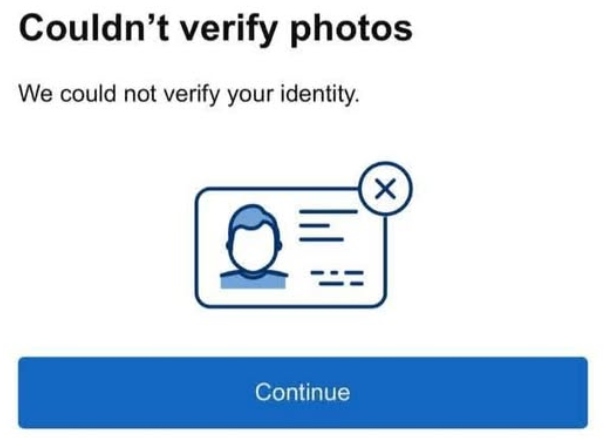
“We Couldn't Verify Your Identity”
Account identity verification issues often arise from sudden changes in the login environment, low account trust scores, or accounts being flagged by Facebook’s security risk controls. For multi-account managers, this creates significant obstacles because logging in is the foundation of managing any account—without access, posting content, boosting engagements, or running campaigns becomes impossible. (click to find real fixes)
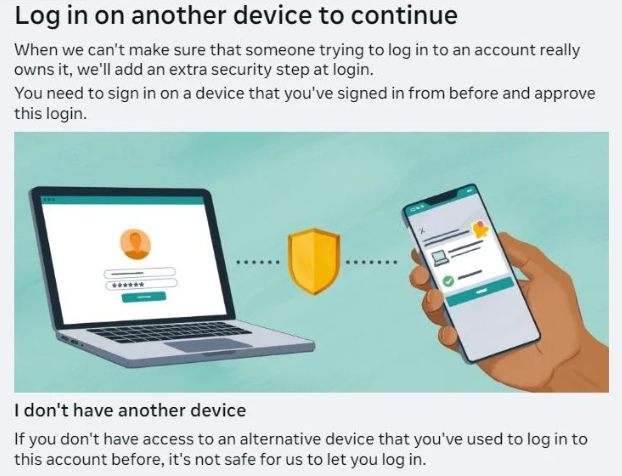
“Log in on Another Device to Continue”
Device locked error is another common issue when managing multiple Facebook accounts. It typically occurs due to unfamiliar activity, potential account compromise, frequent device switching, or anomalies in IP addresses. This error prevents access to the account until Facebook verifies the login attempt. You may follow the tutorial to resolve this issue. For multi-account managers, such errors highlight the importance of maintaining a secure and consistent login environment, which is essential for protecting accounts, ensuring smooth management, and avoiding interruptions in operations.
Temporary account restrictions
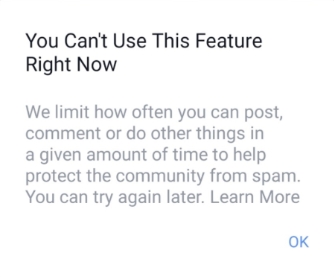
Facebook may impose temporary restrictions on accounts that show unusual or suspicious behavior, such as rapid posting, comment, liking, or frequent account switching. Users may be unable to use features for a limited period(usually 24- 72 hours).
Shadow ban
Shadow ban is a hidden restriction where the account remains active, but its content visibility and reach are significantly reduced without explicit notification. Users may face low engagements on posts if the account is under the status of shadow ban.Permanent ban
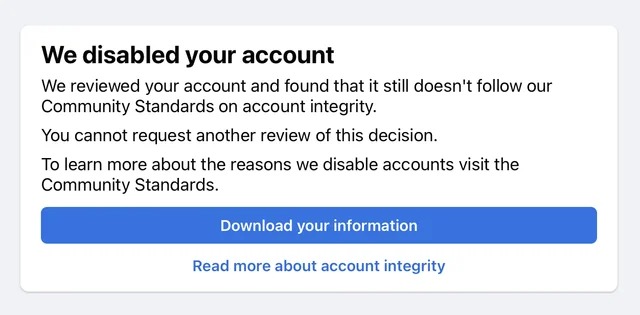
If Facebook confirms repeated violations of its Community Standards or Terms of Service, accounts may be permanently disabled. Permanent bans result in the complete loss of the account, all associated content, and any linked business pages or ad accounts. This can have serious consequences for personal or business activities.
How to Create Multiple Facebook Profiles?
1. Add extra personal profiles
Facebook officially supports creating up to four additional personal profiles, allowing users to better organize their experience on the platform. Each profile has its own unique Feed with relevant content, and users can easily switch between profiles without logging in and out.
Create additional personal profiles:
Click "Your Profile" → find the bottom"Create another profile" → "Get Start" → "Give your profile a name" → double check the information and complete the process.
Switch between personal profiles:
Android & IOS: Tap the Menu icon in the top left of Facebook or your profile picture and then click the drag down icon to select the Page you want to switch into.
Web: Click your profile photo in the top right of Facebook → Click See all profiles → Select the profile you want to use.
2. Meta Business Suite
Meta Business Suite (formerly Facebook Business Manager) allows users to manage multiple Facebook pages, ad accounts, and permissions from a single platform. It provides centralized tools for posting, scheduling content, monitoring engagement, and tracking analytics without needing to log in to each personal account separately.
3. Social media schedule management tools
Social media schedule management tools allow users to plan, organize, and automate posts across multiple Facebook accounts. These tools often provide analytics and reporting features, helping you track performance and adjust your strategy efficiently. Examples of popular tools include Hootsuite, Buffer, and Later, which support scheduling, cross-account posting, and performance tracking.
4. Buying verified and aged Facebook accounts
Some marketers and social media managers consider buying verified and aged Facebook accounts to save time on account creation and . These accounts are often pre-verified and may have an established history in Facebook’s system. However, it should be noted that buying Facebook accounts carries risks. Accounts may be restricted or banned shortly after use, leading to economic loss. To minimize risk, carefully verify the reputation of sellers and choose trusted platforms. Even then, there is no guarantee that the accounts will remain fully functional.
5. Antidetect cloud phone: manage multiple Facebook accounts on one device
A cloud phone provides an isolated, fully functional Android environment in the cloud, allowing social media marketers to operate multiple Facebook accounts safely. Each virtual device has its own device identifiers like Android ID, IMEI, network settings, storage etc, effectively preventing Facebook from detecting multiple accounts on a single physical device. In addition, cloud phone service providers(e.g. VMOS Cloud) supports robust multi-account management features and SMS service, making it ideal for creating and managing multiple accounts at scale while minimizing risk.
How to Create and Manage Facebook Accounts in Android Cloud Phone?
If you want to create or manage multiple facebook accounts on one device, VMOS Cloud will be an one-stop cloud phone solution for you to address main challenges.
Device-level isolation
Each cloud phone has a unique device signal: device brand, model, Android version(Android 10-16), language, timezone, storage, IMEI, phone number, bluetooth address, network settings. And these device parameters can auto match the IP closely.Leading anti-detection capabilities
Passed IPhey detection check, PixelScan unique identify check, Google Play Integrity verificationSMS service
VMOS Cloud is integrated with SMS service. It works seamlessly within the authentic Android environment provided by VMOS Cloud. Users can complete registration, login and management entirely within one platform, reducing dependency on external tools.Multi-account management
Features like batch operation, synchronizer enables users to log into dozens of accounts on Facebook and operate them simultaneously while all data is in a completely isolated storage.
Step-by-step guide to create and manage multiple Facebook account on VMOS Cloud
Step 1: Go to VMOS Cloud official website to sign in or download the client as per need(Web, Windows, MacOS, Linux,iOS, Android supported).
Step 2: Choose the package and create your cloud phone. VMOS Cloud offers flexible pricing plans: pay-as-you-go and subscription plans. Pricing starts from $4.99/month for basic configuration. If you want to enjoy a more authentic experience(just like a physical mobile device) and ensure security with advanced anti-detection capabilities, you can try high-end real machines, which costs $11.99/month.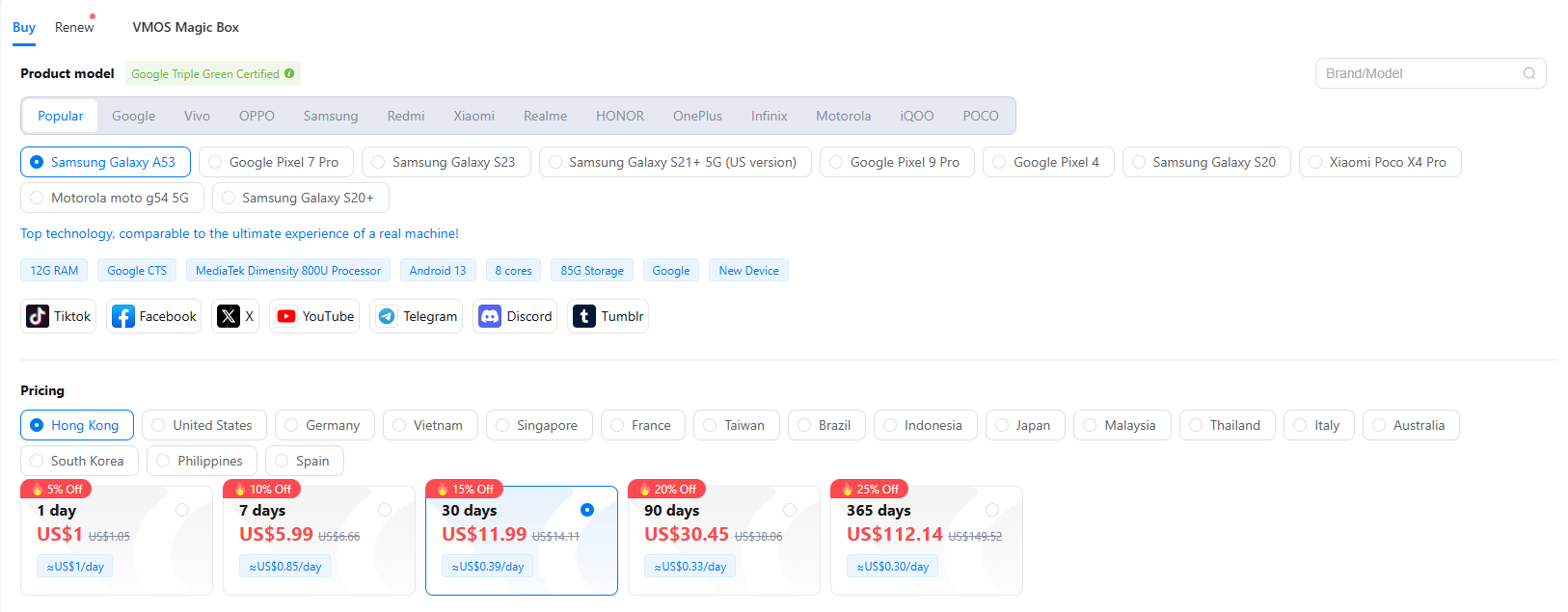
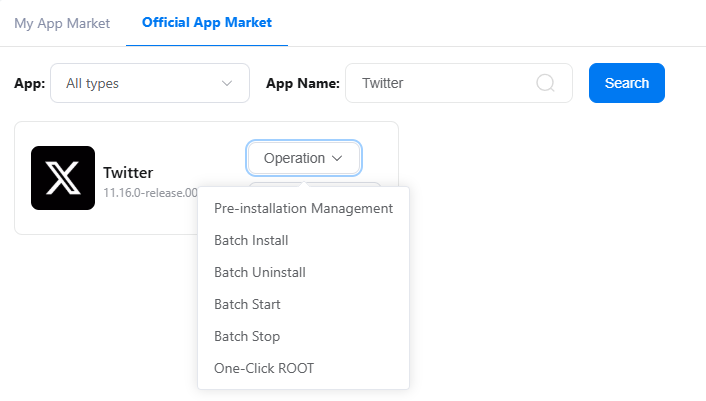
Step 3: Install Facebook via App Store or go to App Market to batch install if there are multiple devices and accounts.
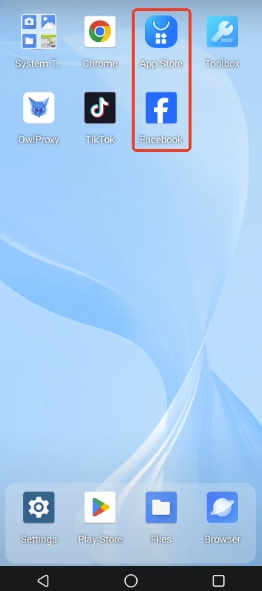
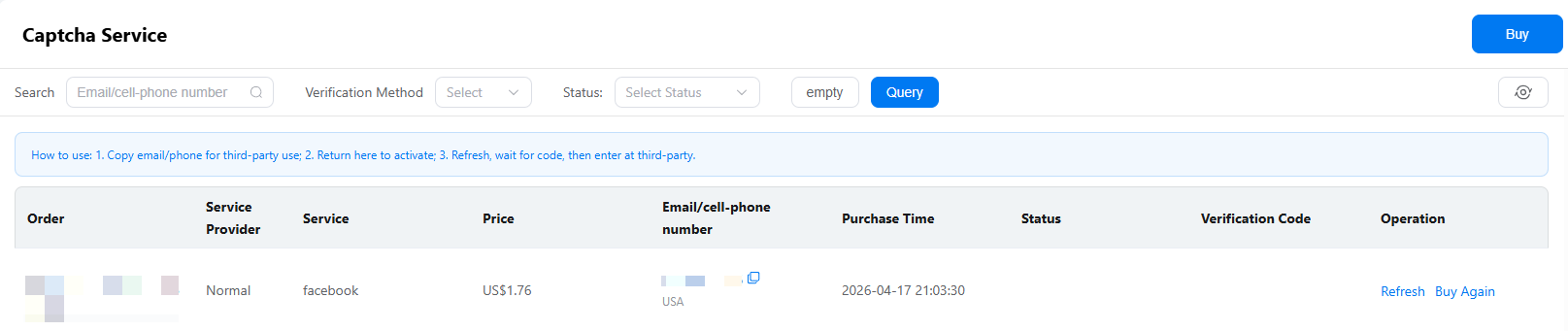
Step 4: Create/Log into your Facebook account. You can log into your existing accounts or create a new account with the help of SMS service: Go to the “Captcha Service” interface → Click “Buy” → choose the service and regions as per need → Copy phone number and paste it on the Facebook → Return to the page, refresh and wait for code(commonly around 1 minute) → Enter the code and create your account successfully.
Step 5: Manage your Facebook accounts on a centralized dashboard. Batch operation and synchronization makes it easy to batch actions across accounts simultaneously.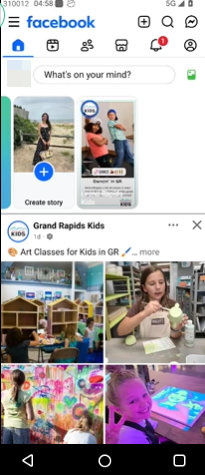
FAQs
What is the purpose of having multiple Facebook Accounts?
Having multiple Facebook accounts allows users to better separate different content, personal life and business activities. And marketers can manage region-specific marketing and mitigate risks of account restrictions.
What are the signs of being restricted on Facebook?
Common signs of a Facebook account restriction include error pop-up “We Couldn't Verify Your Identity”(account verification), “Log in on Another Device to Continue”(locked device), can't use some features or get limited reach/engagement. And you will receive an official notification like "We disabled your account" if it is banned permanently.
Can I create multiple Facebook accounts with one phone number?
No. Facebook is a community that requires people to use their authentic identities. Creating multiple Facebook accounts with one phone number is not feasible and against the Community Standards.
How do I open my 2nd Facebook account?
You can open a second Facebook account using a different email address or phone number. Make sure each account follows Facebook’s community standards. Alternatively, you can add additional personal profiles if you just want to reach unique Feed and switch between profiles without logging in and out.
Can You Have Multiple Facebook Accounts?
Yes.Creating and managing multiple Facebook is feasible if paired with professional tools properly. Cloud phone provides an isolated environment, advanced anti-detection capabilities and multi-account management features, allowing create and scale Facebook accounts without triggering account restriction.



