
In this digital era, WhatsApp has become an indispensable social media tool for personal and business scenarios. With the demands diversify, a single account may no longer be sufficient for efficient communication. Whether you want to separate personal and work space, engage in large-scale social media marketing or targeting customers from different countries and regions, securing efficient multi-account management of WhatsApp on a single smartphone is increasingly essential. This article will explore the practical scenarios, possible ways for using multiple WhatsApp accounts and how to achieve it by using cloud phone.
Why are Multiple WhatsApp Accounts Needed?
Manage Different Social Circles. Users can create dedicated accounts for different interests, communities, or projects to manage different social circles separately. This keeps each scenario, such as friends, interest groups, or online communities organized and prevents information overlap to reduce confusion and ensures more efficient interactions within each circle.
Convenience Across Multiple Devices. Multiple accounts can be used independently on different devices, ensuring operational independence and data synchronization. Even if one device encounters issues, other accounts can continue functioning, maintaining stable communication.
Handle High Volumes of Communication. When daily message traffic is high or involves multiple chat scenarios, multiple accounts help distribute the load. This ensures timely handling of messages and improves overall communication efficiency.
Flexible Management of Interests and Projects, such as study groups, hobby groups, or volunteer activities.
Possible Ways to Have Multiple WhatsApp Accounts
Official solution
From the official guides for having multiple WhatsApp accounts, it states that users can have two WhatsApp accounts on Android logged in at the same time. Users are allowed to switch between accounts without logging out each time, carrying two phones or worrying about messaging from the wrong place. To set up a second account, users will need a second phone number and SIM card, or a phone that accepts multi-SIM or eSIM. Detailed steps: open WhatsApp settings - click on the arrow next to username - click “Add account”.
In addition to WhatsApp for personal messaging(WhatsApp Messenger), the WhatsApp Business app is also available, which is built with the small business owner in mind. WhatsApp Business and WhatsApp Messenger can be used simultaneously, but the accounts must be linked to different phone numbers. It's not possible to have one phone number linked to both apps at the same time.Therefore, users who want to have 2 WhatsApp accounts by this way need to prepare one more phone number.
Third-party tools
There are some third-party multi-account tools on the market that allow multiple WhatsApp accounts to coexist, but the abnormal accounts behavior may be detected by WhatsApp, causing restriction to account, which is relatively low security.
Cloud Phone
A cloud phone is a real Android environment hosted in the cloud and can be accessed remotely, just like using a real phone in the cloud. Each cloud phone can run a WhatsApp account separately. It enables true isolation of account data and reduces the risk of account bans.
Challenges May Faced When Managing Multiple WhatsApp Accounts
Risk of account ban
WhatsApp is highly sensitive to abnormal login activity. Frequent account switching or the use of unverified third-party multi-account tools may be tracked and flagged as abnormal account behavior. This will increase the risk of account temporary freeze or permanent ban, leading to the loss of important messages or business interruption.
Limited scalability
Although the application doppelganger function is available for some Android phones and WhatsApp officially offers account switching feature as well as 2 versions of application, the scalability remains limited. Most users can only run 2–3 accounts on a single device, which is sufficient for individual use but becomes a major limitation for businesses or large teams. Enterprise managing multiple clients, brands, or market accounts cannot rely solely on official features or app doppelganger, as these methods cannot support large-scale operations.
Operational difficulty and management costs
Switching between different WhatsApp accounts, app versions or app doppelganger can be very time-consuming. Especially when managing multiple clients, brands, or business accounts, the use of third-party tools may be required, which will increase resource costs and the learning curve. And commonly, multiple WhatsApp accounts management requires clearly distinguishing the purpose of each account, regularly backing up data, keeping accounts active, and promptly handling messages and notifications. If users are not proficient, message chaos can occur, with group chats, private messages, and business notifications from different accounts interfering with each other, leading to missed information and reduced communication efficiency.
How Cloud Phone Help to Manage Multiple WhatsApp Accounts?
What is Cloud Phone
A cloud phone is a real Android environment hosted in the cloud and accessed remotely. It doesn’t simulate a device but provides a dedicated mobile environment that behaves like a real phone, complete with its own operating system, device identifiers, and network configuration.
How it help with multiple WhatsApp accounts management
Isolated device environment: Each account runs in an independent environment, without interfering with others, effectively reducing the risk of being tracked by WhatsApp. This is especially suitable for large-scale and high-value accounts, preventing account suspension or bans.
Centralized multi-account management: No need to own multiple physical phones or frequent switching, cloud phone allows users manage multiple WhatsApp accounts and view accounts activity from the same control console.Cloud phone providers typically offer service by different pricing plans, allowing users to flexibly adjust the number of accounts according to their needs.
Automation: There are different cloud phone service providers on the market. Some of them are compatible with scripts, automation tools or API, which can be used to perform batch message sending, group chat processing or relevant repetitive tasks, saving manual operation time, streamlining the workflows and increasing efficiency.
Reduce device wear and tear: Running multiple WhatsApp accounts simultaneously consumes device storage and CPU. Cloud phones run in the cloud, reducing the risk of local device lag or crashes.
Cons you need to consider of using cloud phone
Cost: The pricing plans of cloud phones are commonly divided into pay-as-you-go or subscription-based, which may not be economical for individual users or small groups.
Learning curve: Learning to use a cloud phone takes some time. Beginners will need to understand account configuration and function usage. More advanced functions, such as API or built-in automation tools supported by some providers, show a technical barrier and are not friendly to users who don’t understand programming.
VMOS Cloud: Best tool for multiple WhatsApp accounts management
VMOS Cloud is a cloud phone solution to create, manage and grow multiple WhatsApp accounts. It provides device-level isolation devices with robust anti-detection capabilities. No matter whatsapp business or personal accounts(check to see difference), VMOS Cloud secures you to create multiple WhatsApp accounts on separate cloud phones, keeping your activities distinct. Each WhatsApp account runs in a cloud phone with unique device parameters to keep every account's login fully isolated, and allow you to run apps on remote servers through a browser or app. Warming up automation workflows and batch management help you grow new contracts simply. Team collaboration benefits maximizing work efficiency.
Isolated environment and advanced anti-detection ability
Each cloud phone has a unique device signal like device brand, model, Android version(Android 10-16), language, timezone, storage, IMEI, phone number, bluetooth address, network settings. What’s more, VMOS Cloud passed IPhey detection check, PixelScan unique identity check, Google Play Integrity verification. This will greatly reduce the risk of being detected by the platform.
Multi-accounts management
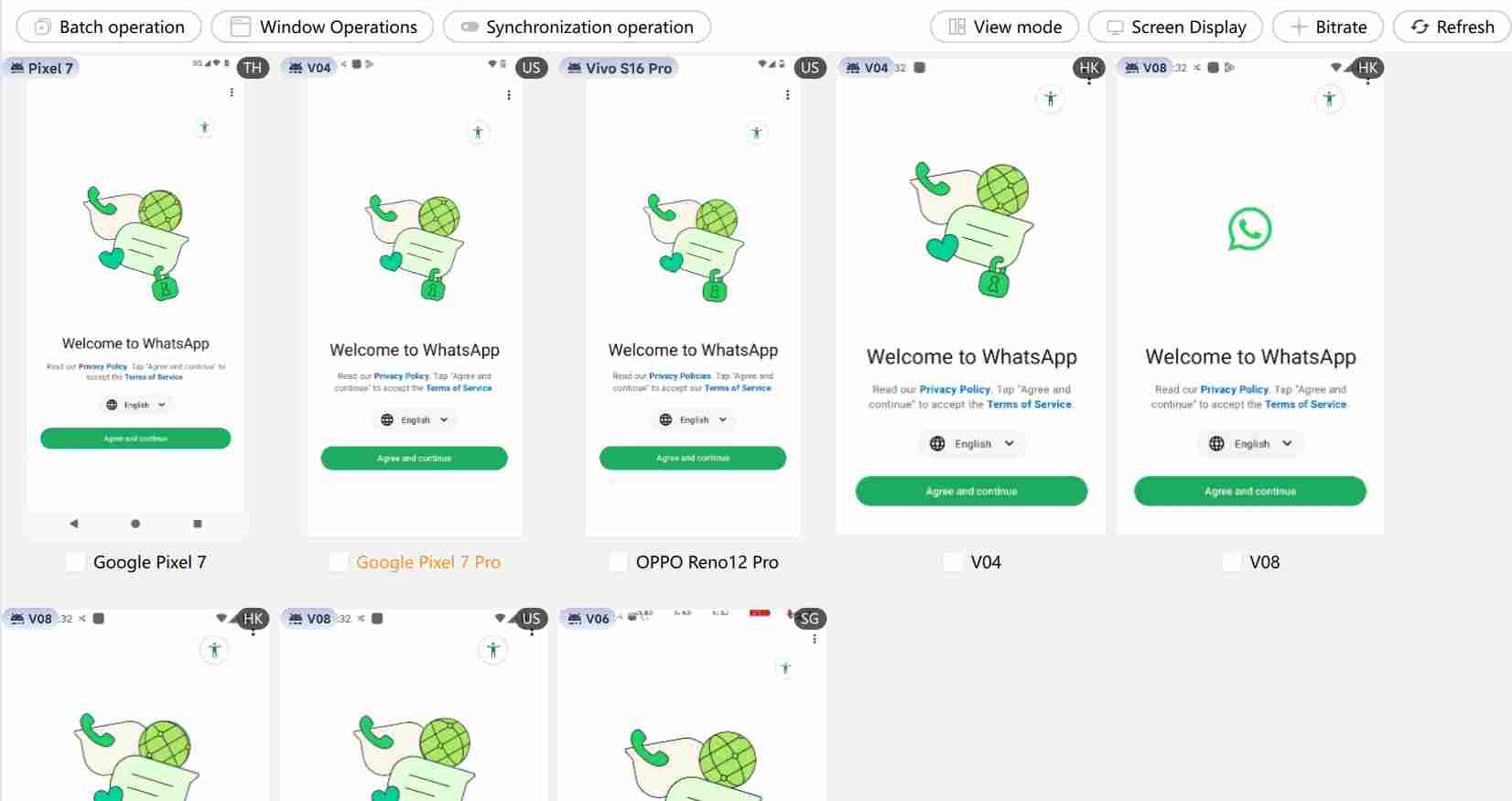
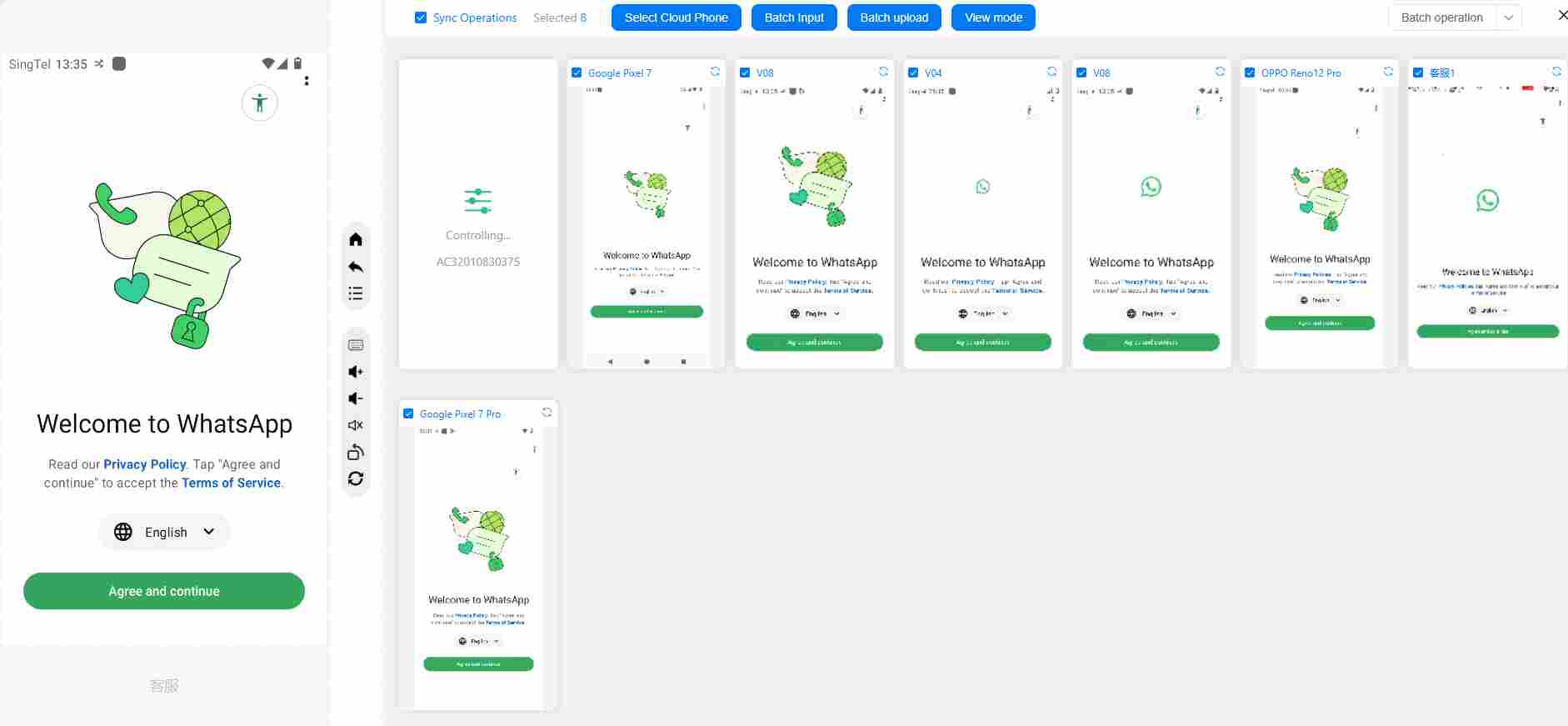
Users can create WhatsApp accounts at scale in multiple cloud phones without physical devices and each running in a separate cloud phone to stay undetected. Batch and synchronization operations make managing all devices on one dashboard feasible. In addition, the synchronizer enables real-time synchronization of accounts across all the devices, which can centralizes management of contacts, message templates, and media files, and ensures consistent and seamless operation across all devices. This will highly boost the efficiency and reduce the repetitive manual tasks.
Proxy management
Proxy IP is another important tool for securing multiple WhatsAPP accounts management. WhatsApp is highly sensitive to abnormal logins and frequent account switching. If multiple accounts log in using the same public IP address, it may be identified as a violation by WhatsAPP's mechanism, leading to account suspension or ban. VMOS Cloud has built-in proxy and also supports batch import/adding of proxy IPs and bind proxies to devices in bulk, saving time of setting up proxy IPs for multiple accounts.
Team collaboration
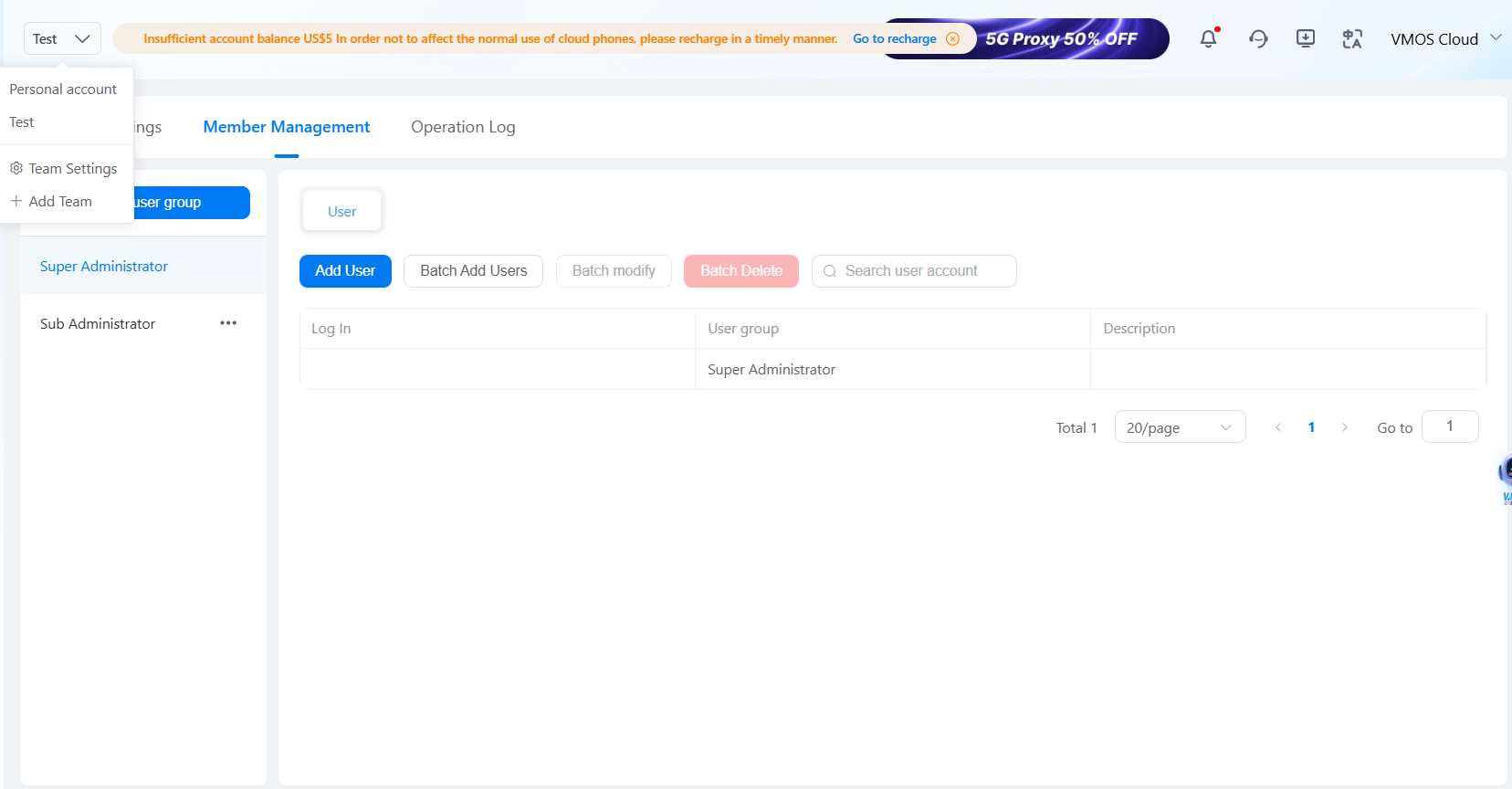
Authorize devices to team members and control access. Set permissions and feature limits for different roles in the team to protect data, and enable seamless management. It is available to achieve efficient and safe management of the team by operation log.
VMOS AI Agent
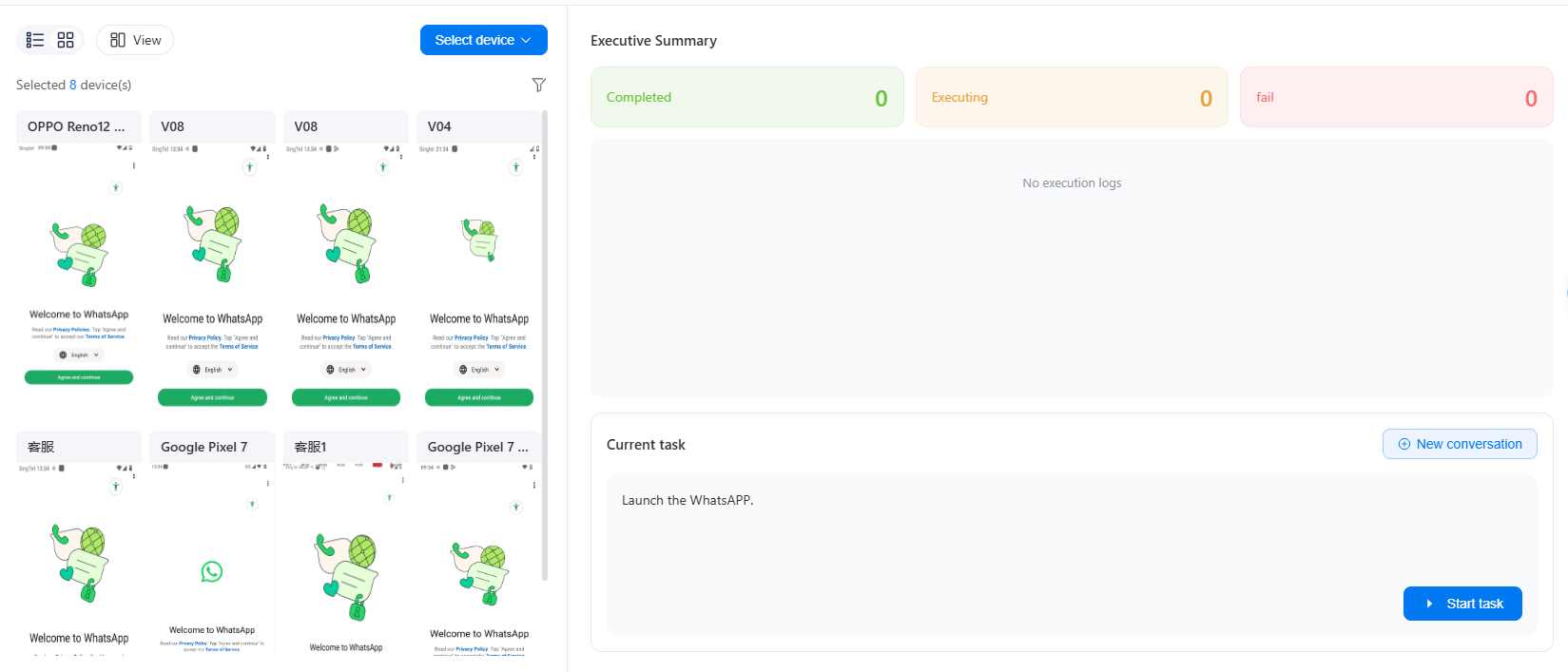
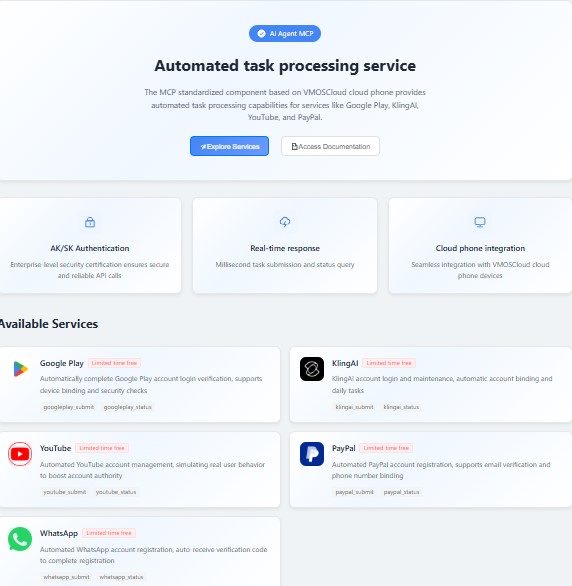
VMOS AI agent allows users to output the text as commands to perform account operations without programming knowledge. And the MCP standardized component provides automated task processing capabilities for WhatsAPP. This will help enterprises and agencies to get more efficient multi-account management.
Add-on service
Each WhatsApp account requires a unique phone number for registration and verification. VMOS Cloud provides SMS Receiver service with global numbers, allowing users to easily receive verification codes on any platform and complete account registration. In addition, VMOS Cloud offers AIGC, which helps users increase content production efficiency while managing multiple accounts. Whether it’s group messages, marketing strategy, or customer responses, the AIGC feature can generate high-quality content, saving time and reducing manual effort.



