
A creative is the first part of the user journey, determining whether the rest of the funnel gets a chance to work. Some ads attract attention and clicks, while others fail during a test. Checking what advertisers are already running before launching a campaign can save both time and money.
That is why media buyers use Facebook ad spy tools. Instead of starting from zero, they can study existing creatives, offers and advertising approaches. Tyver is one of the best ad spy tools for marketers built for ad intelligence.
What Is Tyver?
Tyver is a huge database of creatives for Meta ads competitor research. More than 3 million new ads from 120+ countries are added daily. New creatives usually appear in the database within 10-30 minutes after a campaign starts.
But Facebook Ads Library also contains advertising creatives, so why pay for another service?
The first thing to know about Tyver is that it is not a Facebook Ads Library alternative. And the main difference lies the depth of research. Tyver combines the database with detailed ad information, related-ad searches, creative storage, translation and other tools. Instead of simply finding winning ad creatives, you can investigate the campaign around them.
A large database is only useful if you can easily find what you need inside it. Tyver offers more than 20 filters for narrowing results by keywords, country, language, ad format, placements and fine tuning like fan page ID or title, domain zone and more.
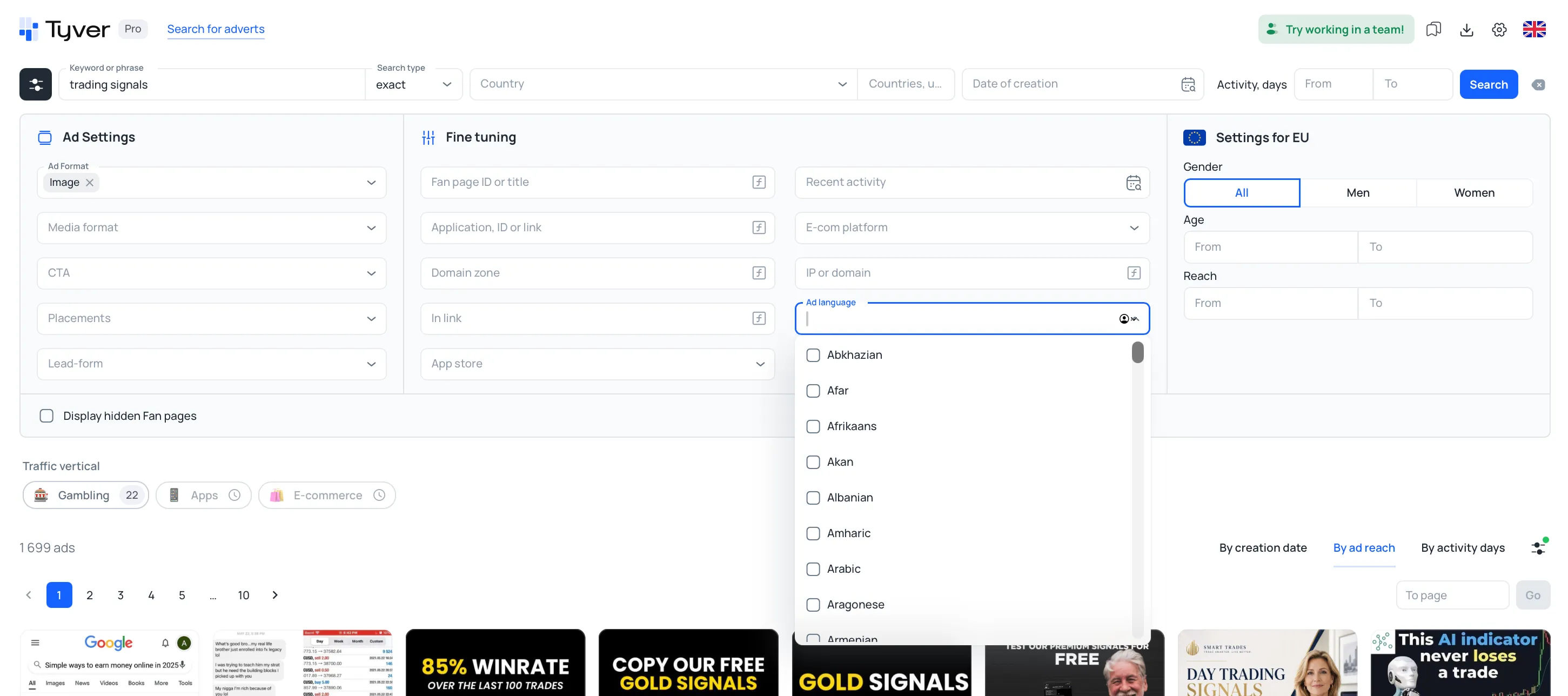
There are also specialized filters. For ecommerce advertising, for example, users can filter creatives by the platform used to promote the product.
For competitor ad analysis Tyver provides additional information for each ad, including its launch date, reach and number of active days. Ad statistics includes reach, gender and age, while targeting information is available for EU countries.

The Related Ads feature takes ad creative research further. Creatives can be explored through the Fan Page, domain or IP address, helping users trace campaigns of their competitors.
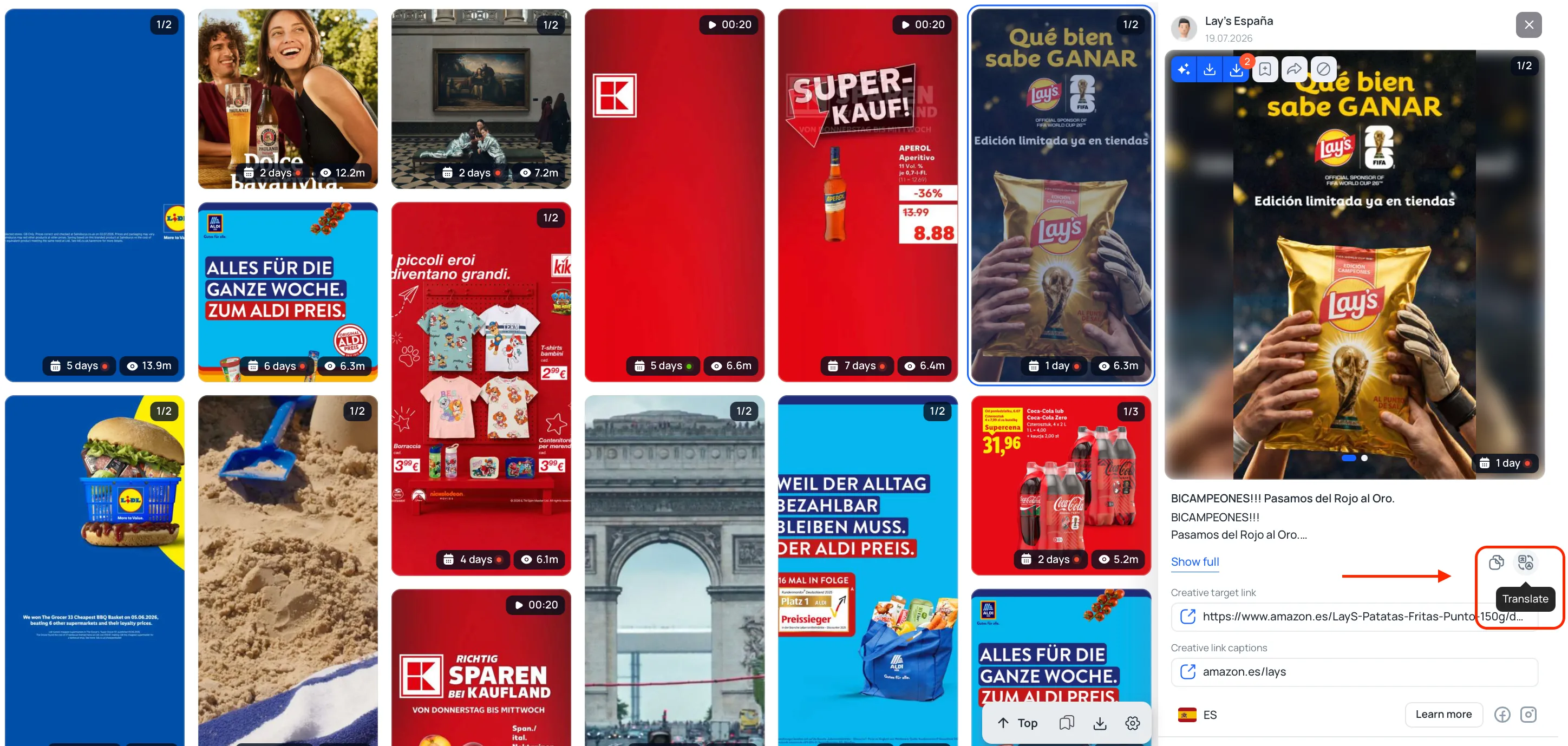
Working with foreign markets means dealing with ads in unfamiliar languages. Tyver includes one-click translation, so the text can be checked without switching to a separate translation service.
Creatives can also be saved to Favorites and organized into folders. These folders can be shared with other people and viewed without registering or logging in, which is convenient for teams.
Tyver also has a dedicated setup for teams. Administrators can invite users and assign roles such as team member, team lead or admin. View limits can be configured as soft, strict or unlimited.
If a media buyer leaves the team, their sub-account can simply be removed without changing the main account password or losing the team's existing data.
Tyver also maintains an official Telegram chat and channel. The chat can be used to discuss the service and exchange experience with other media buyers, while the channel publishes product updates and promotions. Support is also available through Telegram.
How to Find Winning Facebook Ads in Different Verticals
Tyver can be used for ad campaign research across any vertical. The exact approach depends on the offer, but the basic workflow remains simple: start with a keyword or product name, then narrow the results with filters and examine related ads. Let's have a closer look at how to analyze competitor ads.
Nutra
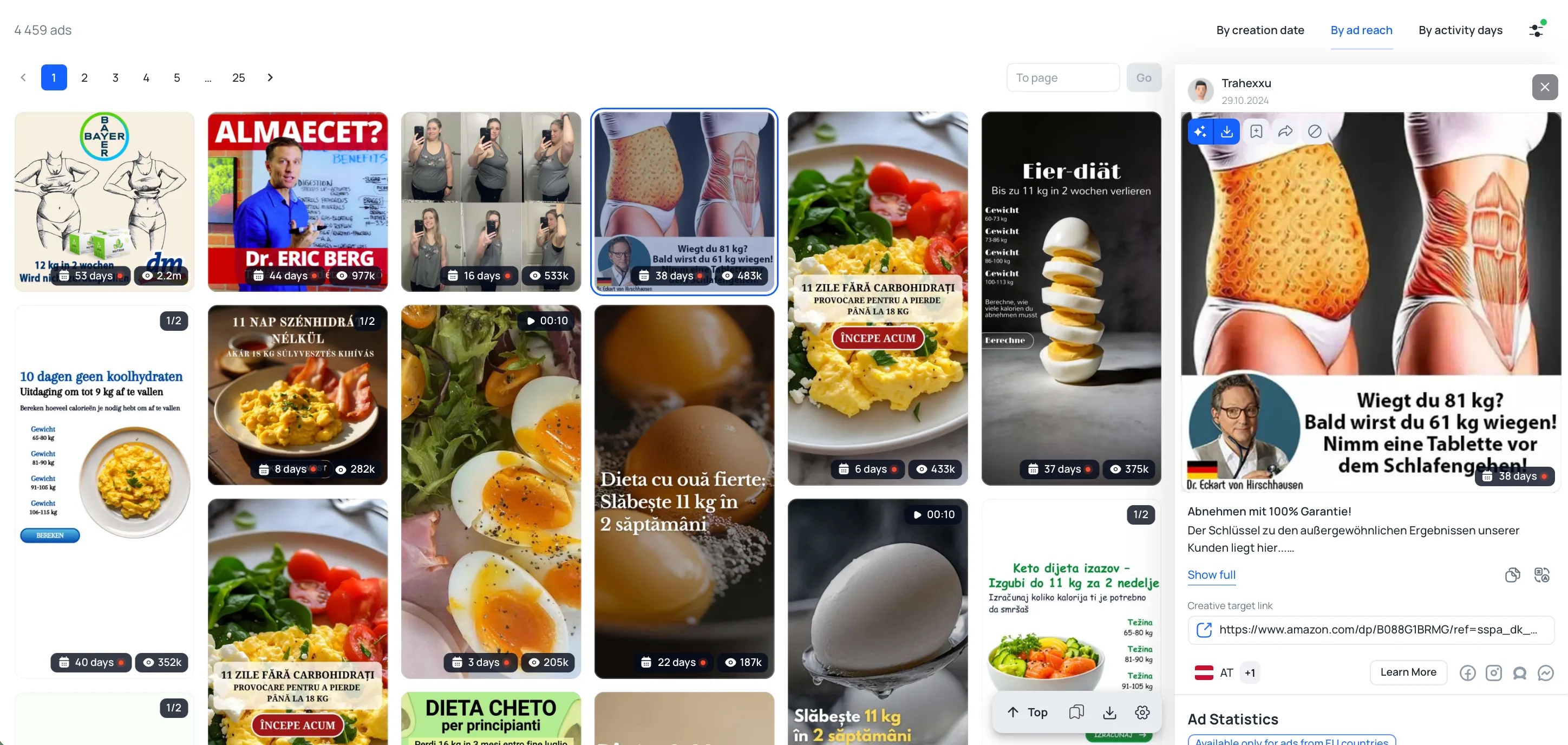
Nutra research can start with a broad problem, such as weight loss, skincare or joint health, or with the name of a specific offer. For example, searching for a keto diet can bring up 4,500 creatives built around healthy eating habits and weight-loss messaging.
For specific products like Nano Slim you can see that there are similar approaches among different advertisers: the image of a pack and description.
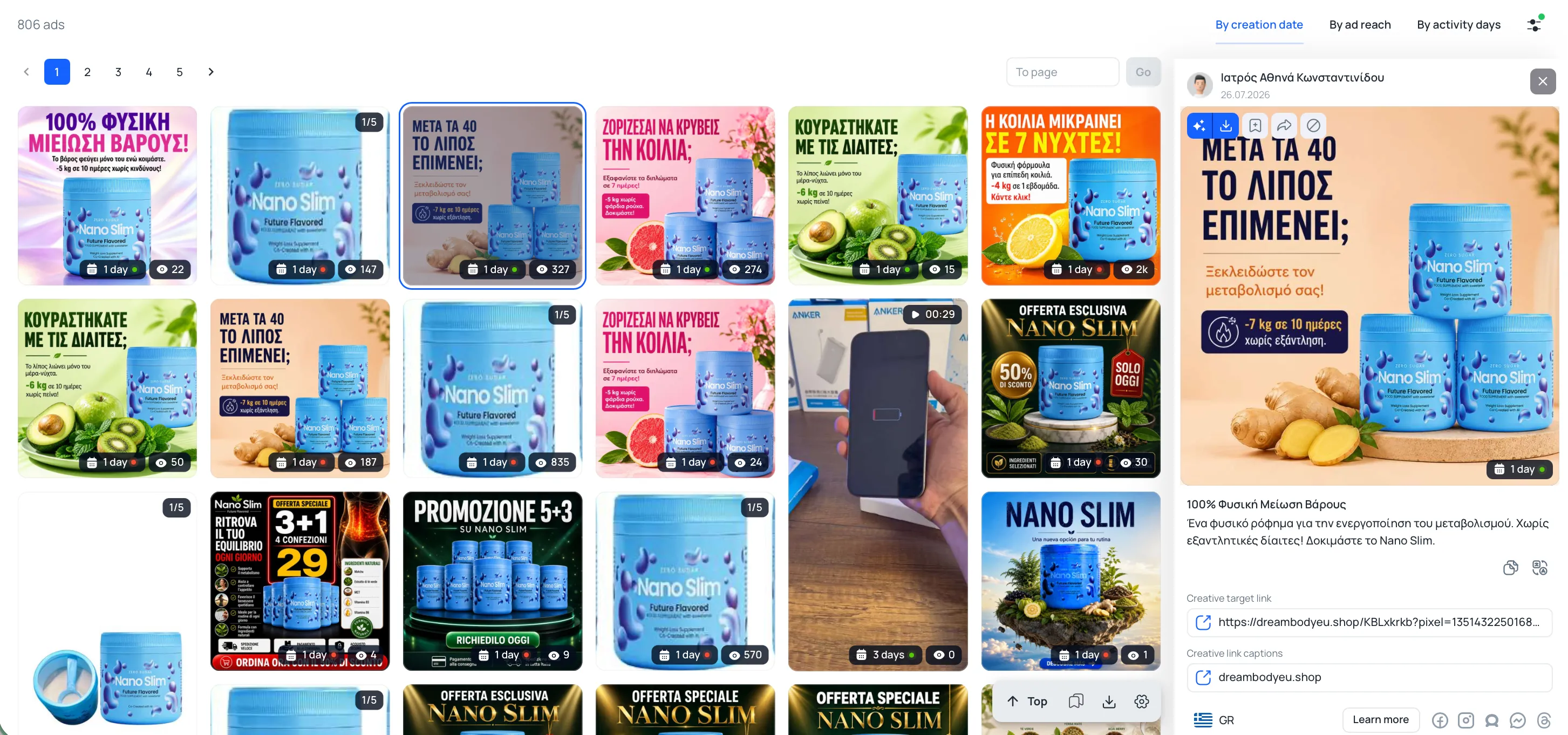
In case the number of ads is excessive, filters can narrow the results by geo, CTA and other parameters. Opening an interesting ad and checking related creatives can also reveal different products, landing pages and approaches targeting the same audience which can improve Facebook ad performance.
Betting & bonus hunting
Tyver provides a faster way to explore vertical of betting and bonus hunting. Instead of manually combining keywords and filters, users can get a list of popular offers and slots.
For example, searching for Coin Strike and sorting by ad reach produces 29,000 of creatives. The results can reveal recurring patterns: bonus offers, winning screens and prominent CTAs.
The same approach works with other games. Comparing active days and reach helps distinguish tests from creative formats that advertisers keep running.
E-commerce
E-commerce searches can start with a product category. Suppose you want to research ads for portable devices. A keyword search can return a mix of products and related offers, which can then be narrowed with additional filters.
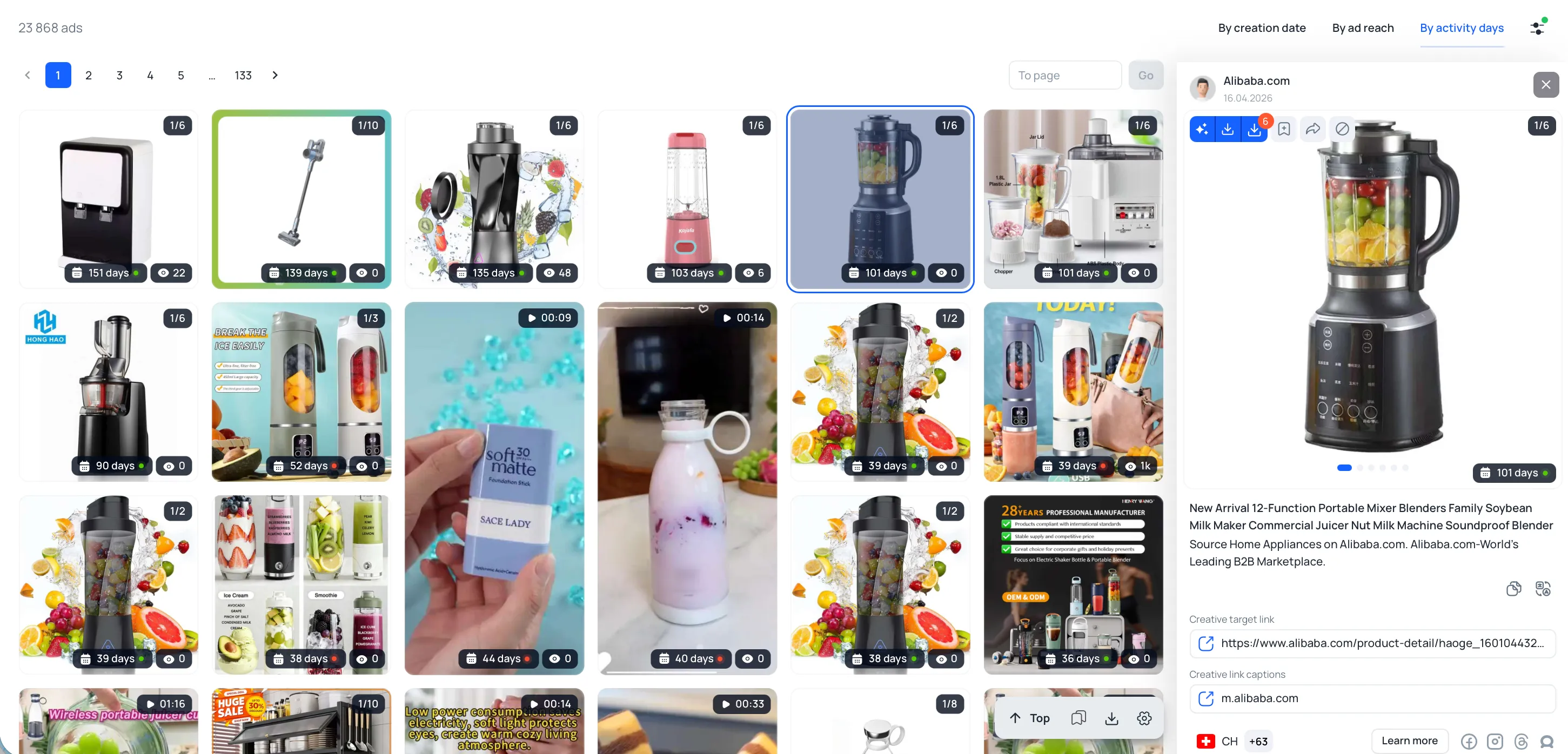
This is where Tyver becomes an ad spy tool for ecommerce with its e-comm platform filter. Selecting a specific platform makes it possible to see which products and creative formats advertisers are promoting there. Adding a CTA such as "Shop now", "Order today" or "Buy now" can narrow the results even further.
Dating
Dating creatives often rely on a different set of angles: profile previews, conversations, attractive characters and direct CTAs. Searches can start with keywords related to dating or with a specific service. For example, "find your love" returns with women ready for dating.

Once you find an interesting ad, Related Ads can lead to other creatives from the same Fan Page or domain. Comparing them makes it easier to see which visual formats, messages and CTAs advertisers use across different campaigns.
Conclusion
Tyver is a comprehensive affiliate marketing tool which goes beyond a basic creative database by combining filters, related ad data and features for storing and sharing research. Its coverage across Meta platforms and multiple geos makes it suitable for exploring every niche possible.
For marketers, the main advantage is access to more information before launching a campaign. Instead of testing every idea from scratch, you can first see what other advertisers are already putting into the feed and use that research to shape your own Meta advertising strategy.



