
DLDR: Instagram automation has become increasingly essential for individual users, influencers, social media marketers and large-scale businesses who need to grow accounts efficiently and maintain consistent engagement. How to efficiently improve your scale efforts on Instagram? By automating repetitive tasks like profile editing and content posting, users can boost efficiency, ensure consistent engagement without being overwhelmed by manual effort. However, making repetitive tasks in Instagram into automation workflow also comes with challenges:
Aggressive or poorly managed automation can trigger Instagram’s warnings or account restrictions
Technical complexity can make automation difficult to configure
Automated posts may be weak in content strategy and not always adapt to real-time trends, potentially affecting overall performance.
This is where cloud phones can help. By offering an isolated Android environment with independent device parameters, cloud phone prevent tracking from Instagram and keep you stay under the radar, making it safer to manage multiple Instagram profiles. Different cloud phone service providers perform differently in social media automation. VMOS Cloud supports RPA workflows automation, AI agent-driven automation, and open API, ensuring scale Instagram tasks are possible.
Instagram automation can be applied to different activities, including engagement with followers, profile editing, Reels posting and account growth etc. Among these, proper profile editing ensures that each account maintains a consistent, professional appearance and establishes trust with the algorithm, while automated Reels posting helps maintain a regular content flow, increase reach, and save time for strategic content creation. This article focuses specifically on these two automation tasks on Instagram, providing step-by-step guidance on how to execute them safely and efficiently on a cloud phone. For detailed instructions, you can refer to the third and fourth sections, which walk through profile editing and Reels publishing automation using VMOS Cloud.
Why do you need an Instagram bot?
Managing Instagram profiles can be time-consuming and challenging, especially for marketers, influencers, and social media managers handling multiple accounts. An Instagram bot helps streamline these tasks by automating repetitive actions such as posting, commenting, and engaging with followers. The benefits include:
Boost the efficiency: Automating repetitive tasks like posting, commenting, and engagement frees up time for content creation and strategy.
Consistent engagement: Scheduled posts and automated interactions ensure accounts stay active, even outside working hours.
Scalable marketing: Automation enables running accounts at scale without overwhelming manual effort.
While Instagram automation bot benefits time efficiency, simplifies engagement and streamlines scalable management, it also comes with challenges and risks, especially when multiple accounts are involved or when automation is applied aggressively. Understanding Instagram’s restrictions such as engagement limits is crucial for developing a safe and effective automation strategy:
Risk of account restriction: Aggressive or poorly managed automation can trigger Instagram’s anti-bot algorithms, potentially resulting in warnings, temporary restrictions or permanent bans.
Technical complexity: Configuring reliable automation tools and maintaining consistent interactions may require technical knowledge and proper environment setup.
Content strategy limitations: Automated posting may not always adapt to real-time trends or audience engagement, which can affect overall campaign effectiveness.
Why cloud phone is best for building Instagram automation bot?
What is cloud phone?
Cloud phone is based on cloud computing technology and ARM chips to provide a complete Android environment in the cloud. It allows users to connect to and remotely operate an Android device that functions just like a real physical phone, with its own device parameters like Android version, storage, device brand, IMEI, and network settings. Different cloud phone providers focus on different use cases. Among them, VMOS Cloud stands out as a leader in the industry and mainly focused on offering all-in-one solution for social media (Instagram included) marketing. And with no-code automation task bot, it enables users to manage multiple accounts more efficiently.
Why use cloud phone to build Instagram automation bot?
Isolated mobile-first environment
Users can access all Instagram features as if they're using a physical phone. Each cloud phone operates in a fully separate environment with its own device parameters like device brand, model, Android version, language, timezone, storage, IMEI, phone number, bluetooth address, network settings. This isolation prevents Instagram from detecting multiple accounts on a single device, reducing the risk of restrictions or bans.Reliable automation mimicking real user behavior
RPA (Robotic Process Automation): VMOS Cloud supports users to create custom workflows or use preset templates to automate tasks, such as Instagram profile editing, reels publishing and auto account growth. The no-code automation task bot is more than friendly to users without programming knowledge.
Automation driven by AI Agent: Automate scroll, likes, comments on cloud phones by transforming text prompts into real automated action workflow.
API integration: Use open API documentation of VMOS Cloud to control, manage, automate cloud phones at scale.
How to edit your Instagram profile on cloud phone?
Before diving into posting content or automating interactions, the first step in managing an Instagram account is to complete and optimize your profile (bio, profile picture, contact info, and links). The profile is the foundation of an account—it not only introduces you or your brand to new followers but also helps Instagram’s algorithm understand who you are and what your account represents. A well-structured profile establishes initial trust with the platform, sets a professional image, and improves your visibility in searches and recommendations.
Automating the process of editing your Instagram profile plays a crucial role in managing accounts efficiently and safely. By setting up or updating profile information automatically, you can ensure that each account maintains a consistent, professional appearance, even when managing multiple accounts simultaneously. Moreover, for social media managers and marketers who manage multiple Instagram accounts, automation reduces human error and manual workload, minimizing the risk of accidentally leaving incomplete or inconsistent information across accounts.
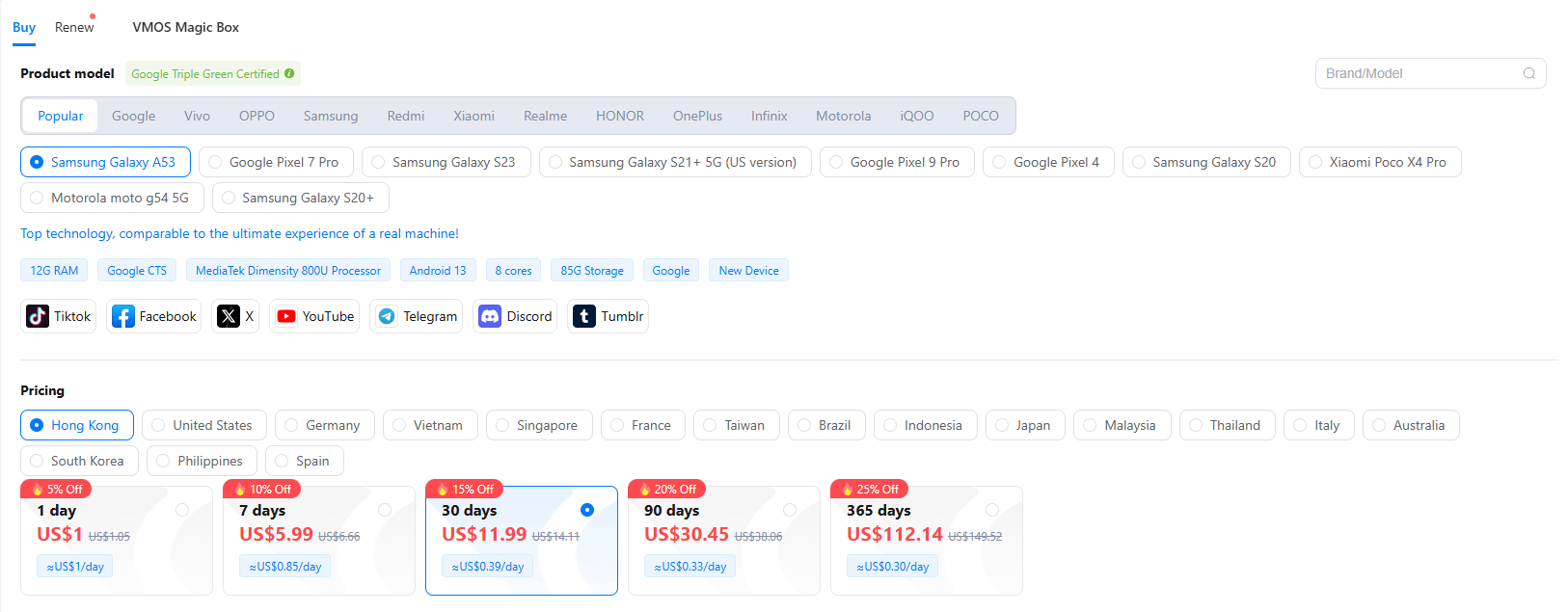
Purchase your device on the “Buy/Renew” interface, you can start at $4.99/mo for basic configuration and $11.99/mo for high-end real machines.
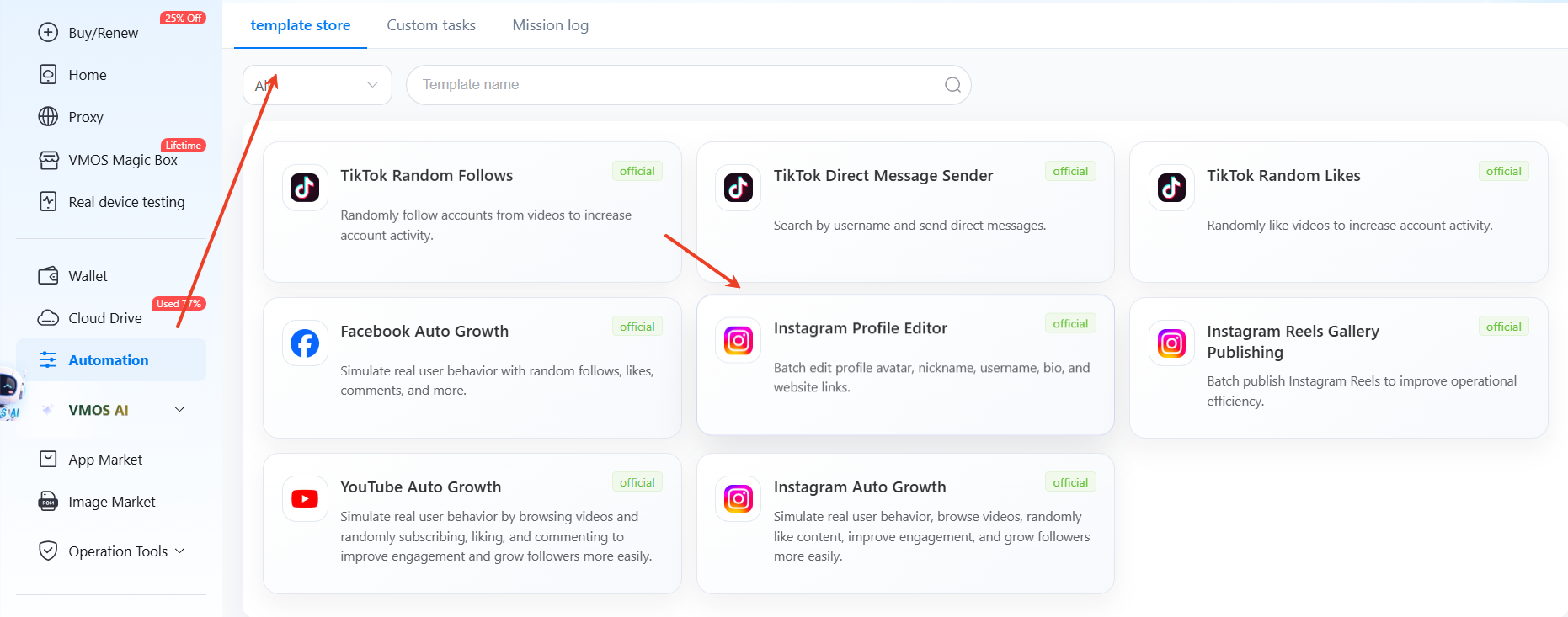
Tap “Automation” to find the template: Instagram Profile Editor provided by official.
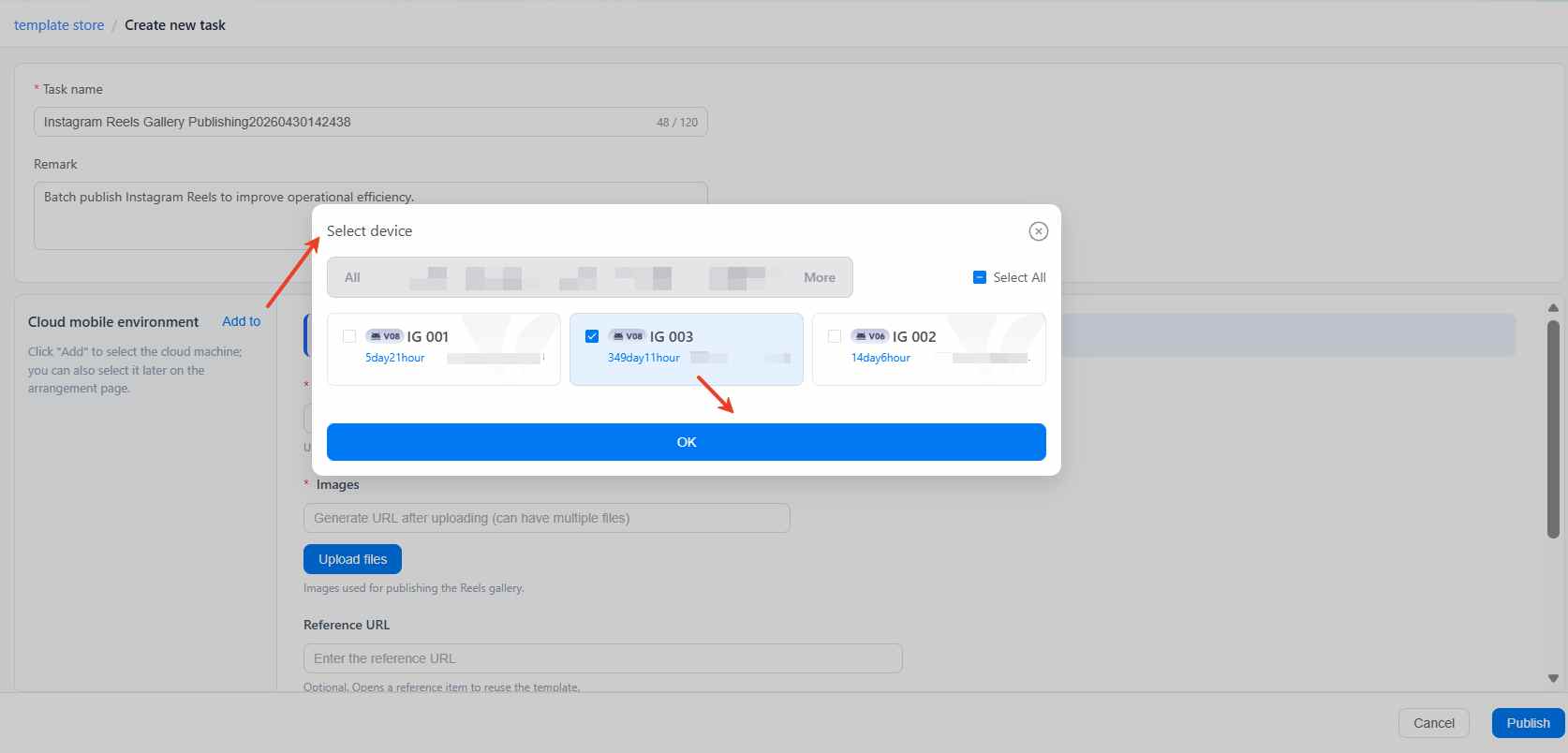
Click the “Add to” button and select the device(s) on which you would like to edit the Instagram profile.
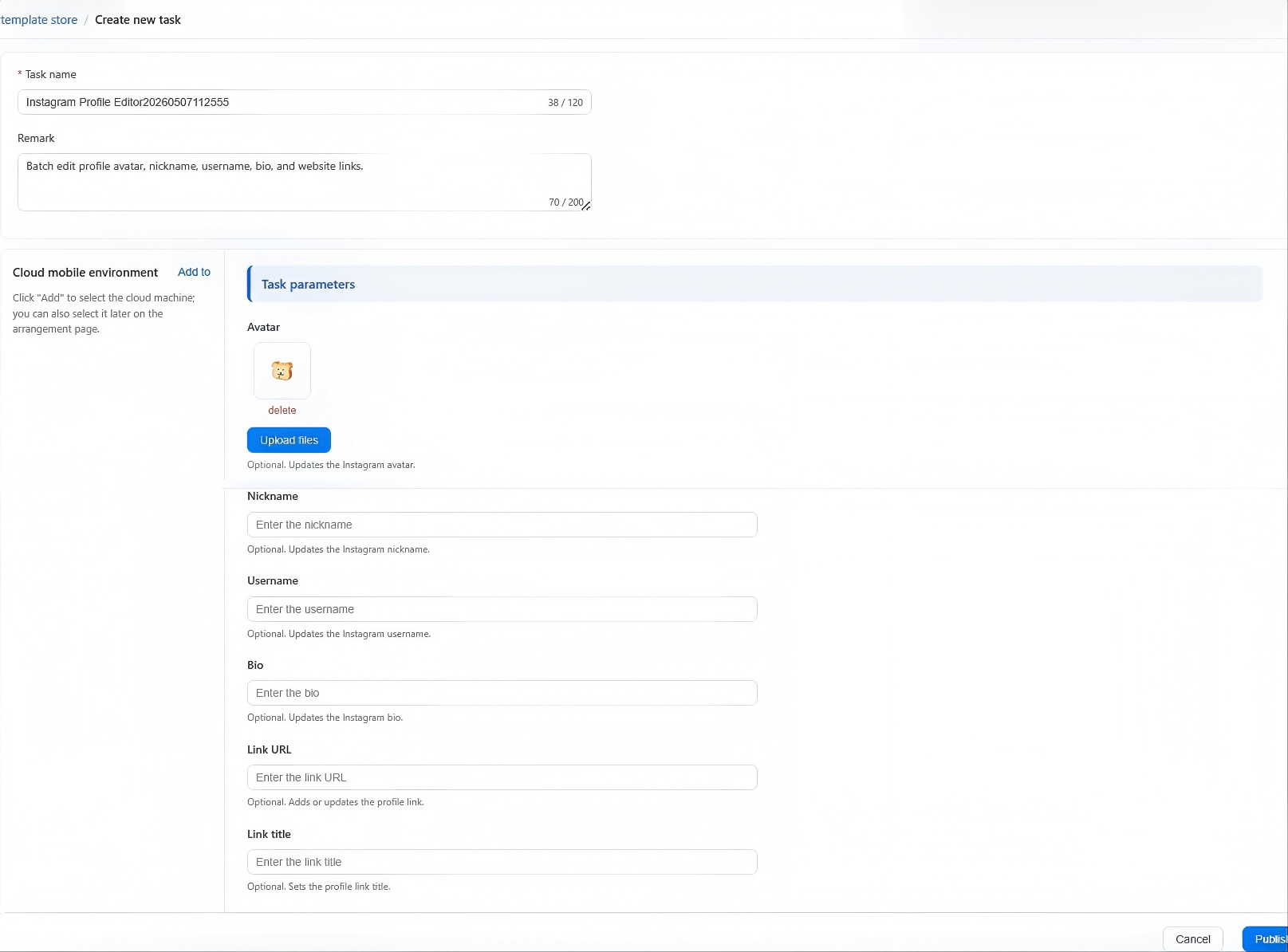
Input the task parameters: avatar, nickname, username, bio, link URL or link title.
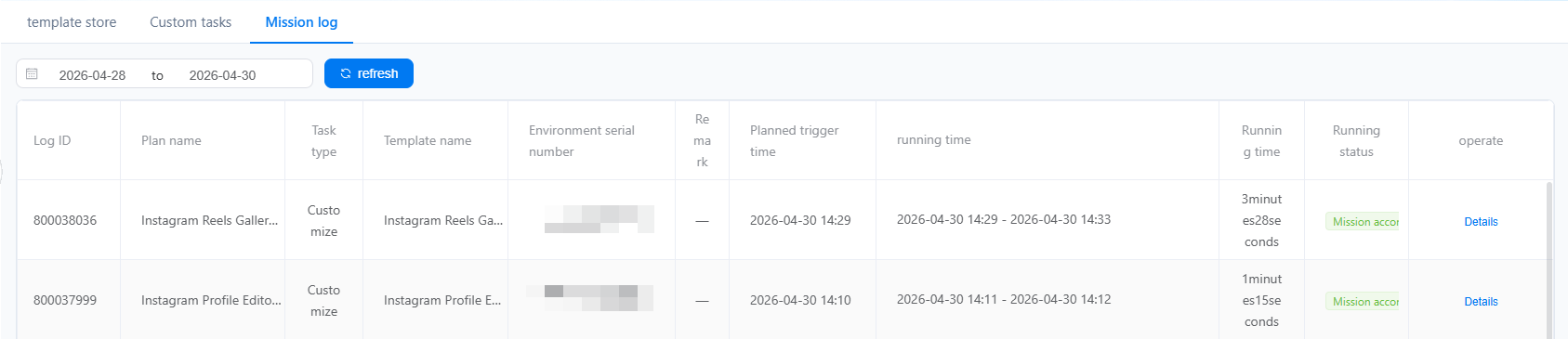
Click Publish to run the task and you can check the running status in the Mission log.

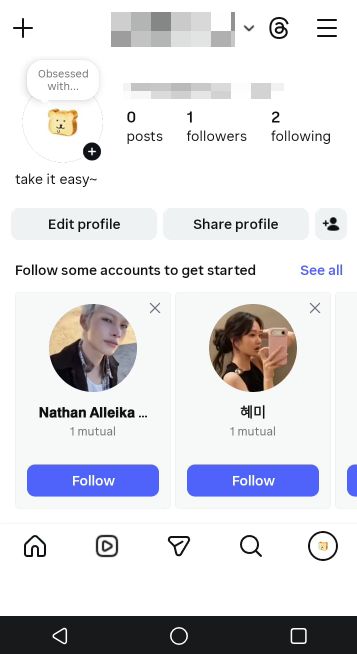
You can also enter the cloud phone to double check the updated profile.
How does cloud phone help to automate Instagram reels posting?
Automating Instagram Reels posting is another crucial strategy for creators and marketers seeking consistent engagement and growth. Reels are one of Instagram’s most visible content formats, offering high reach and discovery potential. Manually uploading and scheduling Reels across multiple accounts can be time-consuming and prone to errors, making it difficult to maintain a consistent posting schedule. VMOS Cloud solves this issue perfectly. It supports automatic Instagram Reels publishing, making it more efficient to grow account presence and reach your audience while freeing up time for content creation and strategy. It also allows for scalable management of multiple accounts, ensuring that each profile stays active and aligned with your marketing goals.
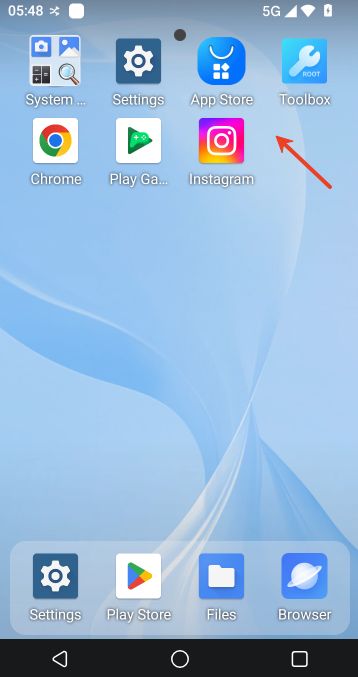
Purchase your cloud phone and install Instagram in it.
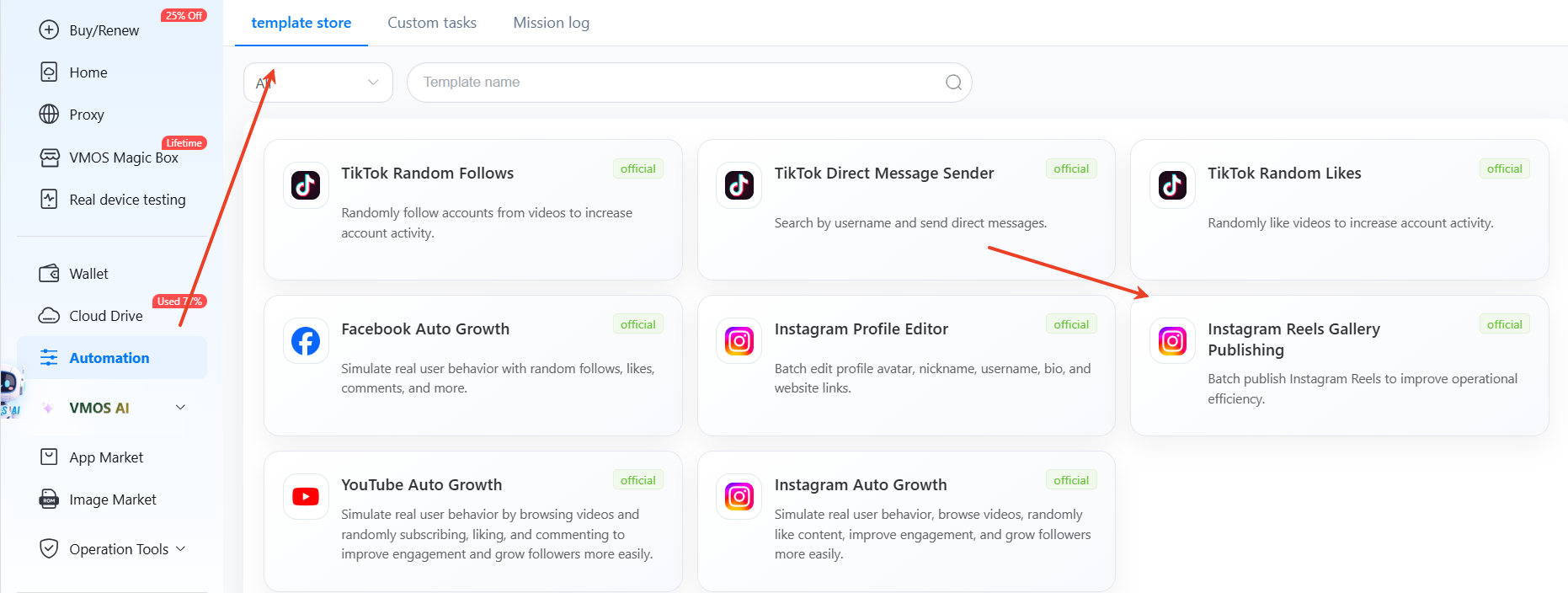
Click the “Automation” in the left navigation bar and find the template: Instagram Reels Gallery Publishing.
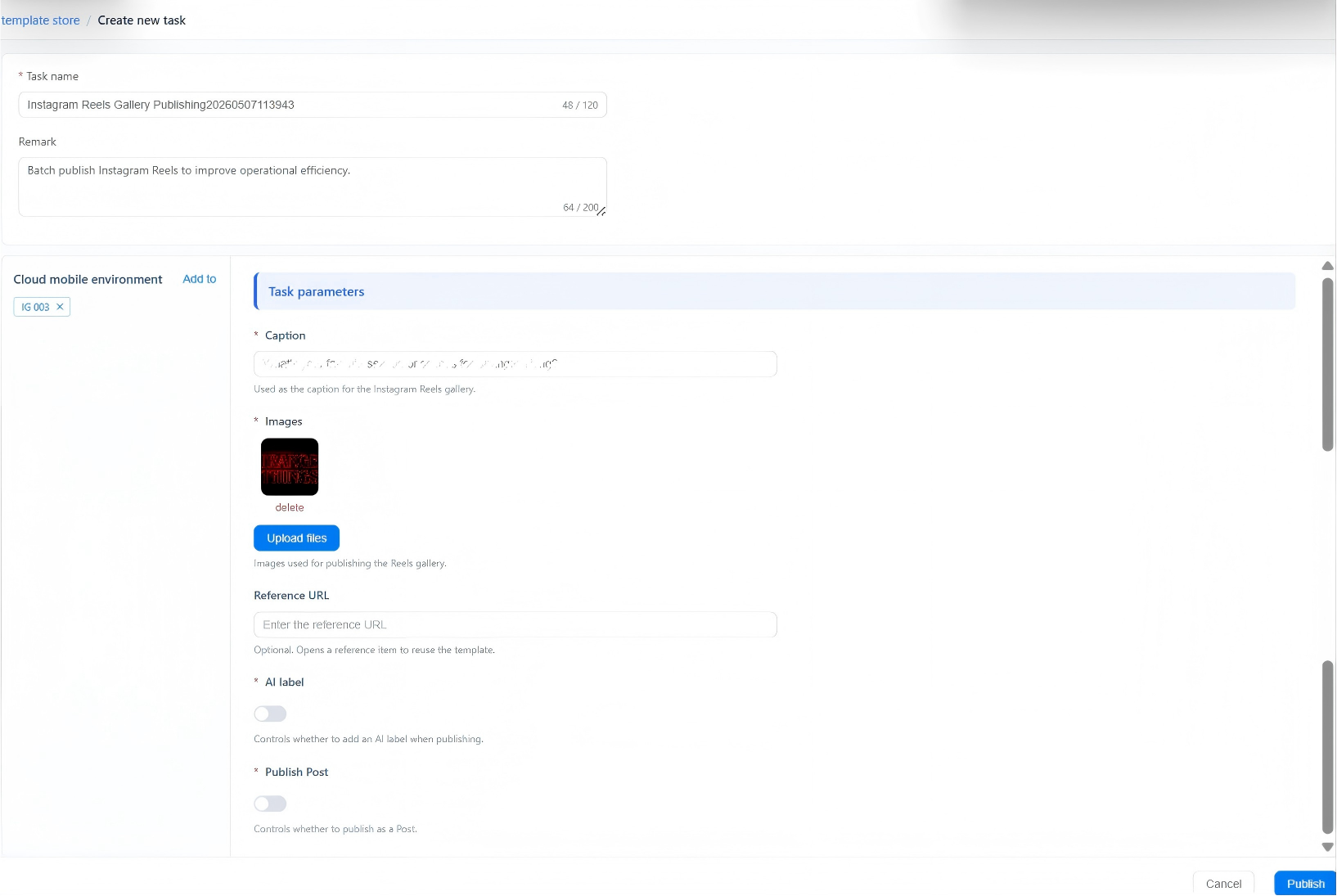
Choose the device by tapping “Add to” button
Fill in task parameters: post caption, images, reference URL and then click publish to upload your Reels content to the cloud phone and post it out.
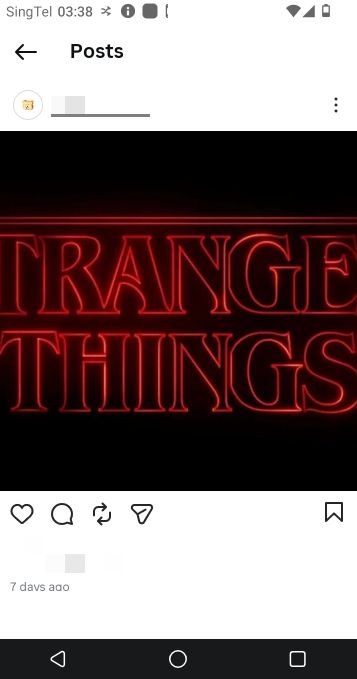
Check the running status in the mission log and find the posted content after the task is accomplished.
FAQs
Is it safe to use Instagram automation bot?
Yes, it can be safe when you use the right tool to build Instagram automation bot, follow proper strategies and Instagram's standards. Cloud phone integrated with automation workflow is an ideal solution to reduce the risk of being flagged by Instagram's algorithm by providing clean and antidetect environment and reliable automation features.
How can I automate my Instagram accounts?
You can automate your Instagram accounts using social media schedule management tools(e.g. Hootsuite, Buffer), automation tools (n8n, Zapier, Make etc.) or cloud phone with automation features: RPA workflows automation, AI-driven automation, or API integrations.
Which tool or software is best for Instagram automation?
The best tool for Instagram automation is cloud phone with automation features. Take VMOS Cloud as example, it provides isolated Android environments and supports RPA workflows, AI-driven automation as well as open API, allowing efficient and scalable no-code automation on Instagram.
How to automate reels on Instagram?
You can automate Instagram Reels posting by cloud phone like VMOS Cloud, which allows you to publish Reels with a pre-built automation template. There is no need for programming knowledge nor complicated configuration. For a step-by-step guide, you can scroll up and refer to section 4.



