
DLDR: BitBrowser is a multi-account management anti-detection browser tool. And it also provides cloud phone services. BitBrowser Cloud Phone(aka. BitCloud Phone) using real phone chipsets to simulate an Android environment. However, on its official website, it alternately defines itself as a cloud phone and an Android emulator, which comes across as inconsistent and unprofessional. BitCloudPhone supports Android 12-15 and functions like device sharing and transferring, profile clone and management, built-in App store, ADB, API and etcs. Users need to add a proxy first (only SOCKS5 supported) to access an independent mobile environment. And we make a testing its automation feature for cloud phones (version 7.1.0), which is not supported. Only a browser profile can support RPA automation workflow: set your tasks first manually and run it as the task settings. Although our testing indicates that BitCloudPhone is a cloud phone rather than an Android emulator, its device environment is technically weak. It has not passed Google Play Integrity and IPhey detection checks. Its anti-detection capabilities are limited, which can easily lead to account bans.
Its Pricing Plan is quite complicated, includes Pay as you go plan and Subscription-based Plan. which do not involve hidden fees from profile costs, profile package(device rental fee) and computing power. If you select pay as you go, at least it costs $0.04 to rent a device per day.For a monthly subscription, you need to pay $2 for a phone profile package (get 2 cloud phone devices), at least, plus an additional $25/month in computing power. VMOS Cloud provides more transparent pricing, the starter kit starts at $4.99 per month, which binds a free built-in proxy to a cloud phone device and no extra hidden fees.
In addition, it falls short in ease of use, cloud phone performance on current versions is a bit feature-light, under-equipped than VMOS Cloud. This is a cloud phone solution best for social media marketers, traffic arbitrageurs, bonus hunters and accounts management agencies. Each cloud phone has unique parameters, letting apps safely run in a device-level isolation environment, and enjoy the authentic mobile experience. It boasts a full range of features including AI-driven automation, AIGC, and team services, and is priced very competitively, making it the best alternative.
What is BitBrowser Cloud Phone?
BitBrowser cloud phone(also known as BitCloudPhone) emulates Android mobile environment on MAC and Windows 10 & 11 with real phone parameters. By using real mobile chipsets, BitCloudPhone can automatically match language, time zone, location, carrier, and SIM card based on the IP address. This allows users to create and run multiple independent mobile environments without physical phones, each with its own configuration, device fingerprint, and network settings.
Device environmental testing and review
In essence, BitCloudPhone achieves an independent mobile environment based on cloud virtualization and simulation of device parameters. BitCloudPhone runs with Android operating system: Android 12 or 15. Users can choose as per need. However, it is unavailable to customize fingerprint parameters when adding a cloud phone profile on BitCloudPhone. A valid proxy must be configured to access the cloud phone profile and BitCloudPhone will generate the corresponding language, timezone and geolocation based on IP.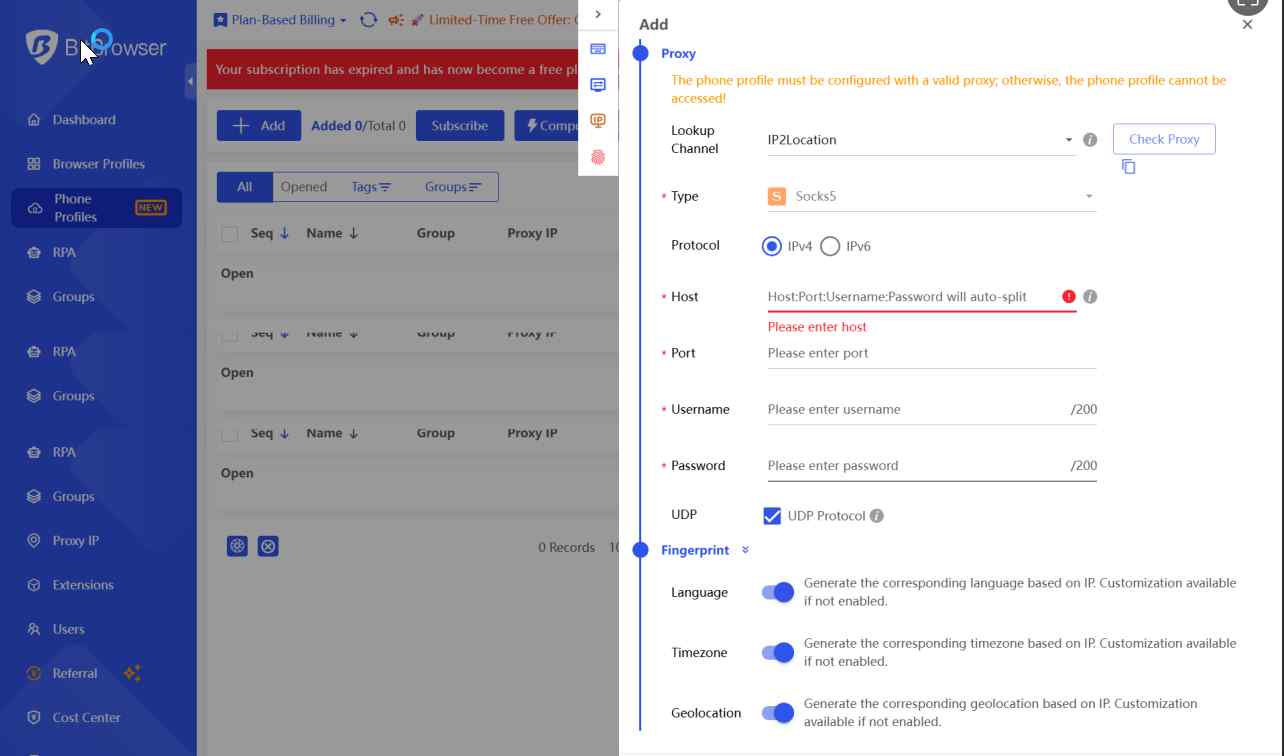
Who Benefits from BitBrowser Cloud Phone?
E-commerce sellers: Operating multiple stores and accounts in different countries or regions requires isolated accounts environments to reduce the possibility of being detected by platforms and the risk of account restrictions or bans, and automating product listing, order tracking, and inventory management, etc.
Social media marketer: Large-scale account management (e.g., matrix accounts on TikTok, Instagram, Facebook, etc.) and content publishing; automated account nurturing, commenting, and engagement.
Enterprise-level operations: Social media marketing agencies or e-commerce businesses typically need to operate dozens or even hundreds of accounts simultaneously. Robust team collaboration with granular access control, and detailed operation tracking is required to streamline workflow and improve efficiency
Core Features of BitBrowser Cloud Phone
Real device fingerprint simulation
BitCloudPhone supports simulating real phone parameters, such as IMEI/IMSI/MAC address, device brand, model, and Android version: Android 12, 14, and 15. Android 14 is only applicable to time-based plans. Creating a cloud phone profile requires setting of proxy IP, time zone, language, and geographic location will remain consistent with IP. This makes each cloud phone profile behave like a "real device," effectively reducing the risk of account association.
API
BitCloudPhone integrates API that supports Selenium and Puppeteer scripts. This enables users to automate complex, repetitive workflows across multiple cloud phone profiles, allowing developers to execute app-level automation with a high degree of flexibility and precision. API RPM(Requests Per Minute): 60 while for browser profiles is 600.
Team Collaboration
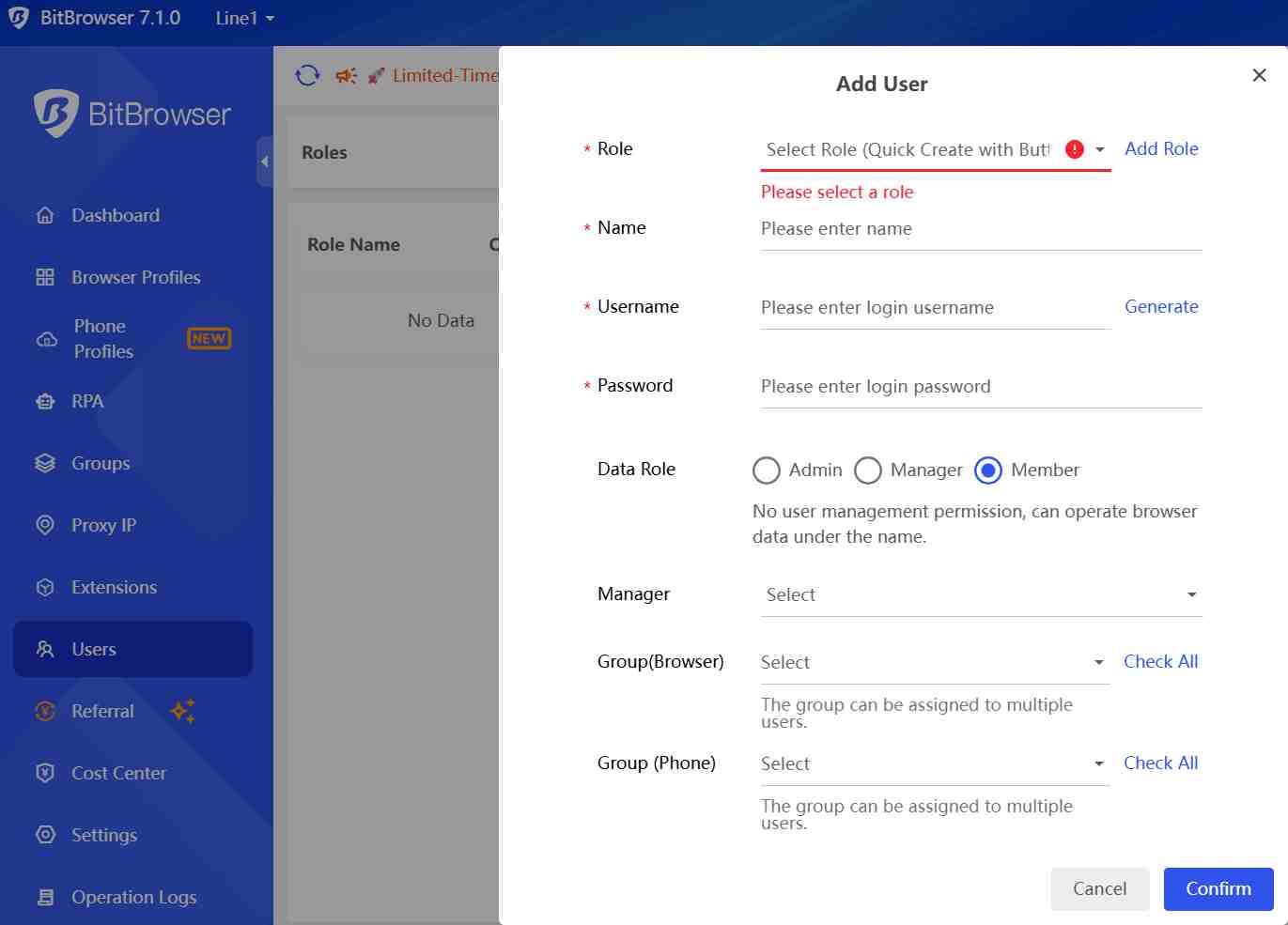
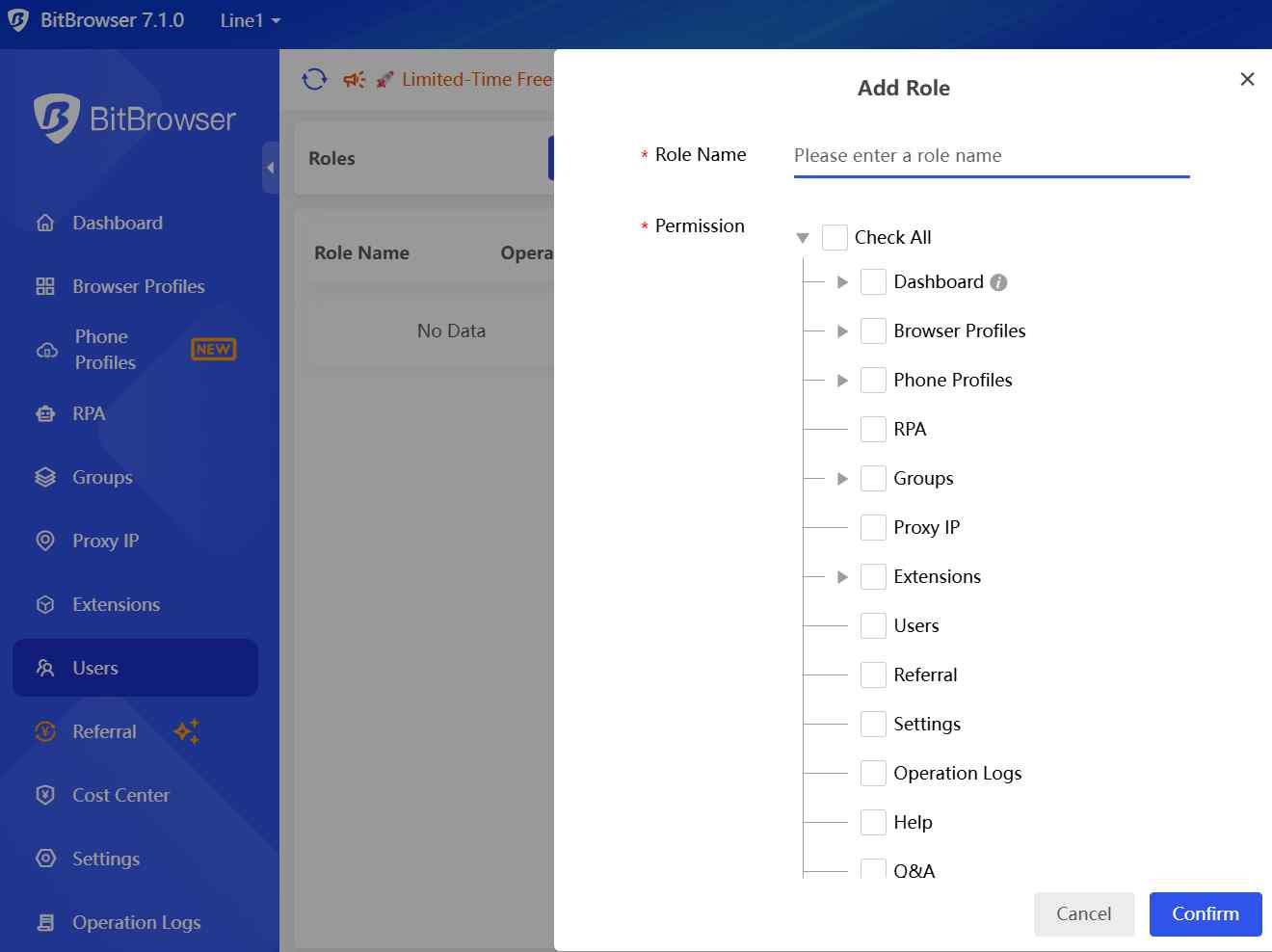
BitCloudPhone offers a team collaboration function, which is significant for large-scale and enterprise-level management. Through a centralized management dashboard, administrators can oversee all cloud phone profiles. Detailed operation logs and activity tracking ensure full visibility into user actions, enabling accountability, auditing, and efficient troubleshooting. The platform also provides granular role-based permissions, allowing precise control over team members, reducing internal security risks.
BitBrowser's Pricing Plans & Rental Models Review
BitCloudPhone pricing is divided into two categories: Time-Based Billing (Pay as you go) and Plan-Based Billing(Subscription-based plan). There are profile fees, computing power fees and profile package. Following is a detailed pricing table.
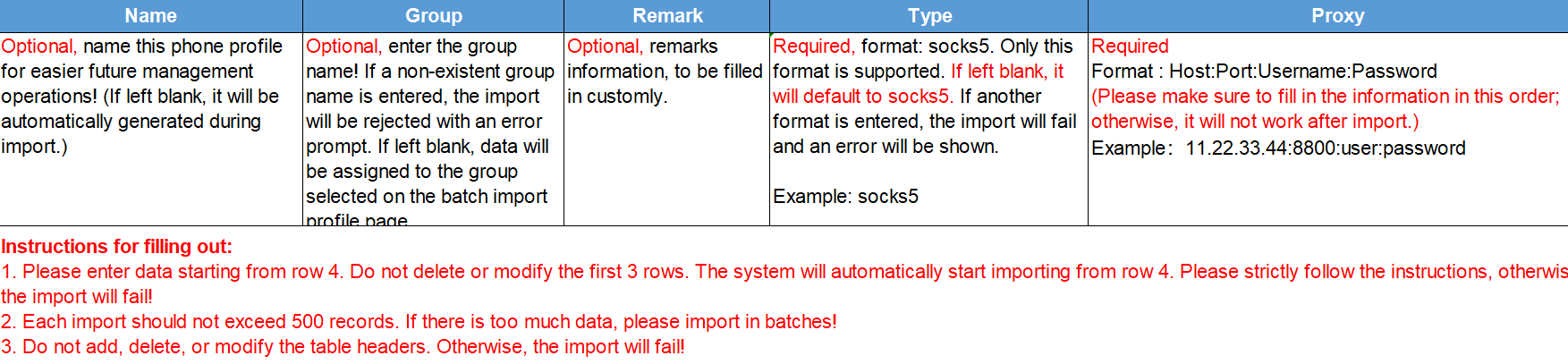
The billing is complex, and the quantities of cloud phone profiles cannot be selected when on the “Add” interface; it must be done by filling in Import Phone Profiles. With increased operational difficulty and time consumption, this is not user-friendly for those with need of a large number of devices.
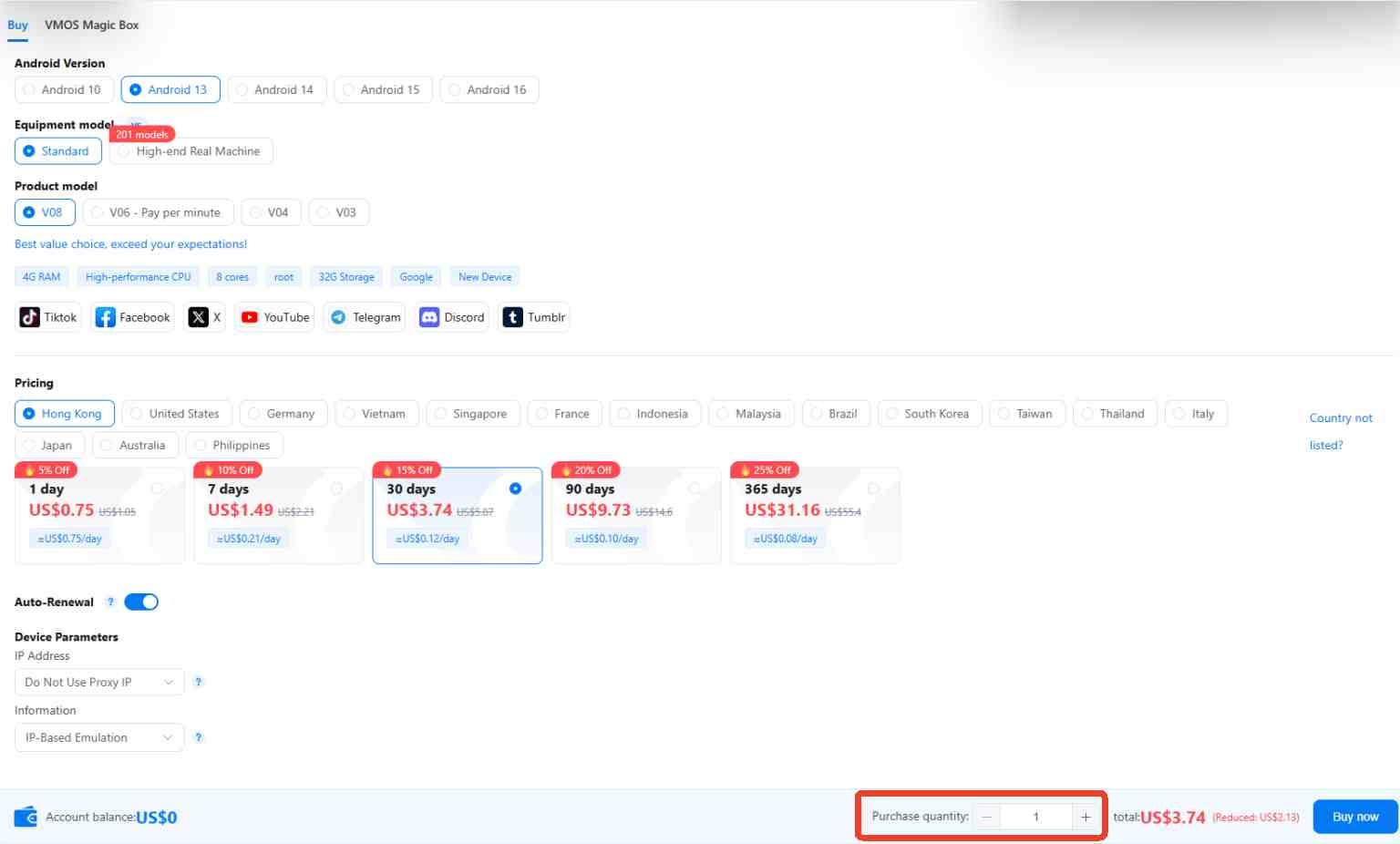
VMOS Cloud offers a more user-friendly purchasing interface as well as flexible and transparent pricing plans: subscription plans and pay-as-you-go plans. What’s more, it allows more comprehensive parameter customization. Users can select the Android system (Android 10-16) and product packages on the "Purchase" interface. In addition, VMOS Cloud has built-in proxy IPs; SIM card, Region, Operator, device language, time zone, location are automatically matched to the IP address, requiring no additional configuration from the customer. For large-scale device needs, users can simply enter the desired number to easily create devices.
Weaknesses of BitBrowser Cloud Phone You Need to Know
Environment isolation
BitCloudPhone is not a real mobile environment hosted on the cloud. Essentially, it generates an independent virtual environment by simulating a real device. This makes it easier to be tracked by advanced detection mechanisms.
Immature cloud ecosystem
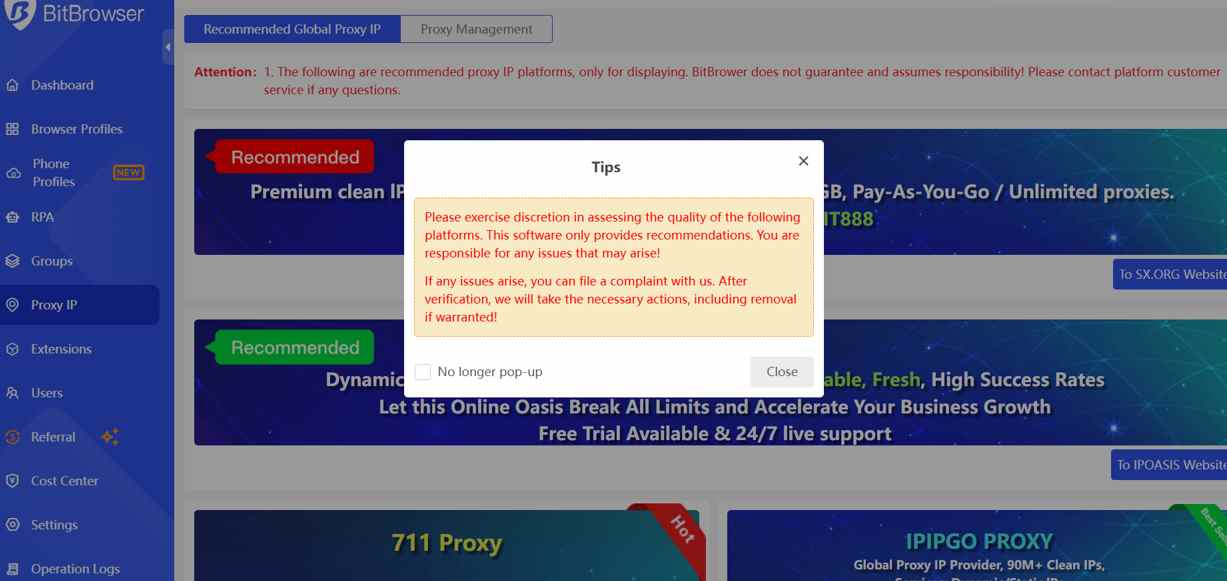
BitCloudPhone is deeply integrated with the browser ecosystem, making them less flexible than standalone cloud phone solutions, like VMOS Cloud. It only supports web/desktop versions, and lacks mobile clients. And the configuration of the cloud phone profile environment relies on proxy IPs, requiring users to manually bind high-quality proxy IPs. One more thing to note is that BitCloudPhone only supports SOCKS5 as a proxy type.
Not easy for customers to use
The interface design is visually unappealing, the functional layout is scattered and has some shortcomings. For example, the size of the cloud phone window cannot be adjusted on phone files interface or by dragging the edge, but must be adjusted in System Settings; the time-based package environment does not support the one-click new device function; and the purchase rules/batch creation are complex, etc.
Learning curve
BitCloudPhone offers API (supporting Selenium and Puppeteer scripts) to support automation, which can simplify workflows and improve efficiency. However, it has a relatively long learning curve and is not effective for beginners or users without programming skills.
Best Alternative to BitBrowser Cloud Phone: VMOS Cloud
Real mobile environment and robust anti-detection ability
Real Android environment with complete operating system hosted on cloud. Complete device isolation with unique device parameters, like device brand, model, Android version(Android 10-16), language, timezone, storage, IMEI, phone number, bluetooth address, network settings. Passed IPhey detection check, PixelScan unique identify check, Google Play Integrity verification.
Transparent pricing
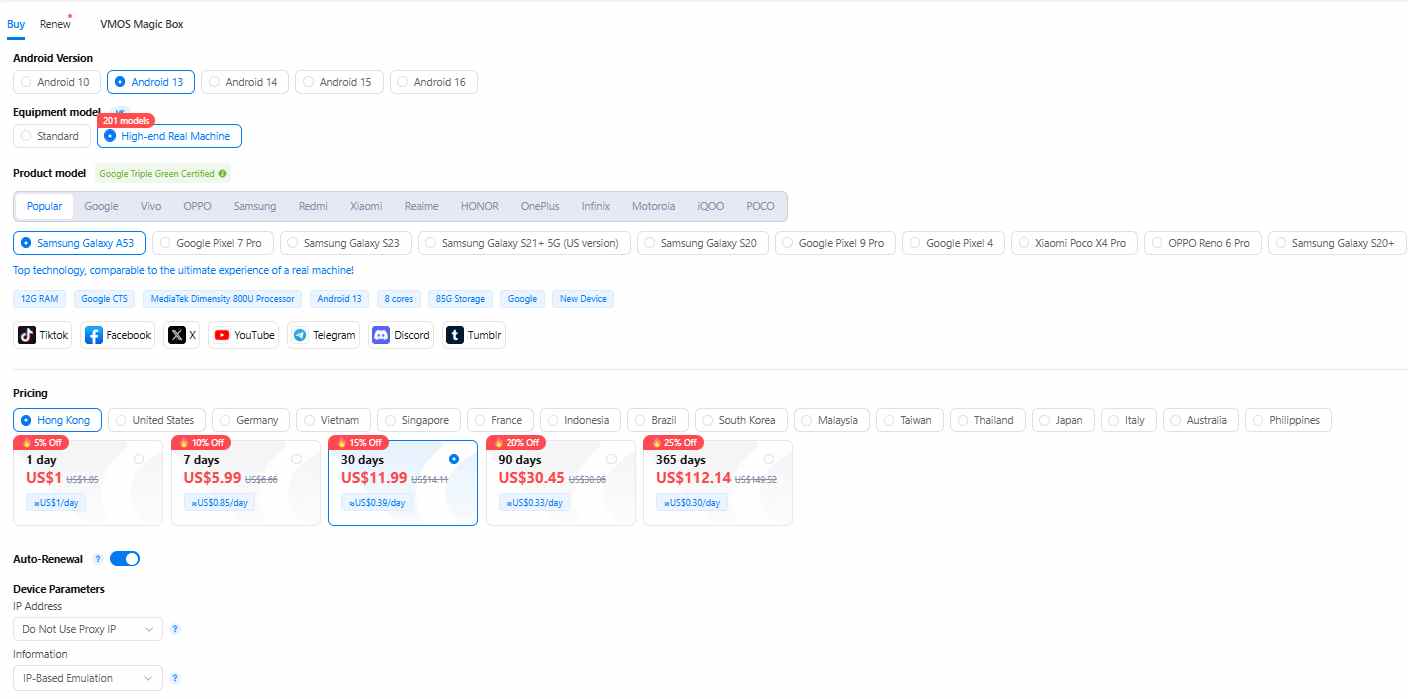
Flexible pricing plans include subscription plan and pay-as-you-go plan. Users can start to enjoy basic configuration $ 4.99 per month. And for the most advanced configuration: high-end real machines, it only costs $ 11.99/month. A built-in proxy IP is included, if users have no additional requirements, they do not need to purchase and configure a proxy IP themselves. SIM Card Region, Operator, device language, time zone, and location will be automatically set by the IP address.
API & VMOS AI Agent
VMOS Cloud also offers a powerful and stable API. In addition, VMOS Cloud users can achieve automation more simply and efficiently through AI Agent: transforming input text into automated workflows.
AIGC
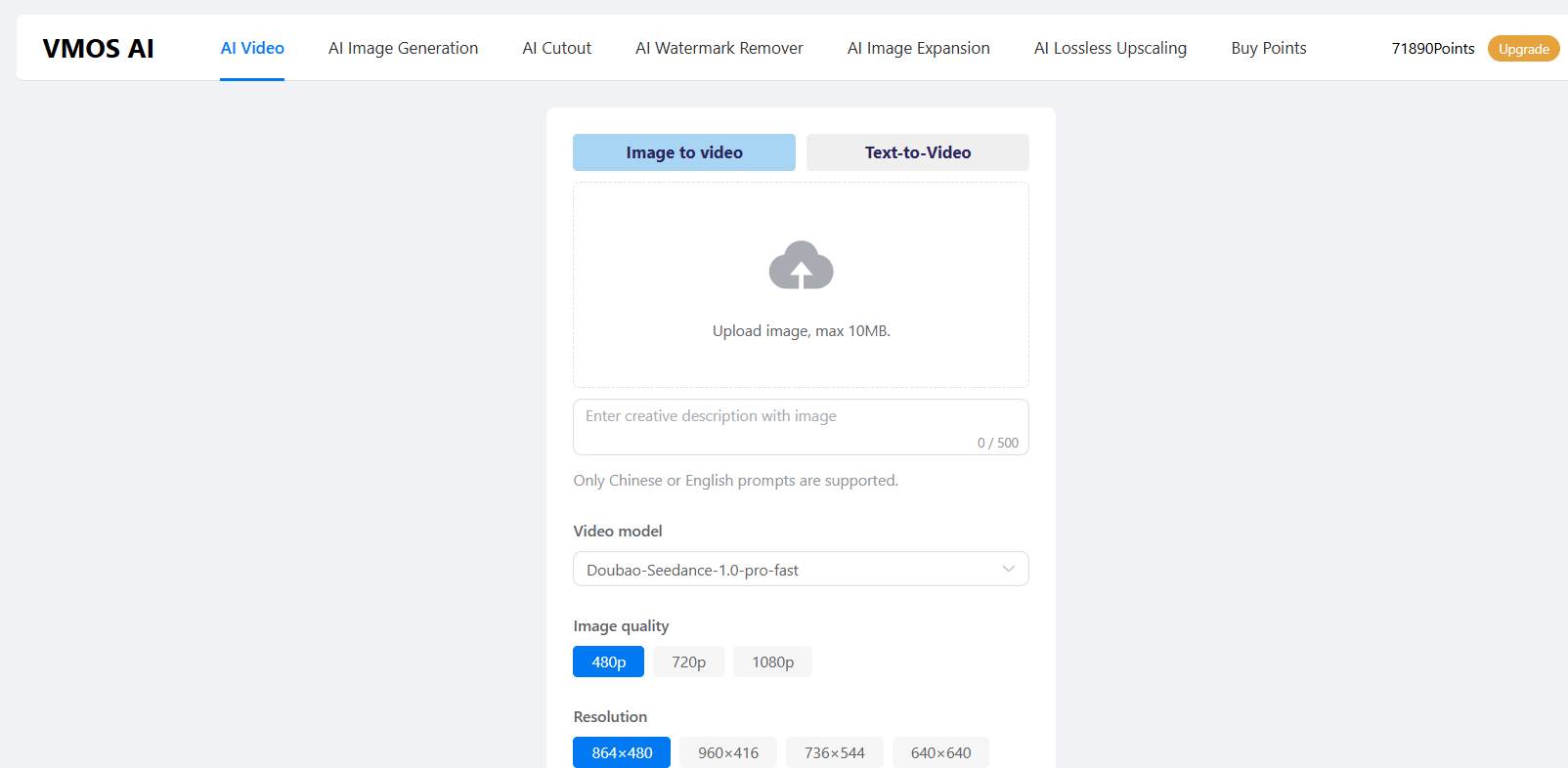
Improve work efficiency by generating content using the built-in VMOS AI.
Team Collaboration:
Granular management of team roles and permissions to streamline workflows. And operation logs secure data and enable seamless management.
Summary: Is Bitbrowser Cloud Phone the Best Choice for Social Media Marketing?
BitBrowser cloud phone's definition is somewhat vague according to its own official website. Its core function lies in achieving environment isolation by simulating a cloud environment. It uses proxy IPs to simulate fingerprint information, and its synchronizer, team collaboration features, and API integration make it a choice for some social media marketer or e-commerce team.
However, it falls short in several aspects, which significantly impacts the effectiveness of social media marketing. These shortcomings include: immature cloud phone environment, complex pricing and hidden fees, incomplete cloud phone functions, long learning curve and low ease of use.
Recommendation: Consider BitCloudPhone as an alternative
VMOS Cloud is a professional cloud phone service provider that achieves device-level isolation through unique device parameters, offering advanced anti-detection capabilities and more comprehensive and powerful features. It is the all-in-one choice for those who are concerned about device environment and social media accounts security, desire a more convenient user experience and comprehensive features, or have accounts with high commercial value or sensitive fingerprint detection.
FAQs
What is a cloud phone?
A Cloud Phone is a real device environment running in the cloud, providing a full operating system(mobile device-level isolation).
What is BitBrowser Cloud Phone?
BitBrowser cloud phone(also known as BitCloudPhone) is defined as an Android emulator officially. It emulates Android mobile environment on MAC and Windows 10 & 11 with real phone parameters. By using real mobile chipsets and binding of proxy IP, BitCloudPhone can automatically match language, time zone, location, carrier, and SIM card based on the IP address.
Is BitCloudPhone the same as VMOS Cloud?
No. BitCloudPhone is an Android emulator in essence. VMOS Cloud phone is a real Android environment hosted on the cloud that can be accessed remotely. It achieves complete device-level isolation with unique device parameters.
How much does BitCloudPhone cost?
Its pricing is divided into 2 billing modes: time-based billing composed of profile fee ($ 0.04/24 h/phone profile) and computing power ($0.09/15 min, capped at $1.6/day). Plan-based billing consists of profile package ($2/mo for 2 profiles) + computing power ($25/mo).
Where does the BitCloudPhone fall short according to this review?
BitCloudPhone creates independent virtual environments by simulating real devices, which makes it easier to be detected. And the platform has a steep learning curve. And for automation, BitCloud Phone only supports API. It will be challenging for new users due to its technical barrier.



