
How to Fix Roblox Error Codes 279, 277, 278, and 268?
Below shows the reasons and possible solutions to fix Roblox error 279, error 277, error 278, error 268 and error 280:
(1) Error Code 279 and Error Code 277
Cause: Unstable network connection or an issue with the Roblox client. Error code 279 and code 277 usually happens on PCs, Macs, and mobile devices when the client application and servers are having trouble establishing a network connection.
How-to fix:
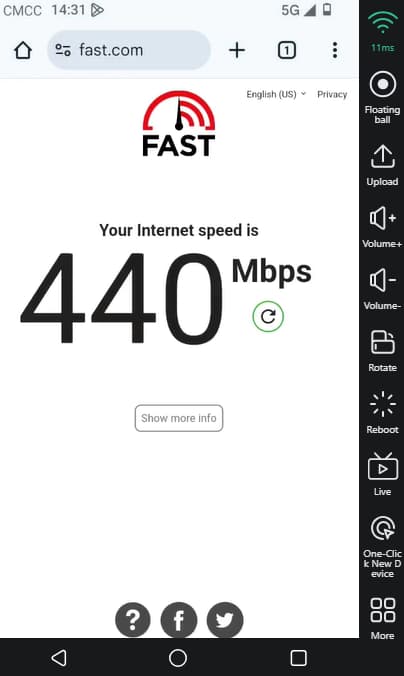
Check your network connection: Use Cloud Phone device-> Open Chorme-> search any“Speedtest”page to measure your internet speed. If the speed is above 50MB, the cloud phone network is fine, then you should check your local network. You can try switching networks or restarting your WiFi router. If the speed is below 50MB, please replace a new device, that's free.
Disable VPN: Try turning off the VPN and relaunch the Roblox may be helpful.
Force close the Roblox and Restart your device: these errors are often caused by network fluctuations. Your device may be downloading something in the background, causing an unstable connection. Restarting the device may resolve error.
Reinstall Roblox: If the above methods don't work, your Roblox installation may be corrupted, fully uninstall Roblox and then reinstall it. A fresh installation can eliminate client-related issues.
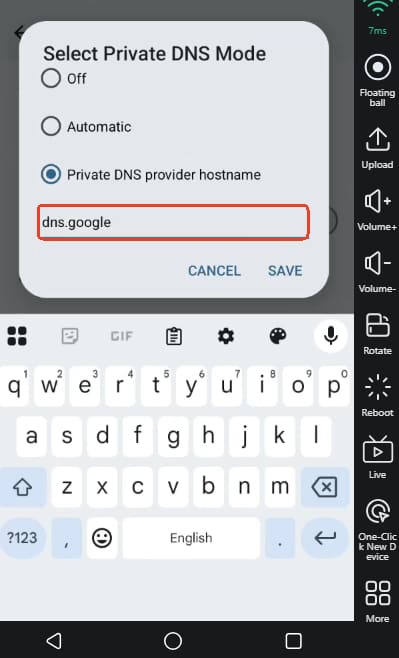
Switch to Google DNS servers: Go to Settings -> Network & Internet -> Private DNS -> Private DNS provider hostname and enter dns.google.
If all above fails, please refer the guide from Roblox official: fix the Error 279 on Android device, fix the Error code 277 on Android device.
(2) Error 268
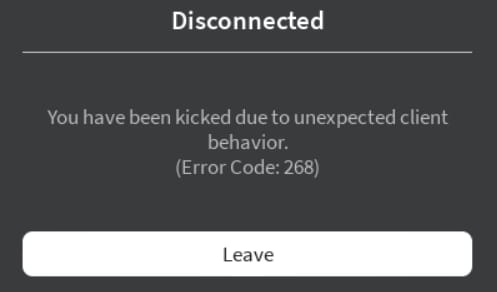
Cause: Roblox detected cheating software. This error can also occur if there is a conflict with other applications, like antivirus software, that override permissions related to Roblox.
How-to fix:
1. Close all cheating or modification software, restart your device, and then reopen Roblox.
2. Clear the DNS cache and change the DNS server:
Clear DNS Cache On Android, the way to clear the DNS cache is to restart your phone (hard reboot).
Switch to Google's DNS Server: Go to Settings -> Network & Internet -> Private DNS -> Private DNS provider hostname and enter dns.google.
If all above fails, please refer the guide from Roblox official: fix the Error 268 on Android device.
(3) Error 278
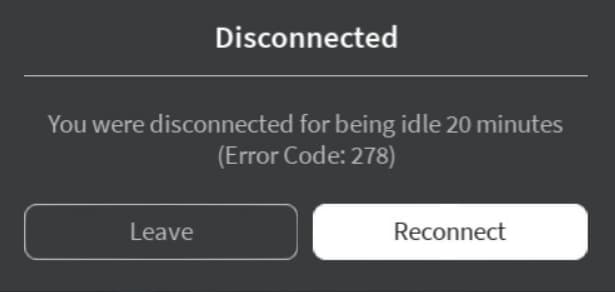
Cause: This error code comes usually when you are inactive, or after being idle for more than 20 minutes (AFK). Roblox automatically disconnects idle players to save server resources.
How-to fix:
If you see Error 278 on VMOSCloud, this is normal. Just click Reconnect to continue playing.
If you want to stay AFK without getting disconnected, you can use Auto Clicker, scripts, or Rejoin tools to keep the server receiving active signals.
Other Tips: if you keep face crashing on Roblox in the VMOSCloud, please refer this guide to see how to stop Roblox crash and disconnection issue on VMOSCloud.



