How to Stop Roblox From Crashing and Disconnecting?
Steps to Improve Roblox Crash and DC Error
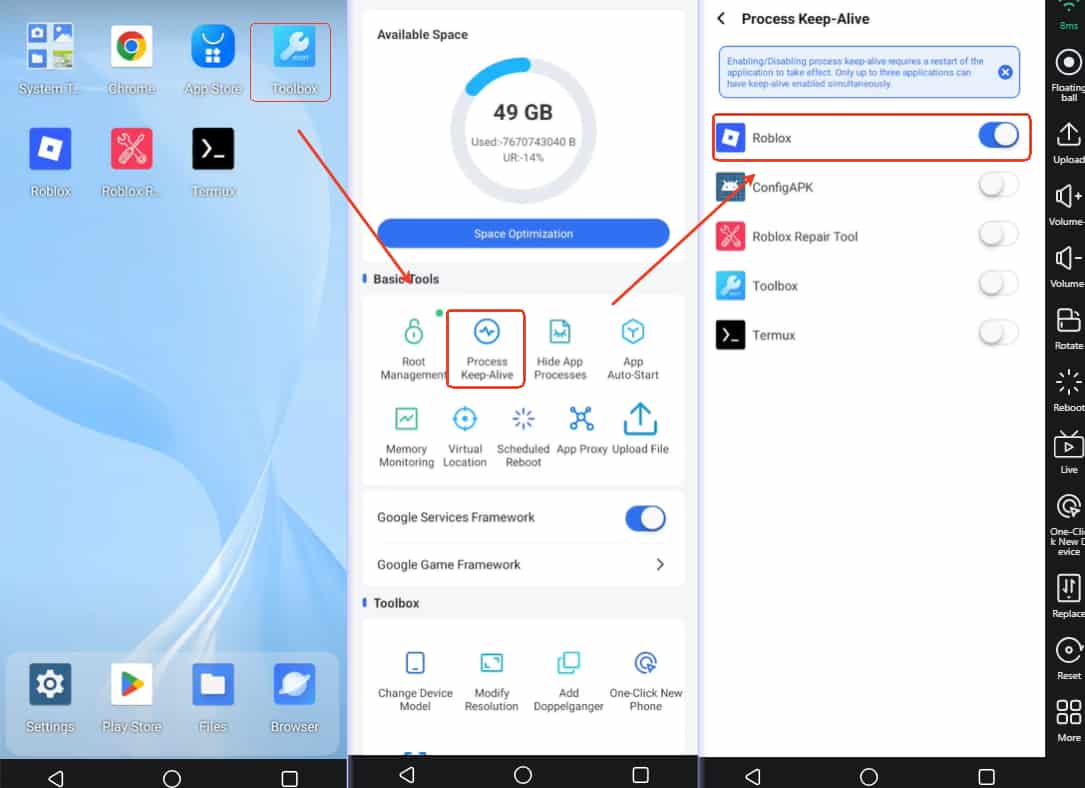
Open the Toolbox on the mainscreen.
First, find the Process Keep-Alive to Enable the Roblox app.
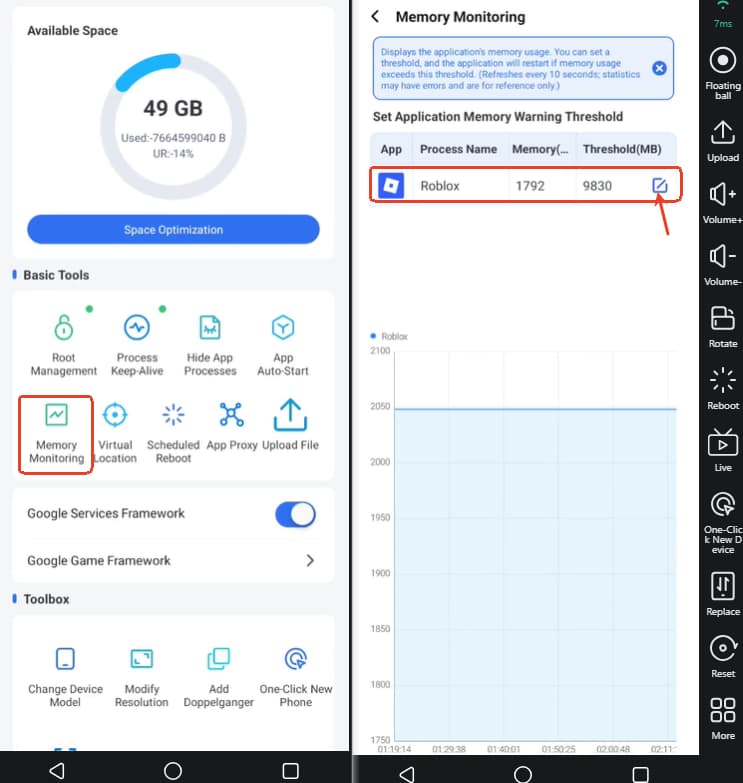
Then click the Memory Monitoring-> Editor icon-> set the memory threshold for Roblox at 80% RAM (mb).
Recommended memory limit (Memory Threshold):
V08: 6553 MB
V06: 4423 MB
V04: 6553 MB
V03: 8765 MB
High-end real device: 9830 MB
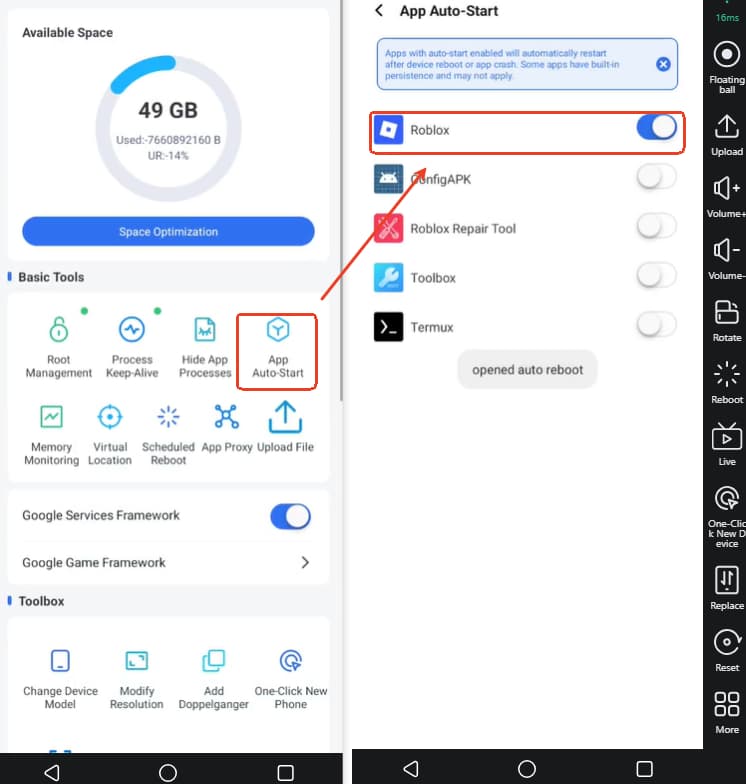
After that, enable the Roblox app in the App Auto-start, and use the Reboot to restart the device for improving the game AFK experience.