
Quick steps on how to fix SHEIN login issue:
1. Check your email/phone number and password carefully to make sure they are precise.
2. Update the version of SHEIN.
3. Switch networks, restart router or disable VPNs/proxies.
4. Clear cache and app data or using a guest tab or incognito window. If it does not work,try to log in from the device on which you've been logged into for a long time and then trust the new device.
5. Ensure to input correct and latest code, check the spam/junk folders if the codes are missing. Try a trusted device that you have logged in for a long time and a stable network if an error message pops up even though you entered the correct verification code.
6. Contact SHEIN customer support if problems persist.
To prevent falling into login risks repeatedly, it’s recommended to manage your accounts in a stable and consistent device environment. VMOS Cloud is an all-in-one cloud phone solution that provides an isolated virtual device environment. This allows each SHEIN account to operate independently, reduces the risk of login errors and secures long-term multi-account management.
Why You Can't Log into SHEIN?
Common signals you may encounter
“The current service is not available, please try again”
This may be caused by unstable network connection that prevents the app or browser from communicating with the server.
“Sorry, system updating…”
There is performing system updates or maintenance, making some functions temporarily unavailable.
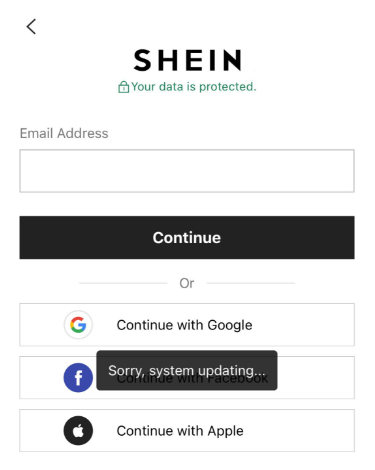
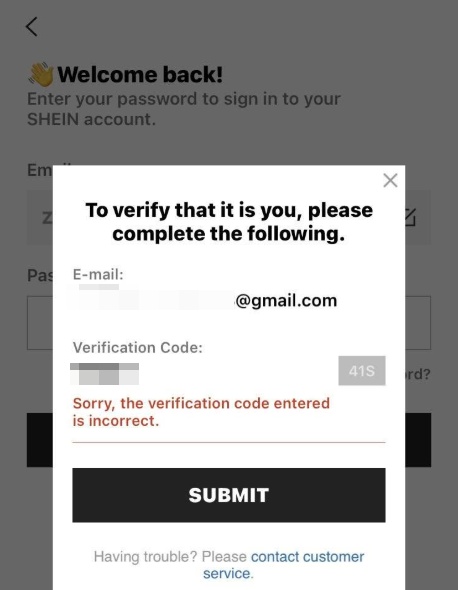
“Sorry, the verification code entered is incorrect.”
Sometimes, the platform will ask for SMS or email verification code when login. Not receiving the text message or email with that code, entering the wrong verification code, input the code out of the validity can all result in failed login.
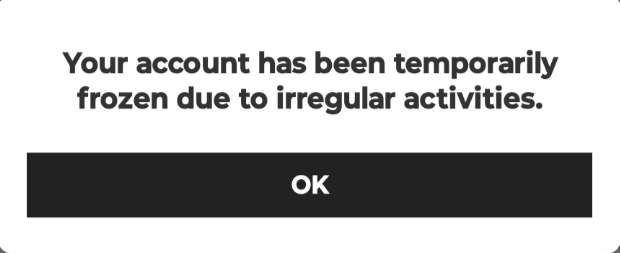
“Your account has been temporarily frozen due to irregular activities.”
The system detected suspicious login behavior, such as multiple incorrect password attempts, frequent device switching, or login from unusual locations. The account will be flagged for security reasons, causing login failure.
How to Fix SHEIN Login Problems in 2026?
1. Check email or phone number and password
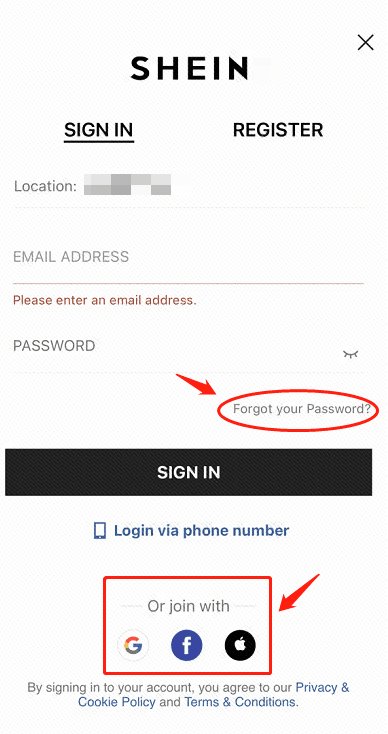
Carefully verify that you are using the correct email, username, or phone number associated with your SHEIN account. If you originally signed up via Facebook/Google → Use the same method.
Ensure that your password is entered accurately, including correct capitalization, numbers, and special characters. Avoid relying solely on browser or app autofill, as it may have outdated or incorrect credentials saved.
If you are unsure about or have forgotten your password, click the“Forgot your Password?”to reset it.
2. Update the version of App
Open App Store or Google Play Store and check if a new version of SHEIN is available. Updating the app ensures compatibility with SHEIN servers and may fix bugs causing login issues.
3. How to fix“The current service is not available, please try again”on SHEIN?
This error pop-up usually occurs when the network is not stable. You may try following methods to improve the network connection:
Switch between Wi-Fi and mobile data to see if the login issue is network-related.
Restart your device or unplug your home internet router then plug it back in around 30 seconds -1 minute.
Turn on airplane mode first, then turn off it and re-connect to the network.
Disable VPN/proxies if you are using ones, as they may interfere with server requests. Wait for 24 hours and retry.
4. Clear cache or try different device/browser
Android: go to Settings →APP→SHEIN→ storage → Clear cache.
IOS: try uninstall and reinstall the app to remove corrupted files and cache.
Web: clear cache and cookies in Setting or try to use a guest tab/incognito window
If none of these methods work, try logging in from a historical device (a device you've been logged into for a long time) and then trust the new device.
5. Missing codes or “the verification code entered is incorrect”
Avoid multiple requests & use valid codes: Repeated requests may invalidate previous codes; always enter the latest code before it expires
Check spam/junk folders: Codes may be delayed or filtered
Use a stable device/network: If you entered the correct code but get the message “Sorry, the verification code entered is incorrect.”, this may indicate an unstable environment or potential risk control from the platform. Try a trusted device(you have logged in for a long time) and a stable network to see if it works.
6. Contact SHEIN's Customer Service
If all above methods fail, contact SHEIN customer support through the app or official website. Provide details such as your account email/phone, the exact error message, and any troubleshooting steps already attempted. Customer support usually responds within 24–48 hours.
Useful Cloud Phone Tool to Prevent SHEIN Login Issues in the Future
The methods mentioned above can help troubleshoot and solve some common SHEIN login issues, but sometimes the problem may persist. If you are still unable to log in or want to manage a SHEIN account in a safe and stable mobile device environment, and prevent future login problems, try VMOS Cloud. This is an antidetect cloud phone tool that provides over 200 real brand smartphone mobile on the cloud (like Samsung Galaxy). Each cloud phone provides an isolated and authentic device environment, allowing each SHEIN account to run separately in a stable mobile environment like a real user did, without encountering login errors or account restriction repeatedly.
Clean and isolated device environment: Each virtual device operates independently with unique device parameters like device brand, model, Android version(Android 10-16), storage, IMEI, phone number, bluetooth address, network settings, reducing conflicts caused by frequent logins, multiple accounts association, or switching between devices. This will reduce the risk of triggering SHEIN’s security verification.
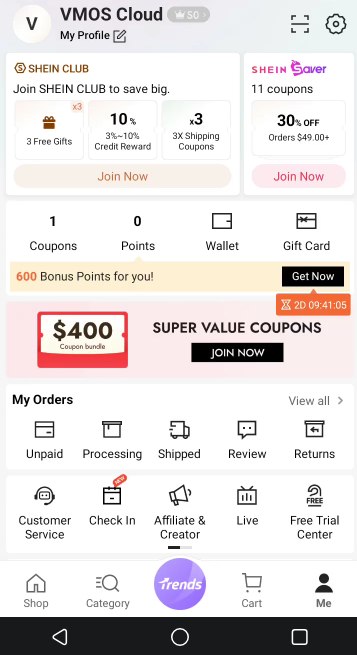
Multi-account management: VMOS Cloud supports users to control multiple SHEIN accounts on a centralized dashboard. Batch operation and synchronization features allow access and control of multiple accounts from a single interface at the same time.
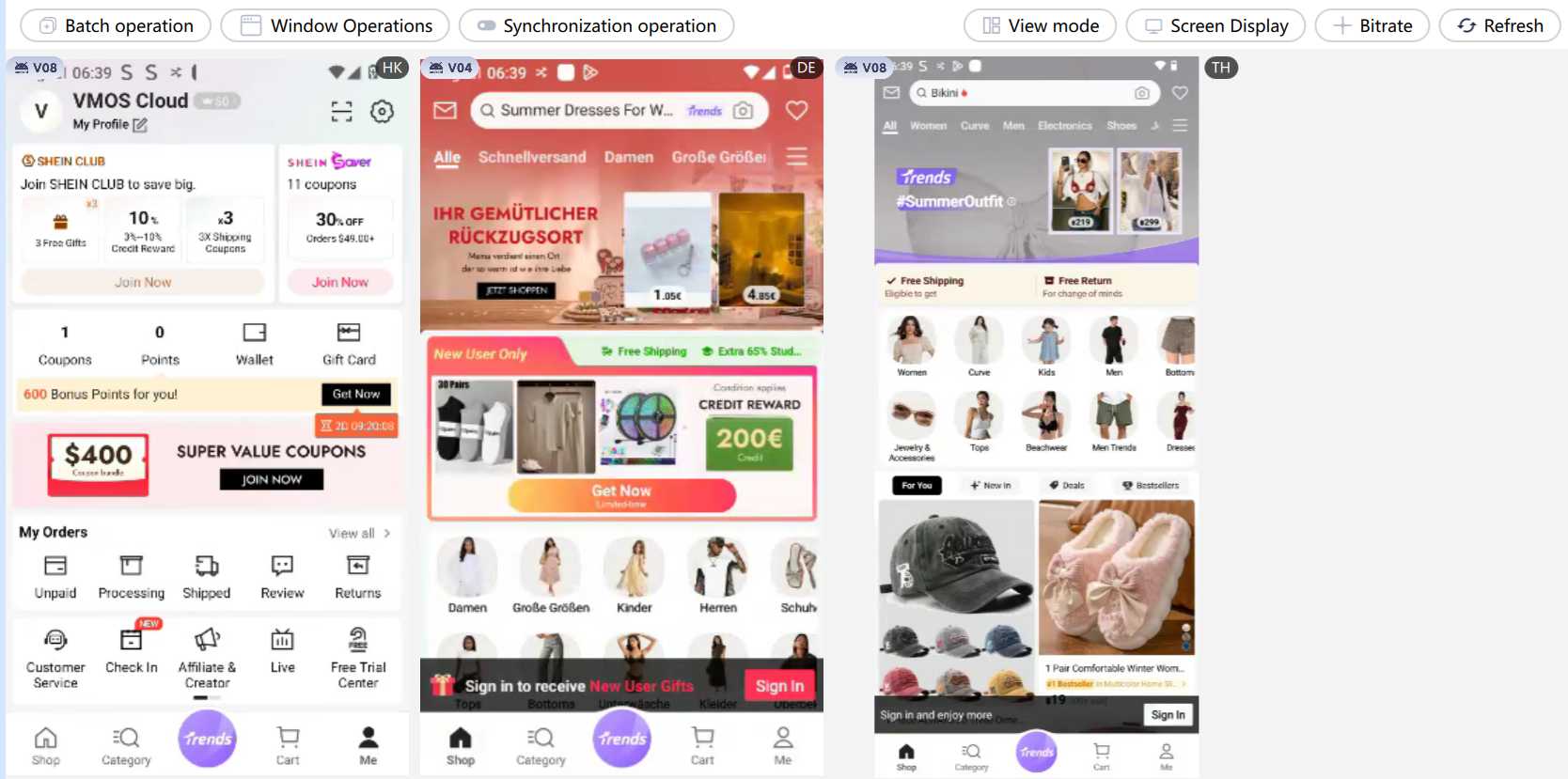
Built-in proxies make logins more anonymous: Users can select countries/regions when purchasing and use the corresponding IP for free. SIM card(region\operator), device language, time zone, location will be set by IP address automatically. In addition, VMOS Cloud supports flexible proxy management. Users can also assign their own proxies or purchase proxies IP on VMOS Cloud as per need (HTTP,HTTPS,SOCKS5 supported). This helps users and e-commerce marketers to create SHEIN accounts globally.
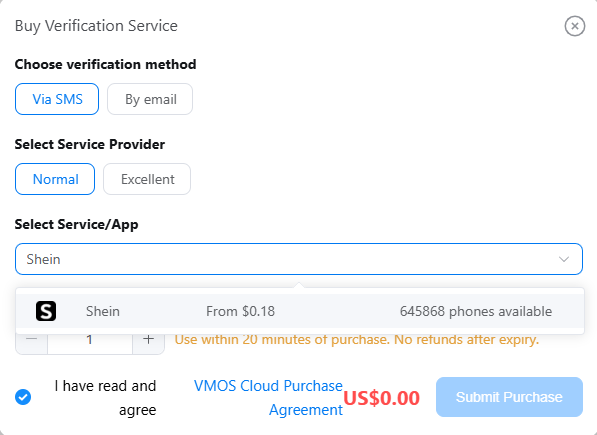
SMS service: VMOS Cloud is integrated with SMS services that allow users to receive verification codes, reducing delays of verification or failed registrations.
AI-driven automation benefits peak efficiency: Set an auto routine to execute logging in, collect new discounts, and add items to wishlists, to maximize streamlining your repetitive work. VMOS Cloud provides powerful API that helps e-commercers to reduce repeated SHEIN tasks and streamline workflows.



