Open the TikTok app and go to the For You page.
Long-press anywhere on the video you are watching.
Turn on the Auto Scroll button on the popup menu.
While this official function frees your hands, it is limited in content personalization and scalability. Some third-party automation tools and bots can provide more advanced automation, but they come with risks: accounts may be detected for unusual behavior, and misuse can lead to warnings or permanent bans. Combining a TikTok task bot with a clean and isolated environment on a cloud phone perfectly solved this issue. It provides a secure, isolated environment, full control over workflows, and the ability to target specific keywords, making it safer and more reliable.
Steps to use TikTok bot on cloud phones:
Create your cloud phone
Install TikTok app and log into the account
Choose template in store as per need
Configure task parameters for each TikTok account and run it
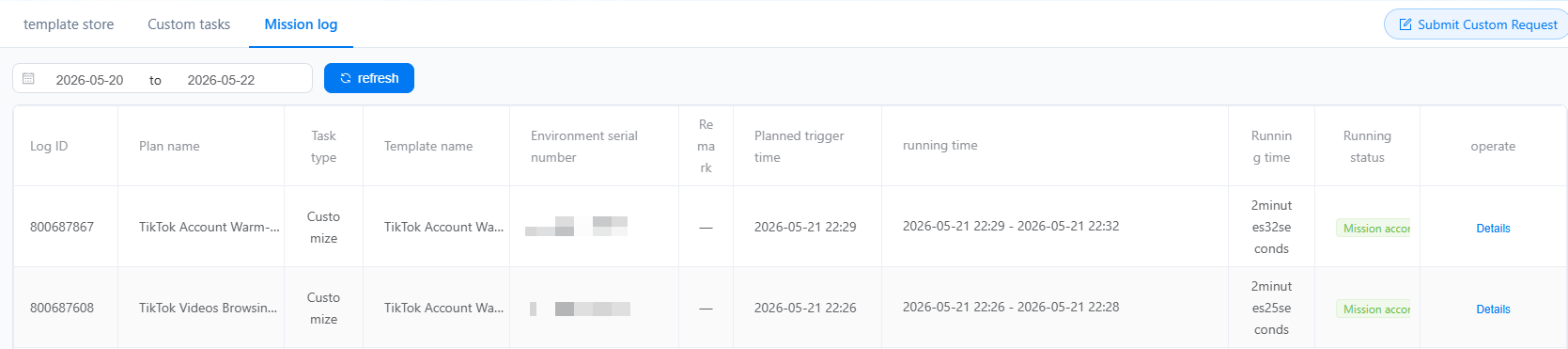
Check the status in mission log or dashboard
Compliance Note:
This guide is strictly for automated market research, social data collection, and account warm-up testing. We strongly recommend to fully respect TikTok's community guidelines to start your social media marketing.
What is a TikTok bot?
A TikTok bot is a third-party software or tool that helps users perform repetitive TikTok tasks automatically. Instead of manually scrolling, liking, or sending messages, these task bots simulate real user behavior to save time and improve account efficiency.
Common types of automation workflow that TikTok bots can provide:
Editing TikTok profiles: bio, usernames and links
Keeping TikTok profile up-to-date is crucial, especially for brand and business. With the help of task bots, users can update bios, usernames, and profile links efficiently across accounts. Ensure information consistency and reduce manual errors.Account warm-up
Mimicking real user behavior to perform repetitive tasks such as scroll, browse videos, like, comment, follow/unfollow. Gradually increasing account activity to grow trust with the platform and avoid account flags.
Video posting / scheduling
Posting videos manually can be time-consuming and error-prone. Automating this process helps to schedule posts with precise timing and reduce mistakes such as wrong captions, hashtags, or posting times.Direct message sender
TikTok bot can also help to handle direct messages, which is useful for growing engagement and expanding marketing. It allows individuals, influencers or marketers to send personalized messages to followers or potential collaborators.Engage with fans or respond to inquiries at scale. Maintain consistent outreach without missing opportunities.
How does a TikTok bot actually work on Android cloud phone?
Different from third-party automation tools or bots, a TikTok bot running on a cloud phone combines a secure, authentic device environment hosted in the cloud with the official TikTok app. This approach ensures safer operations, higher reliability, and a more natural interaction pattern with the platform. The TikTok bot on VMOSCloud means using preset templates to get started quickly. Each template supports different workflows like content posting, account warming up, edit profiles, reels posting and more.
1. Defining the workflow
Workflows can be fully customized with RPA-based task bots or selected from prebuilt templates depending on your needs.
2. Simulating human behaviors
To minimize the risk of detection, the bot simulates real user behavior:
Randomized scroll speeds and watch times.
Pauses between likes, comments, or follows.
Varied actions across different accounts.
This human-like behavior helps the workflow appear natural to TikTok's algorithm and reduces the chance of account restrictions.
3. Safeguard your accounts in isolated environments
Running the workflow on a cloud phone carries several advantages:
Isolation: Each account operates in a clean, isolated environment, preventing cross-account interference.
Scalability: Multiple accounts can run simultaneously on different cloud devices.
Stability: Cloud phone runs 24/7, ensuring workflows are executed reliably without relying on a physical device.
Can you make TikTok videos play automatically?
Yes, TikTok actually lets you do this. TikTok has a built-in Auto Scroll feature that allows you to browse videos completely hands-free. Here's how you can enable it(or simply refer to the tutorial video):
Open the TikTok app and go to your For You page.
Press and hold your finger anywhere on the video you are watching.
A popup menu will appear. Swipe across the top row of icons until you see Auto Scroll.
Tap Auto Scroll to enable it.
While Auto Scroll frees your hands and allows continuous browsing, it also comes with clear limitations in:
Content personalization: It only scrolls on the For You page content. You cannot target specific niches, hashtags, or keywords.
Scalability: It cannot manage multiple accounts or simulate advanced workflows.
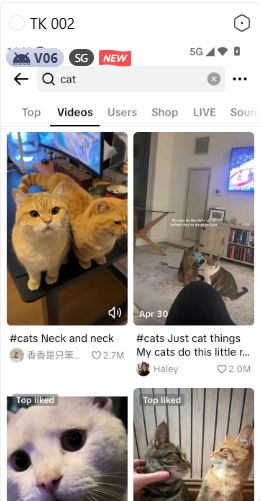
TikTok bot can help you to address this issue. You can choose specific keywords to target and then automate browsing based on your preferences. Scroll down to the next section to learn step-by-step how to set up your own TikTok bot and take full control of your TikTok workflows.
Step-by-step guide to build a task bot to browse videos on TikTok automatically
Step 1: Go to VMOS Cloud official website to sign in or download the application as per need(Web, Windows, MacOS, Linux,iOS, Android supported).
Step 2: Choose the package and create a clean and isolated environment for your TikTok account. VMOS Cloud offers flexible pricing plans: pay-as-you-go and subscription plans. Users can start from $4.99/mo for basic configuration, and enjoy the most advanced configuration at $11.99/mo.
Step 3: Download TikTok via the built-in APP Store. If there are multiple devices, Batch Install will make it easy to install TikTok for all the required devices simultaneously.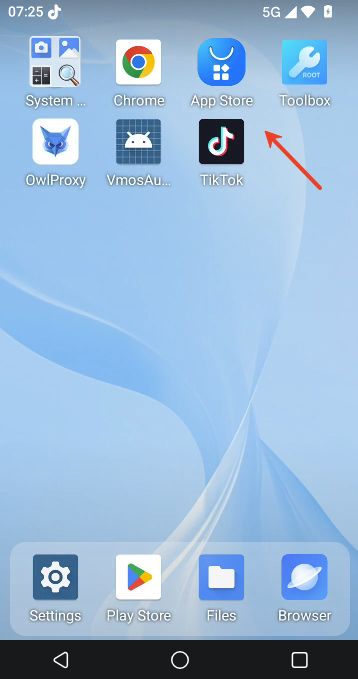
Step 4: Launch TikTok on cloud phone and log in to your accounts. Batch operation and synchronization features make it easy to control multiple TikTok accounts on a centralized dashboard.
Step 5: Choose a template in the template store to assign tasks to your bot.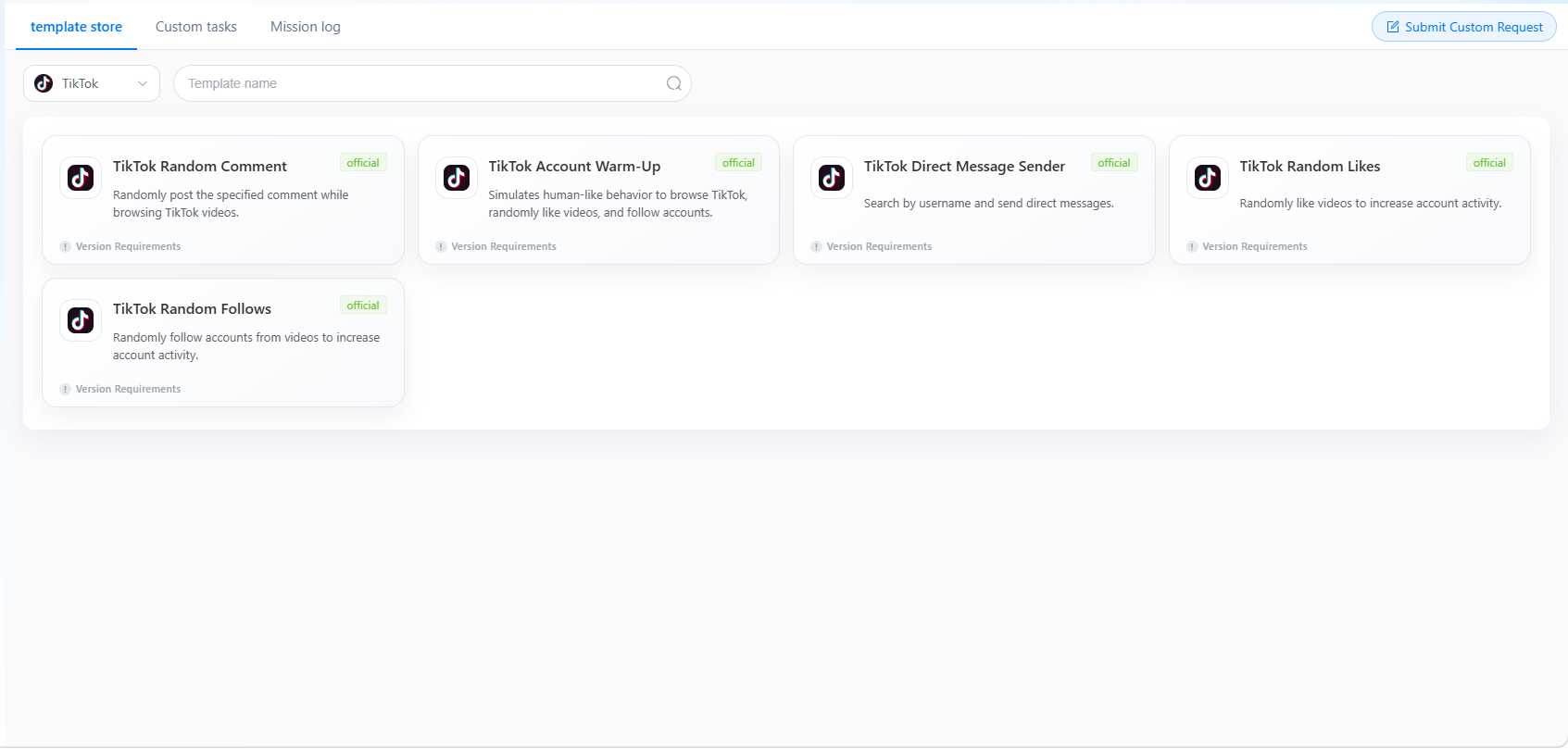
Step 6: Complete the task parameters
Click “Add to” to select 1 or more devices, fill in parameters to determine key words and quantity of videos to browse.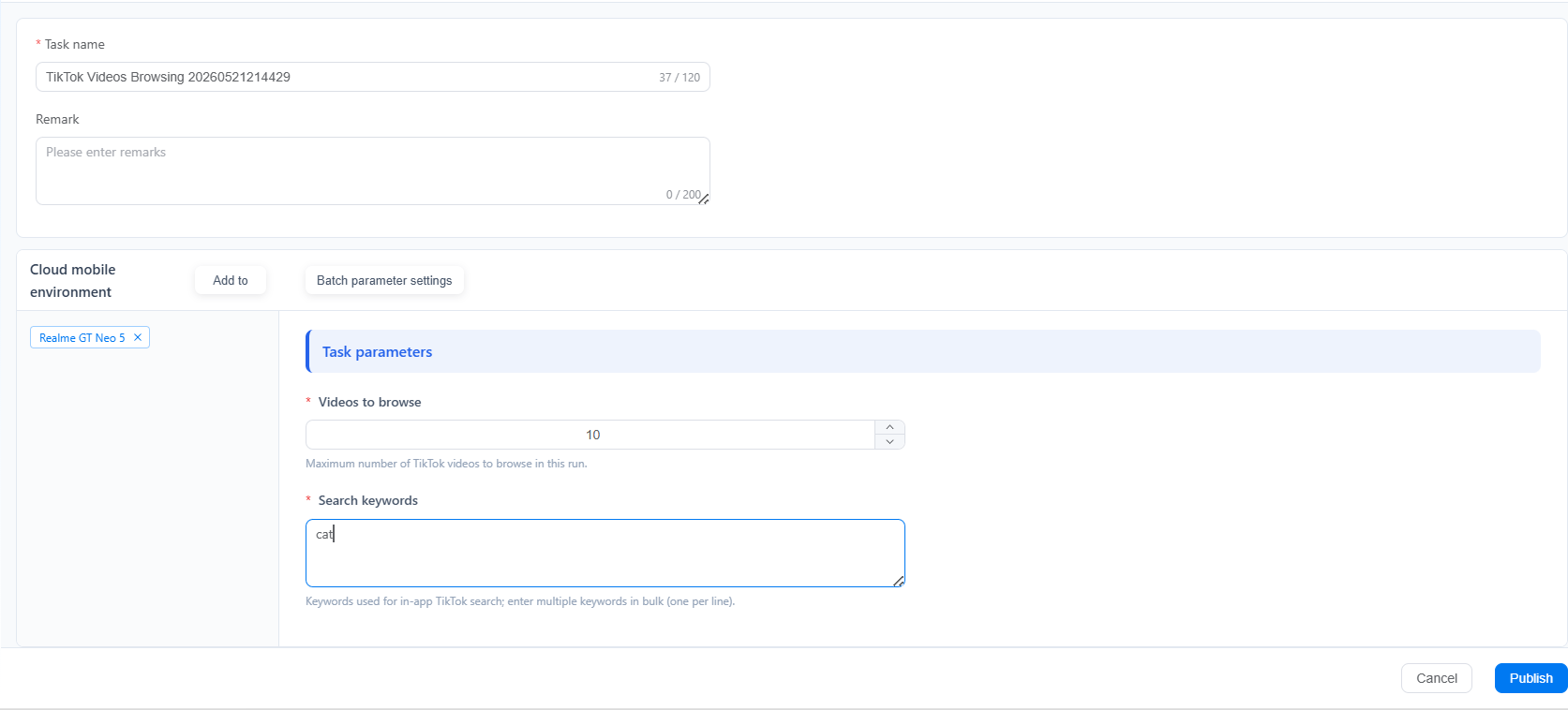
If there are several devices, complete the details in “Batch parameter settings”.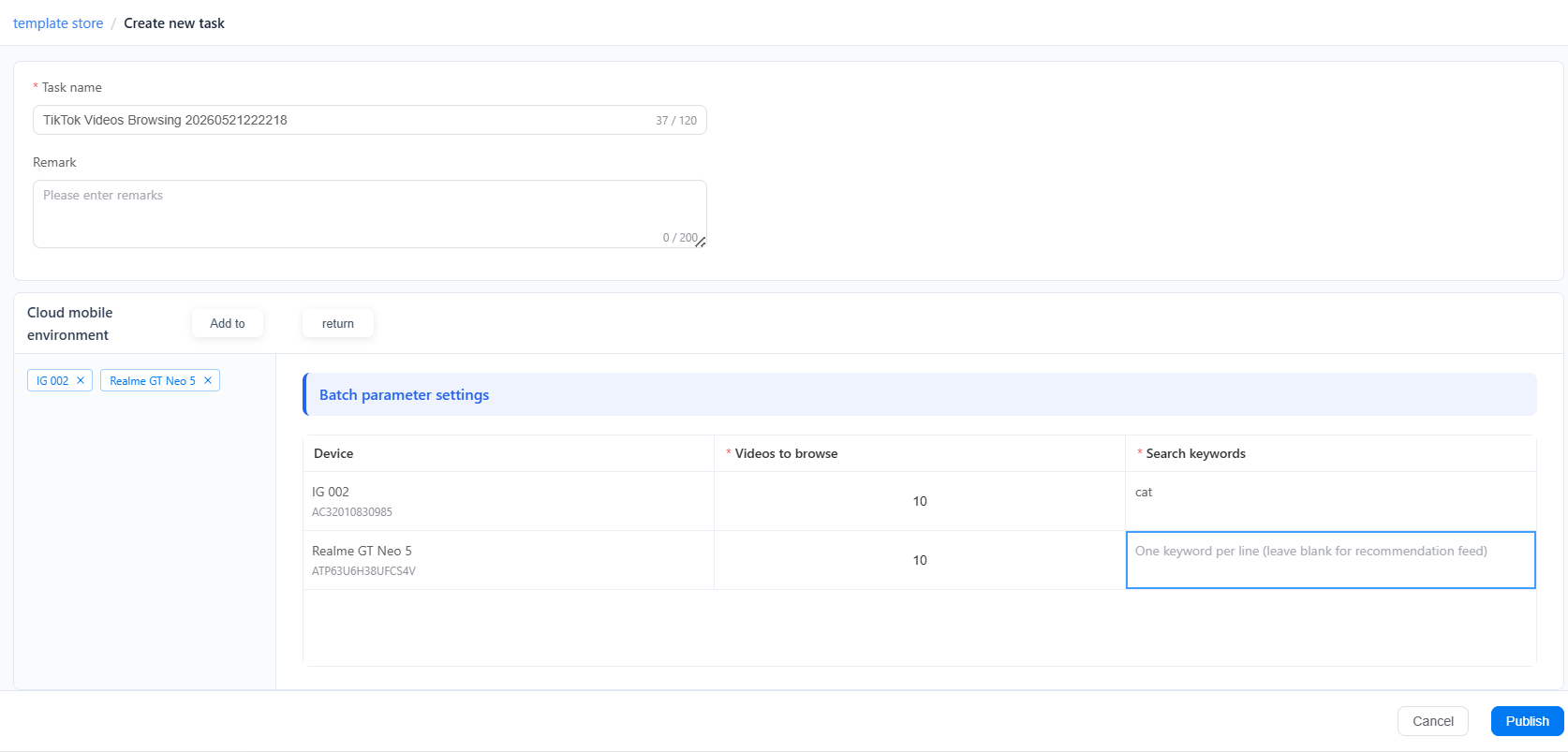
Step 7: Click “Publish” to run the task and check the status via mission log or on the dashboard.