



Practical ways to streamline video uploading on YouTube:
YouTube Studio provides a quick and simple path to schedule and auto-publish videos on a single account.
Step 1: Go to YouTube or Youtube Studio and click Upload on the top right corner
Step 2: Complete video details
Step 3: Find Schedule on Visibility page and pick a date and time
Step 4: Confirm the schedule and the video will go live automatically at the selected time.Physical phone farm is a straightforward way to upload videos on different YouTube channels without frequent switching, but also come with higher cost, more manual work and carry the potential risk of account linkage with shared IP addresses.
Cloud phone content publish center, it brings isolated device environment, flexible proxy management, high scalability and smart workflow together, making mass videos uploading across multiple YouTube channels safe and effortless.
When growing YouTube content calls for scalable distribution strategy
Every video is another chance to be discovered. As your YouTube library grows, so do the opportunities to reach audiences and explode presence. More content gives you more room to cover different topics, speak to different viewers, and keep your channels active over time. The same idea applies when you manage multiple YouTube channels. Instead of putting everything into one channel, you can build separate channels around different niches, audiences, markets, or brands. Each channel has its own focus, but together, they give your content a much wider outreach.
However, creating more high-quality content is only half of the equation. The other half is making sure that content gets where it needs to go. As your video library grows and more channels come into the picture, distribution naturally becomes part of the growth strategy.
Can you auto upload mass YouTube videos?
For creators and social media marketers, preparing several videos in one go is only the starting point. The tedious part comes later: uploading them one by one, drafting details, hitting the button to upload, and rotating the routine for the next one. The process can get even out of control when videos need to be published across multiple YouTube channels.
The good news? YouTube provides a simple native solution to take some of the repeats out of videos uploading. The Schedule feature from YouTube Studio supports youtubers upload prepared videos ahead of time, set a date and time for them to go live automatically. So, how exactly does YouTube Studio's scheduling work? Let's have a glance at how to set it up.
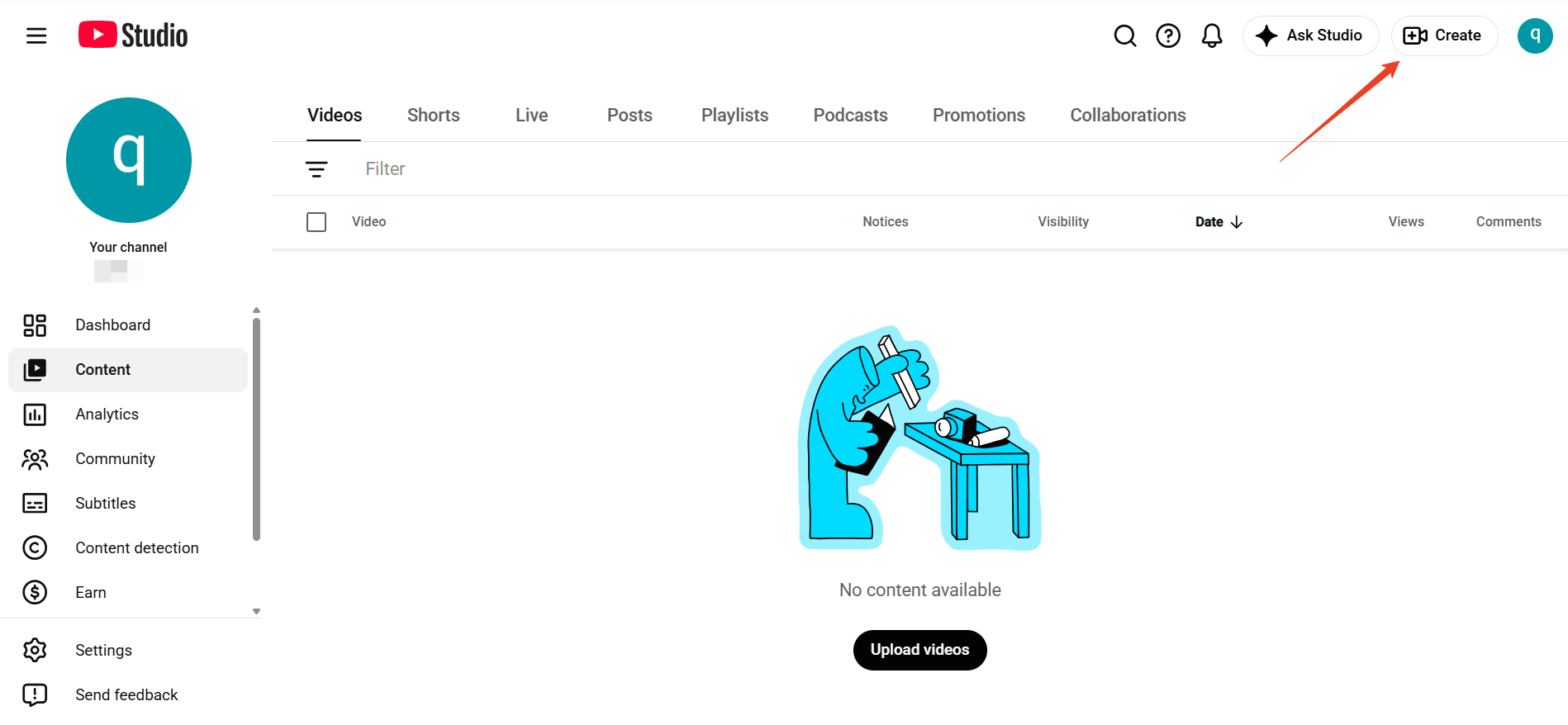
Step 1: Head to YouTube or YouTube Studio and log in.
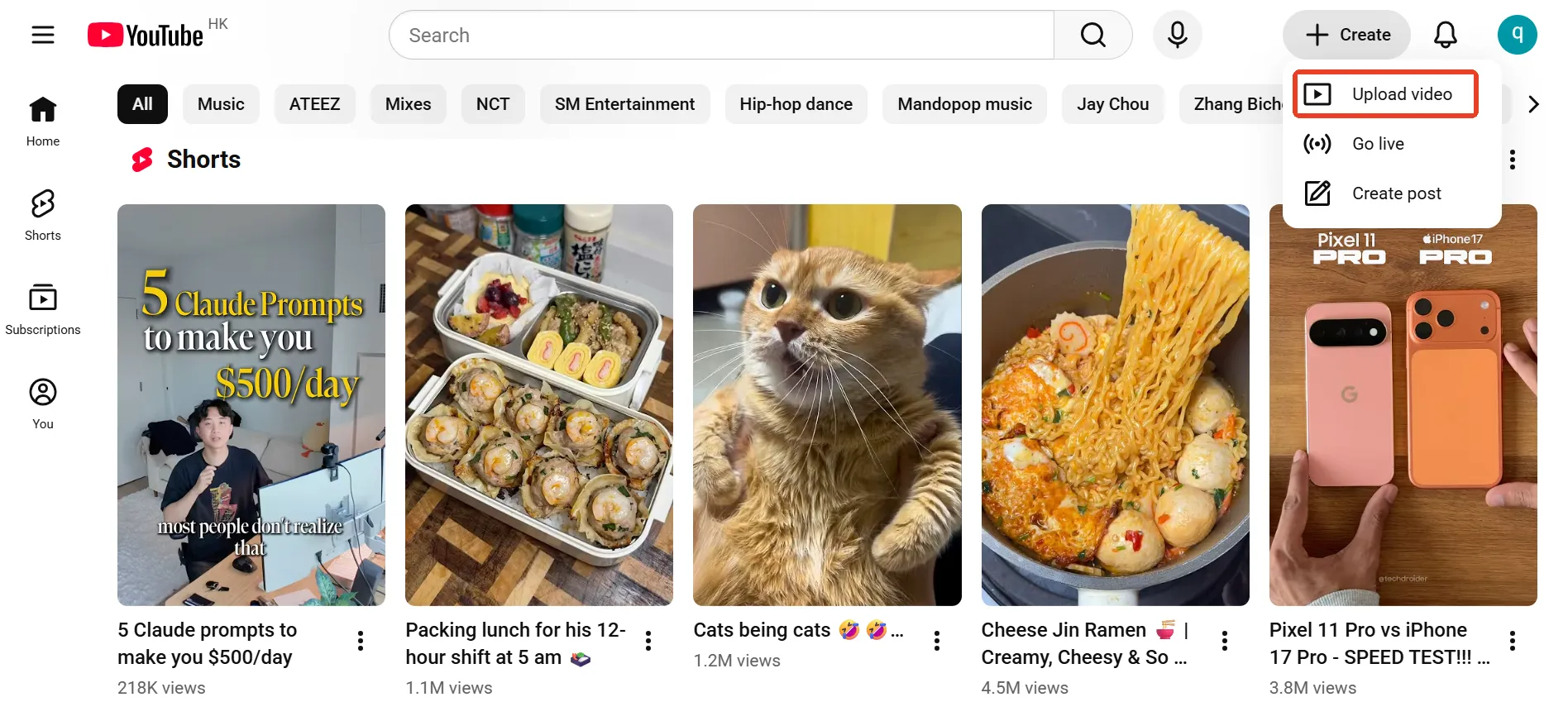
Step 2: Find the Create button the top right corner and hit "Upload Video"
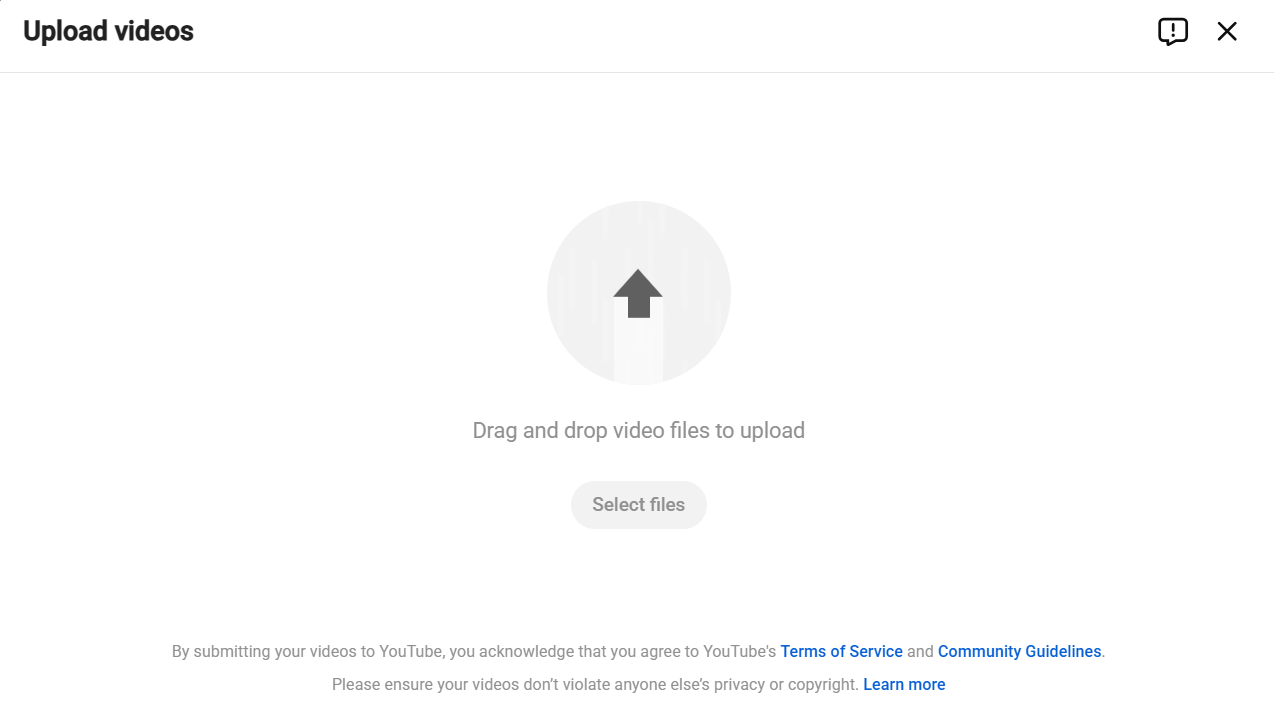
Step 3: You will be taken to the page: Upload videos, select the required video and go next.
Step 4: Complete details like title, description, thumbnail, audience and video elements.
Step 5: After the information passes the checks, go next to the Visibility page, find Schedule and pick date and time for your video.
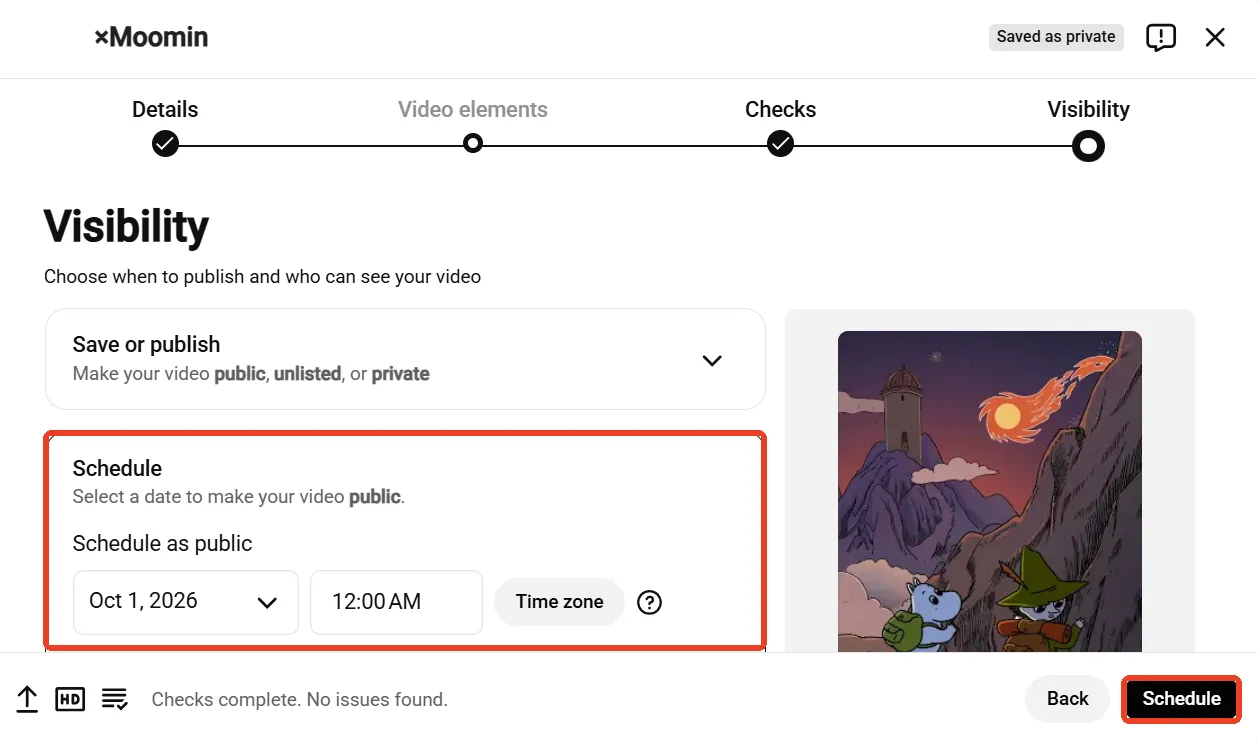
Step 6: Click Schedule and wait for the video to go live automatically at the scheduled time.
What makes content distribution across YouTube channels challenging?
For many YouTubers, the first thought might be, "Why not just use more devices?" One phone for one channel, another for the next. It sounds like a perfect fit — no frequent account switching, just pick up the right device and get the job done. In practice, however, when a few extra phones turn into a whole stack of devices, things can quickly go out of track.
Cost rolls up quickly
When channels add up, buying a separate phone for every account, even used one, can push the budget higher. Let alone the cost doesn't stop at the initial purchase. Charging, storage, repairs, software updates, and device maintenance all become part of the ongoing workload. Before long, what started as a simple setup can turn into a shelf full of devices that all need to be looked after.Red flags come with shared environment
Different devices separate accounts at the hardware level, but that doesn't necessarily mean the environment is fully isolated. IP address is another signal that YouTube system will track to determine your channels. When multiple channels are exposed in a shared IP address, YouTube can easily link your accounts together.
Heavier hand-on workload
Day-to-day videos upload is another hassle: pick the right device, send corresponding videos to it, navigate to the uploading page, draft the details and post it. Doing this occasionally isn't a big deal. Doing it dozens or hundreds of times is a different story. What's more, repeating the exact same actions across multiple channels, at similar intervals and in highly predictable patterns, can make account activity look less natural. The behavioral cluster may contribute to additional checks or account review.
How can cloud phone help with bulk upload videos on YouTube?
Authentic mobile experience just like real phones
Based on real ARM chips, cloud phone provide a complete Android environment in the cloud that you can access and operate remotely, just like a physical phone. Each cloud phone comes with its own parameters like brand, Android version, IMEI, storage, language and time zone. The device-level isolation creates a fully separated environment for different YouTube channels, making multi-account videos uploading more organized while reducing shared device signals that could trigger potential account linkage.
Balance cost and scalability
While physical devices take up space, require maintenance and become costly as channels grow. Cloud phone add more flexibility to support users add or remove devices as per need, manage from a centralized dashboard and access them whenever needed. Cloud phone service providers usually provide subscription-based plan or pay-as-you-go pricing, making the cost more controllable, especially when you're managing dozens of or more channels.Dual isolation with flexible proxy management
Users can assign proxy IP for each cloud phone so that each YouTube channel can operate with a unique IP address. Dual isolation of device and proxy helps to keep multiple accounts under radar and stay away from being linked. For YouTubers target specific markets, it can also help break the region barrier and reach more audiences in the local market.Smart workflow handle the repeats for you
The bonus is automation. Reliable cloud phone providers often offer built-in automation tools that can turn repetitive actions into reusable workflows. Instead of going through the same upload steps for every video, you can streamline routine tasks with smart workflows and spend more time on creating quality content and refining your content strategy.
Step-by-step guide to mass upload YouTube videos with VMOS Cloud
Step 1: Head to VMOS Cloud, purchase cloud phone, and set up proxy IP for devices on the Proxy page.
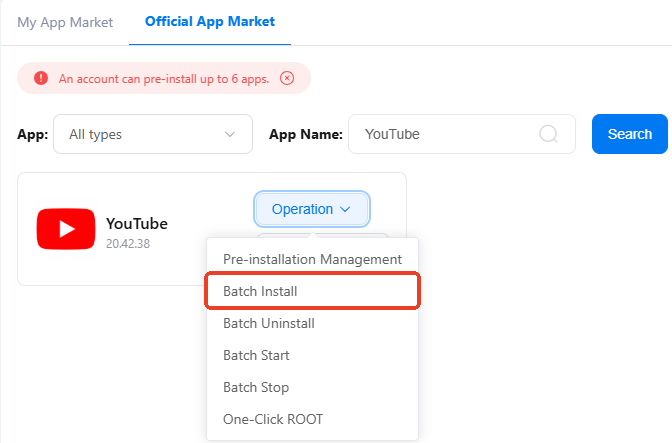
Step 2: Go to Official APP Market and batch install YouTube, and then log into your accounts.
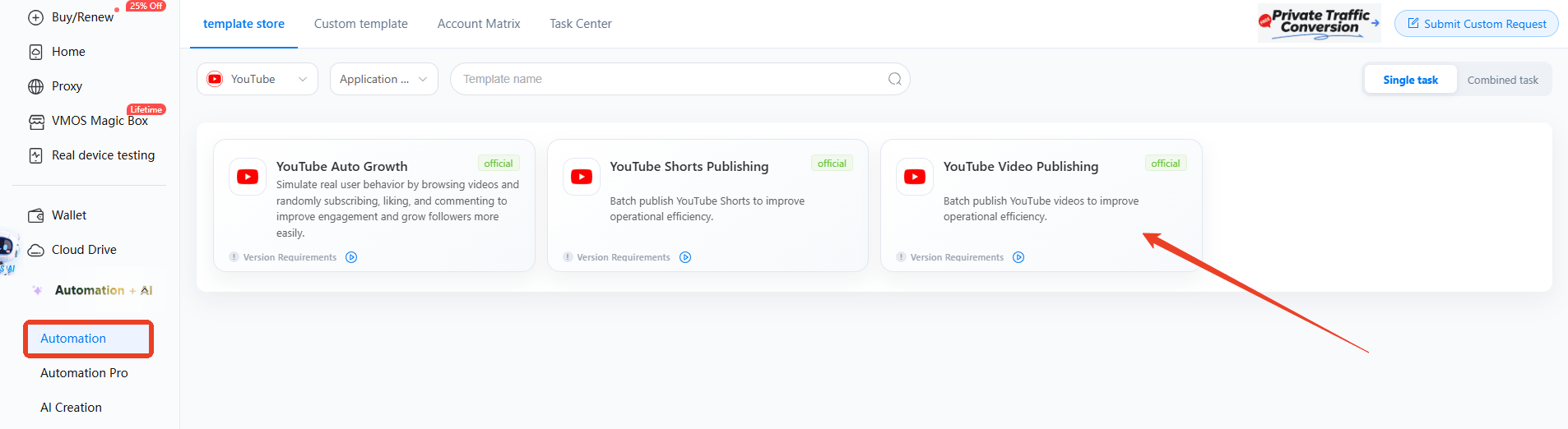
Step 3: Navigate to the Automation section in the left sidebar, select template store and find the required template: YouTube Video Publishing
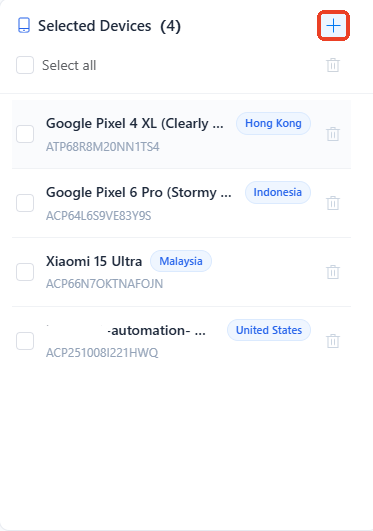
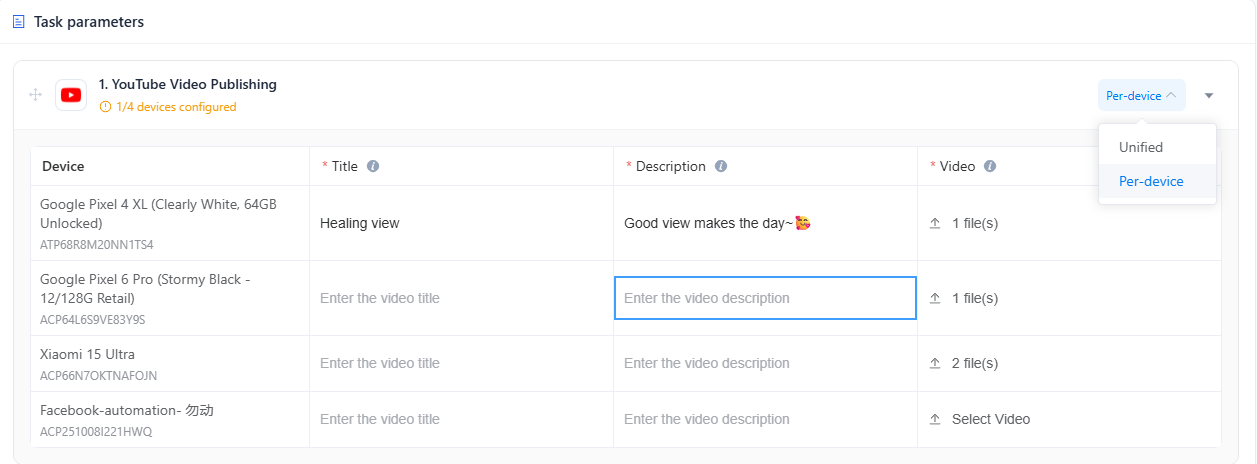
Step 4: Configure the publishing task
Click the + icon and assign tasks to target devices.
Remain Unified if you need to upload the same video for multiple accounts.
Switch to Per-device to upload different videos for different channels.
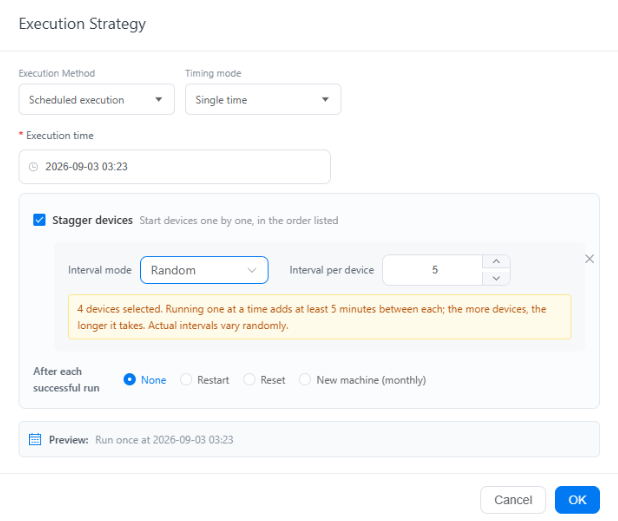
Step 5: Schedule an optimal time to let videos go live
Execute immediately if you want to let the task run after completing the configuration.
Or switch to Scheduled execution to pick required timing mode and exact time. The smart scheduling allows your videos reach audiences at the peak hours while random interval mode adds more variation to publishing, making your channels behave more like a real user.
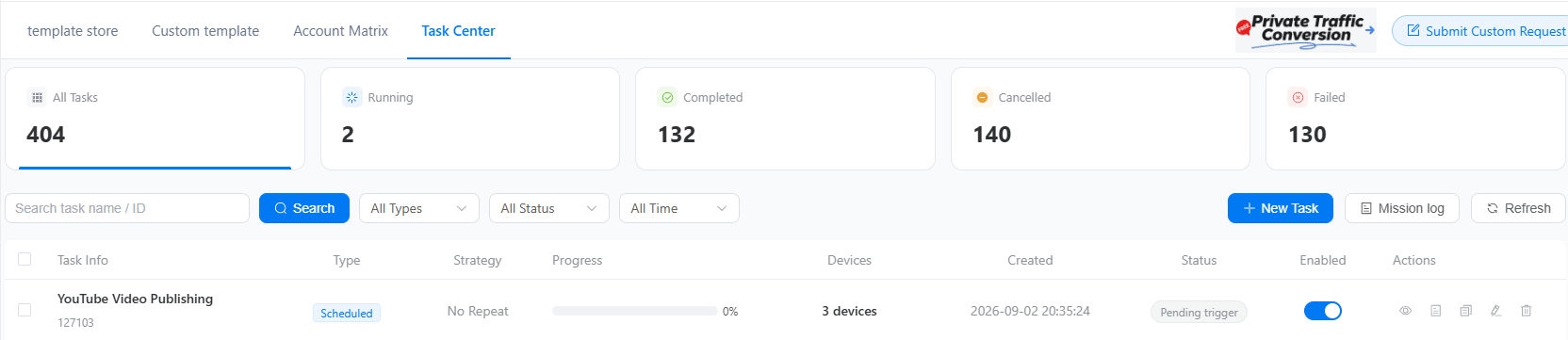
Step 6: Your work is over after hitting the Publish button. VMOS Cloud will take over the tasks and you can simply track the running status and details in the Task Center.