



What is a WhatsApp bot?
A WhatsApp bot is an automated software tool designed to interact with users through WhatsApp conversations. It can handle routine tasks such as send messages, respond to inquiries, and complete predefined actions based on specific rules or workflows. By cutting off heavy manual workload, WhatsApp bots benefit for timely and more consistent interactions with customers.
What tasks can a WhatsApp bot automate?
Auto-send DMs
WhatsApp bots can send predefined messages to selected contacts, helping businesses scale reach, share updates, product information to prospects more efficiently.
Auto-reply to FAQs
Bots can provide instant replies to common customer inquiries, helping users get basic information without waiting for manual support.
Following up leads
Businesses can use WhatsApp bots to send follow-up messages, reminders, or updates throughout the customer journey.
Why WhatsApp direct messages matter for businesses?
With over 3 billion monthly users globally, WhatsApp sits at the center of everyday digital communication for individuals and businesses around the world. Beyond personal conversations, the platform has become a place where customers discover products, ask questions, receive updates, and interact with brands directly.
For businesses, WhatsApp direct messages create a more instant and personal channel to connect with potential customers, provide timely support, and maintain ongoing conversations throughout the customer journey.
Reach customers through a familiar communication channel
Most customers already use WhatsApp for everyday conversations, making it easier for businesses to connect with audiences in a communication environment they already trust.
Improve customer engagement
Direct messages allow businesses to deliver personalized updates, respond to inquiries quickly, and create more meaningful interactions with customers.
Support sales and lead nurturing
Businesses can use WhatsApp conversations to introduce products, follow up with potential customers, and maintain relationships throughout the customer journey.
Provide faster customer support
WhatsApp direct messages enable businesses to answer common questions, provide service updates, and offer timely assistance through a convenient channel.
Build long-term customer relationships
Regular and relevant communication helps businesses stay connected with customers and improve retention over time.
Common roadblocks that hold back your WhatsApp growth
Reaching customers on WhatsApp may look simple at first — open a chat, type a message, and hit send. But when your contact list grows from dozens to hundreds or thousands, the same process can quickly turn into a time-consuming routine. For marketers and businesses that rely on WhatsApp to capture leads, the challenge lies in keeping those conversations moving at scale without spending all day on repetitive tasks.
Manual messaging becomes a bottleneck
Open the chat window, draft messages and click to send. Repeat this route one by one manually might work when you only need to contact a small number of contacts. But as your audience grows, every new conversation adds another task to your daily workload. Copying the same message repeatedly, switching between chats, and keeping track of who has been contacted can quickly consume valuable time. What starts as a simple outreach activity can become a repetitive cycle that slows down your growth.
Missing the optimal moment to connect
When reaching out to a large number of customers, timing can make a big difference. A message sent at the right moment can start a conversation, while a delayed follow-up may cause a potential opportunity to disappear. Managing outreach manually carries the potential failure to keep every interaction on schedule. Some contacts may receive messages too late, follow-ups may be forgotten, and valuable opportunities can be missed simply because there is too much to track. A structured messaging workflow helps businesses deliver the right information at peak hours while keeping customer communication consistent.
Scaling WhatsApp outreach across different accounts
As businesses expand into different markets or customer segments, managing multiple WhatsApp accounts often becomes part of daily operations. However, handling conversations across different accounts and devices can create additional complexity. More accounts mean more manual work, more switching, and more effort needed to keep everything running smoothly.
The need for a smarter way to manage WhatsApp conversations
Growing your WhatsApp outreach should not mean growing your workload at the same speed. Businesses need a more efficient approach to handle repetitive messaging tasks, maintain consistent communication, and create more opportunities to connect with customers.
How to build a task bot to scale outreach on WhatsApp DM?
Create a stable environment for your workflow
A reliable operating environment is the foundation of WhatsApp messaging workflow. When tasks involve frequent conversations, account switching, or repeated operations, account linkage and shared devices may bring potential red flags.
Cloud phone provide isolated mobile-first environments that allow businesses to:
Run WhatsApp accounts separately
Maintain consistent environments without frequent switching
Manage different workflows more efficiently
Access devices remotely without relying on physical hardware
VMOS Cloud does not rely on emulated environments (x86-based virtualization), it is an ARM-based real-device cloud. Each device comes with unique parameters like device brand, model, OS (Android 10-16), storage, IMEI, phone number, bluetooth address, network settings.The device-level isolation supports organized and sustainable WhatsApp dm workflow while keeping every account in healthy status.
Step 1: Head to VMOS Cloud and purchase your cloud phone. (high-end real machines is recommended for more authentic experience)
Step 2: Download WhatsApp from the built-in App Store, or go to App Market and install in batch if there are multiple WhatsApp numbers.
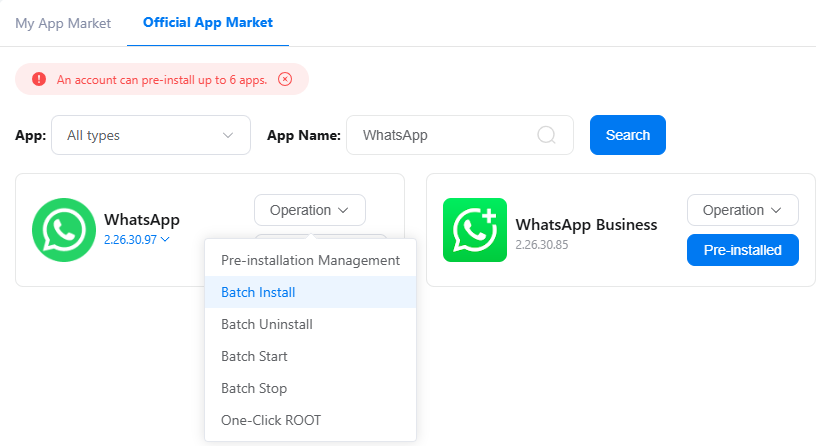
Step 3: Launch WhatsApp and log in to your account(s).
Configure your task bot to let it handle mass dm sending for you
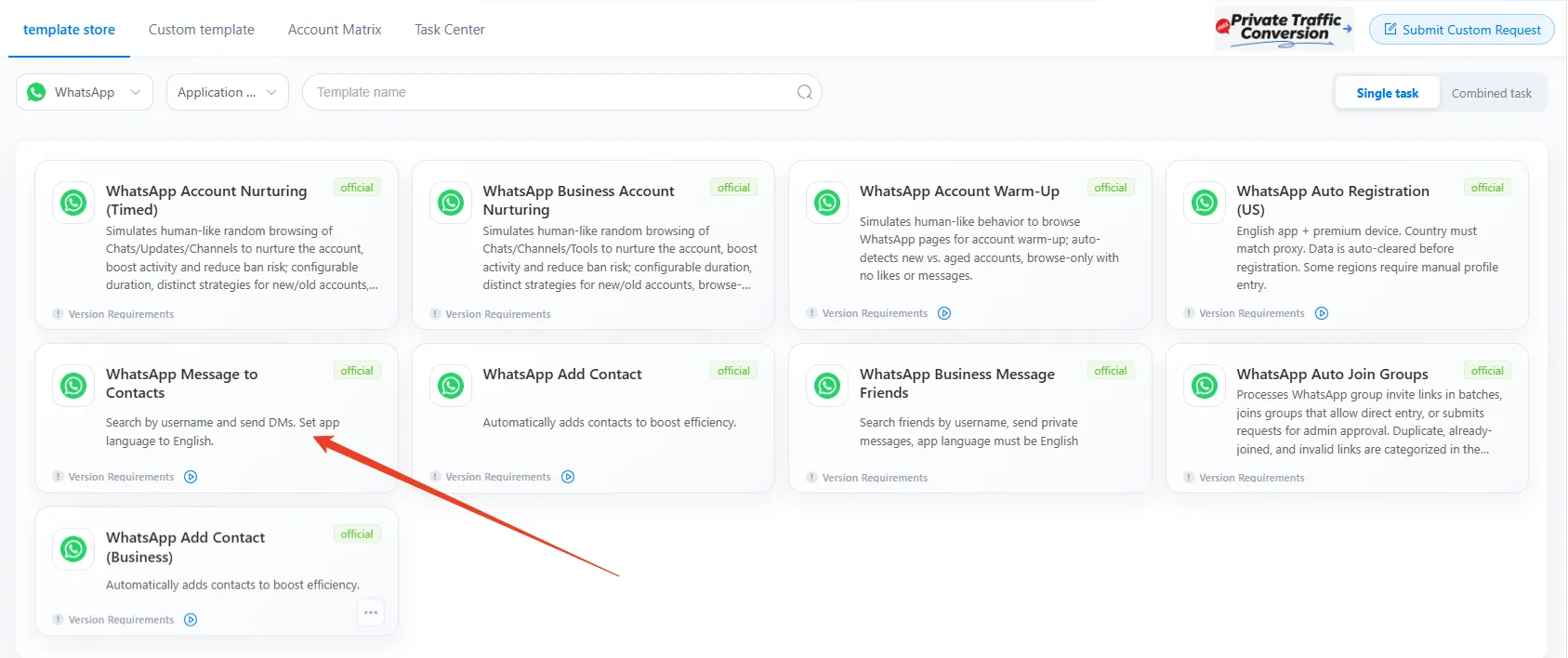
Step 1: Find Automation from the left sidebar, select WhatsApp in the drop-down menu, and choose the template: WhatsApp Message to Contacts
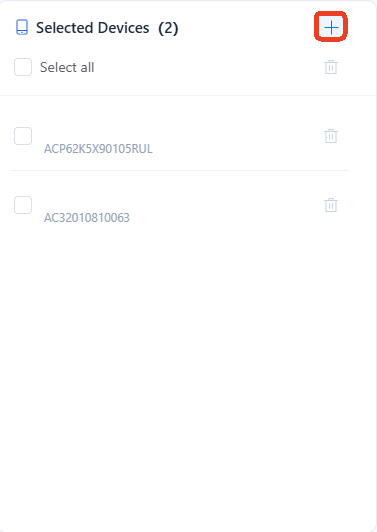
Step 2: Click the + icon and select device(s) that need to run the task.
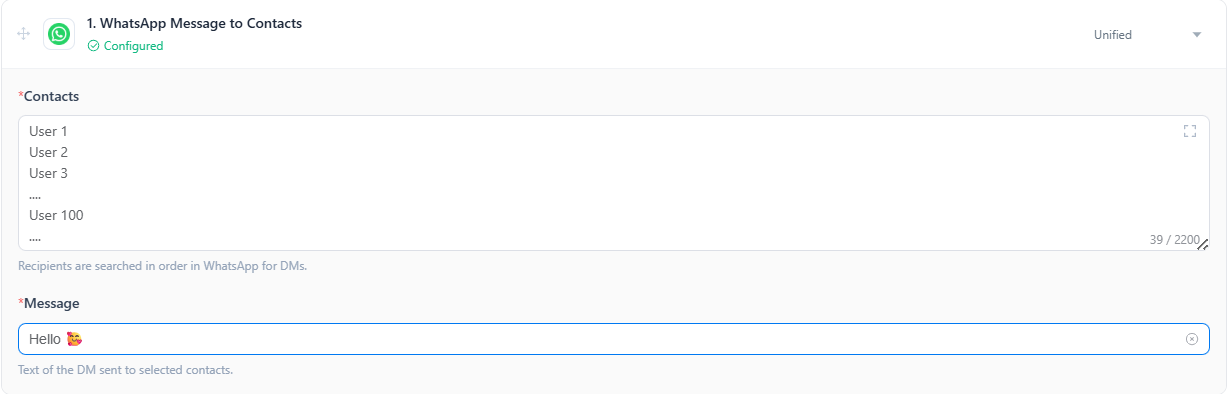
Step 3: Complete the task parameters
Enter username or phone number of contacts per line and complete the message body
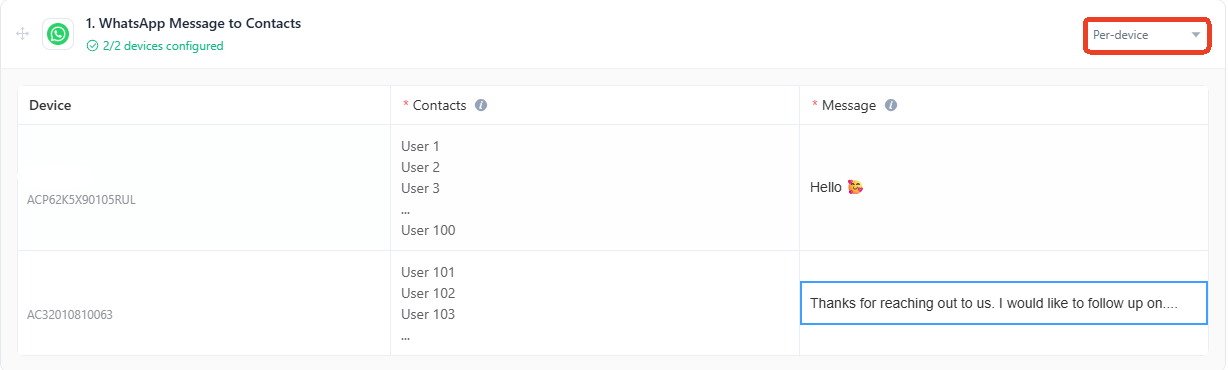
Switching to Per-device, assign different messaging tasks for different accounts.
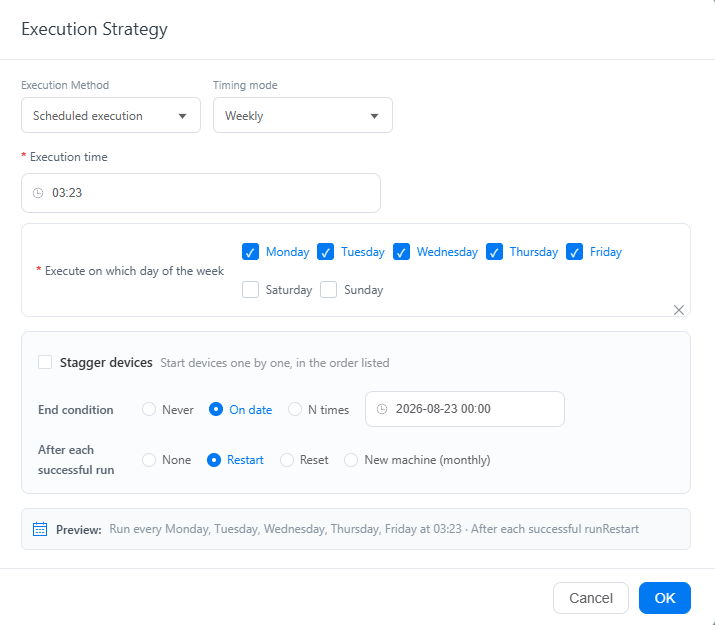
Step 4: Customize your execution strategy to let messages reach leads at the optimal time.
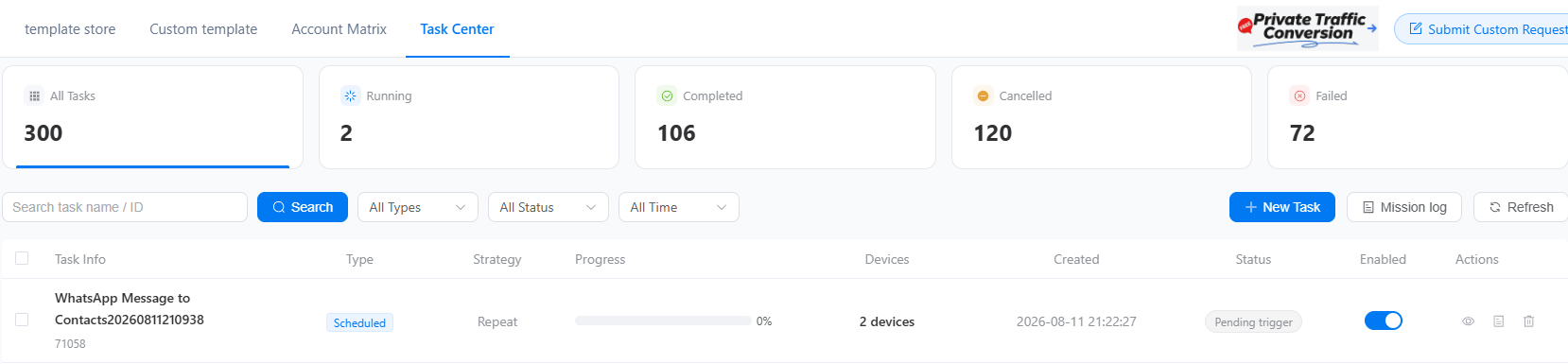
Step 5: Track the running status in Task Center