How to use my local keyboard (IME) on cloud device?
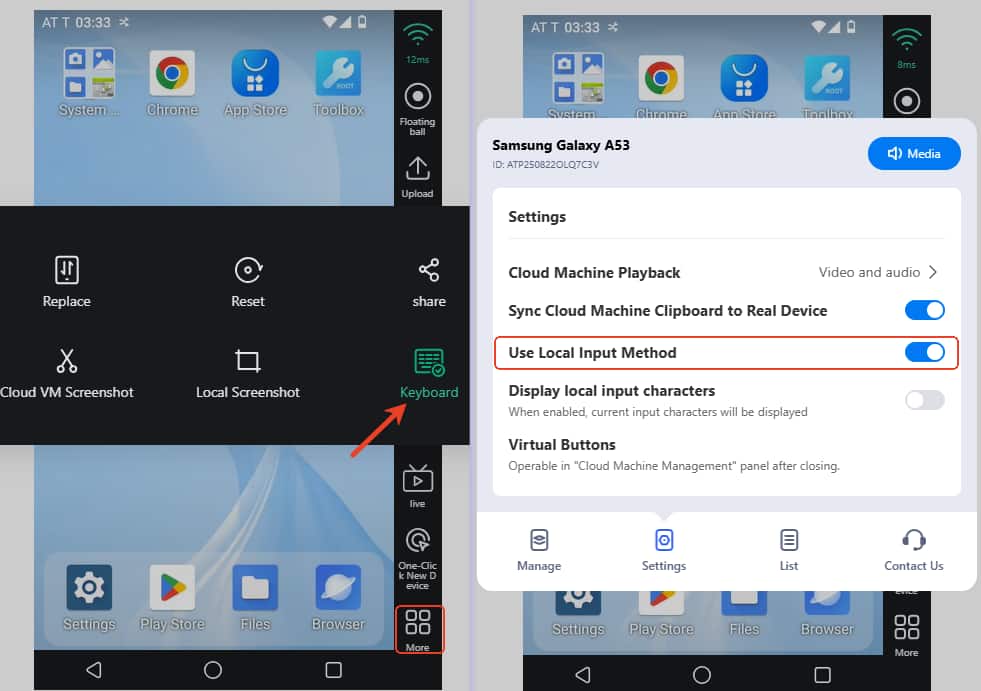
Way 1: Enable Local Keyboard (Online and iOS users)
Click More-> Keyboard, and enable the Use Local Input Method option. After that, please exit the device and open it then you can use this function.
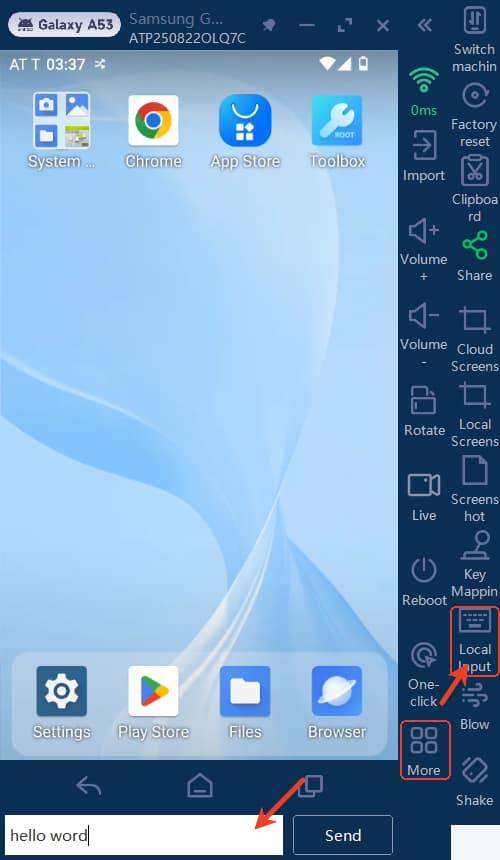
Way 2: Enable Local Input (Windows users)
Click More-> Local Input to enable this. After that, please exit the device and open it then you can use this function.
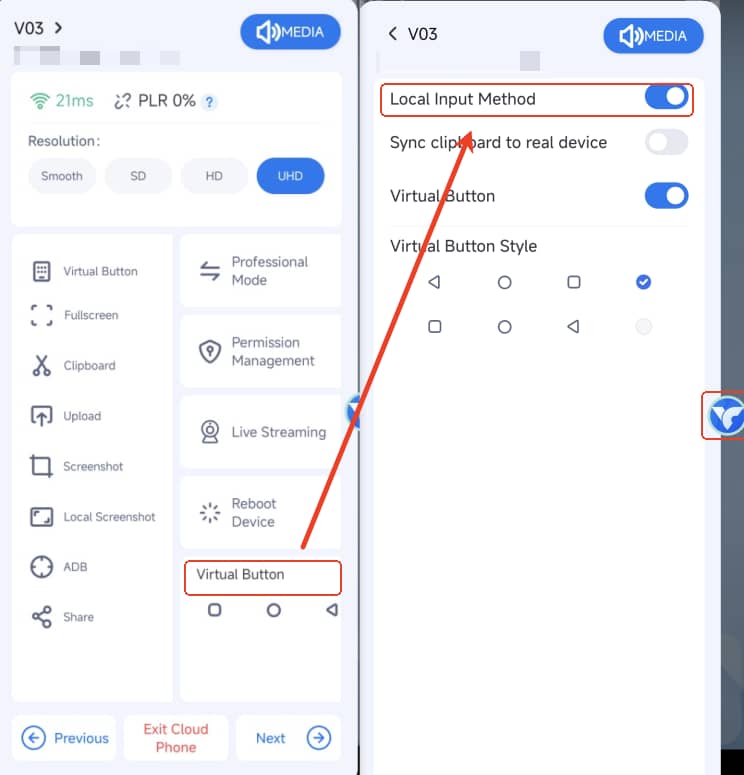
Way 3: Enable Local Input (Android users)
Tap floating ball to click the Virtual Button-> Local Input Method to open it. After that, please exit the device and open it then you can use this function.