How to change the device resolution?
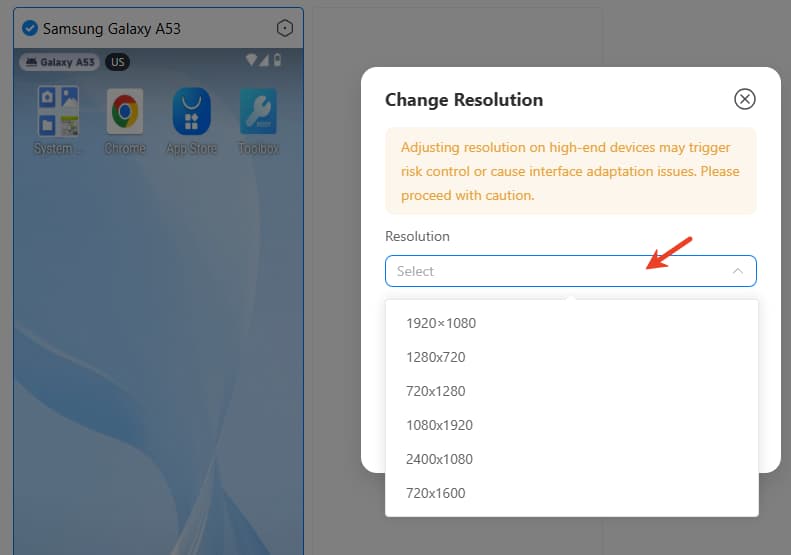
Please know change the device resolution may trigger risk control or cause interface adaptation issues. Please proceed with caution.
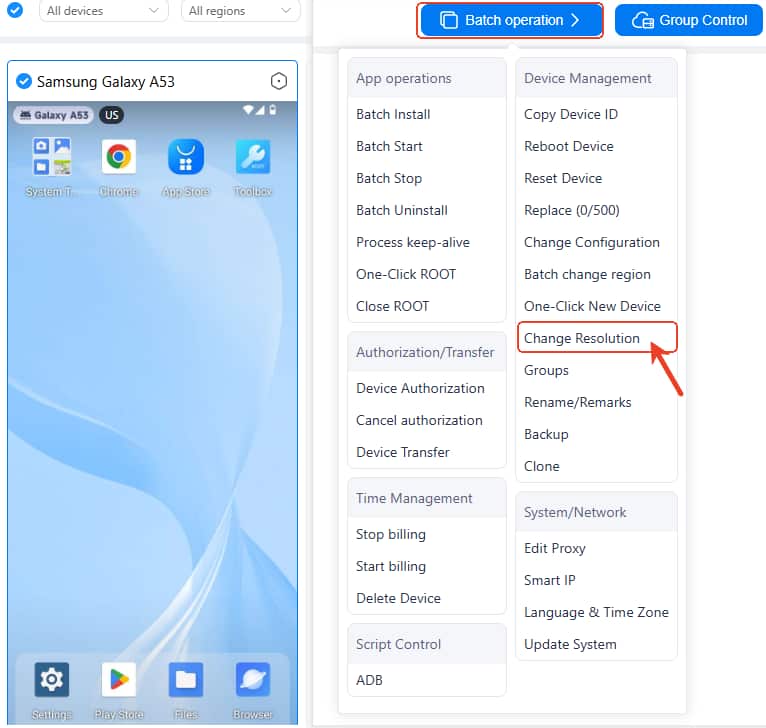
Way 1: Go to Batch Operation Change Size (Online and iOS users)
Select the target device and find the Change Resolution under the Batch operation, then reset the Screen size and DPI.
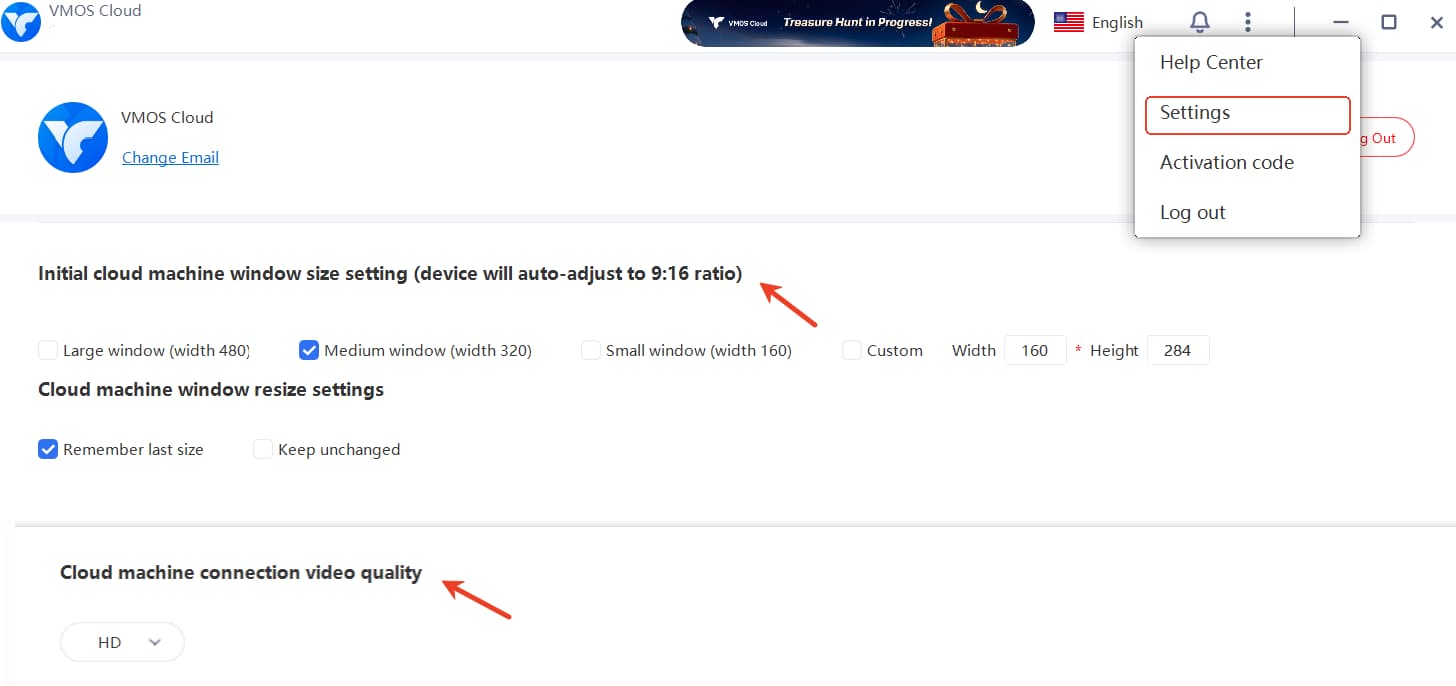
Way 2: Go to Settings and Change Size (Windows users)
Find Initial window size setting and device connection quality to change as needed.
Way 3: Change Resolution and Size in Cloud Device (Android users)
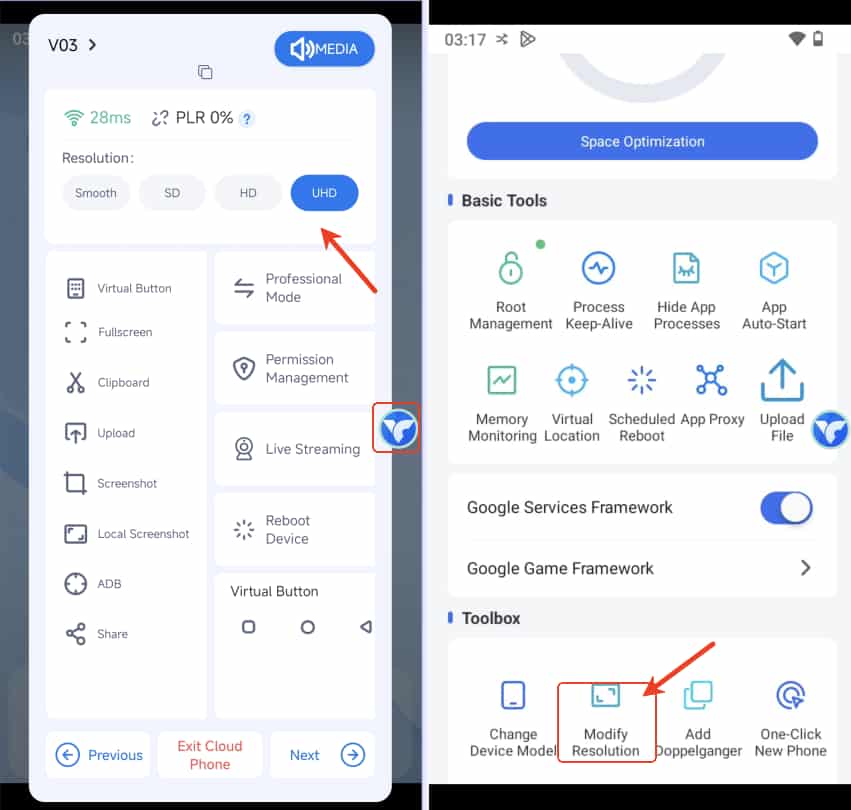
Tap the floating ball to directly change the resolution.
Or click Toolbox-> Modify Resolution to change the resolution,size and dpi.