
Step 3: Create Your First Local Cloud Machine
Welcome to VMOS Edge Local Cloud Machine Box!
This guide will take you from unboxing to successfully creating and experiencing your first cloud machine in just a few steps.
Create First Cloud Machine
- Click [Create Cloud Machine];
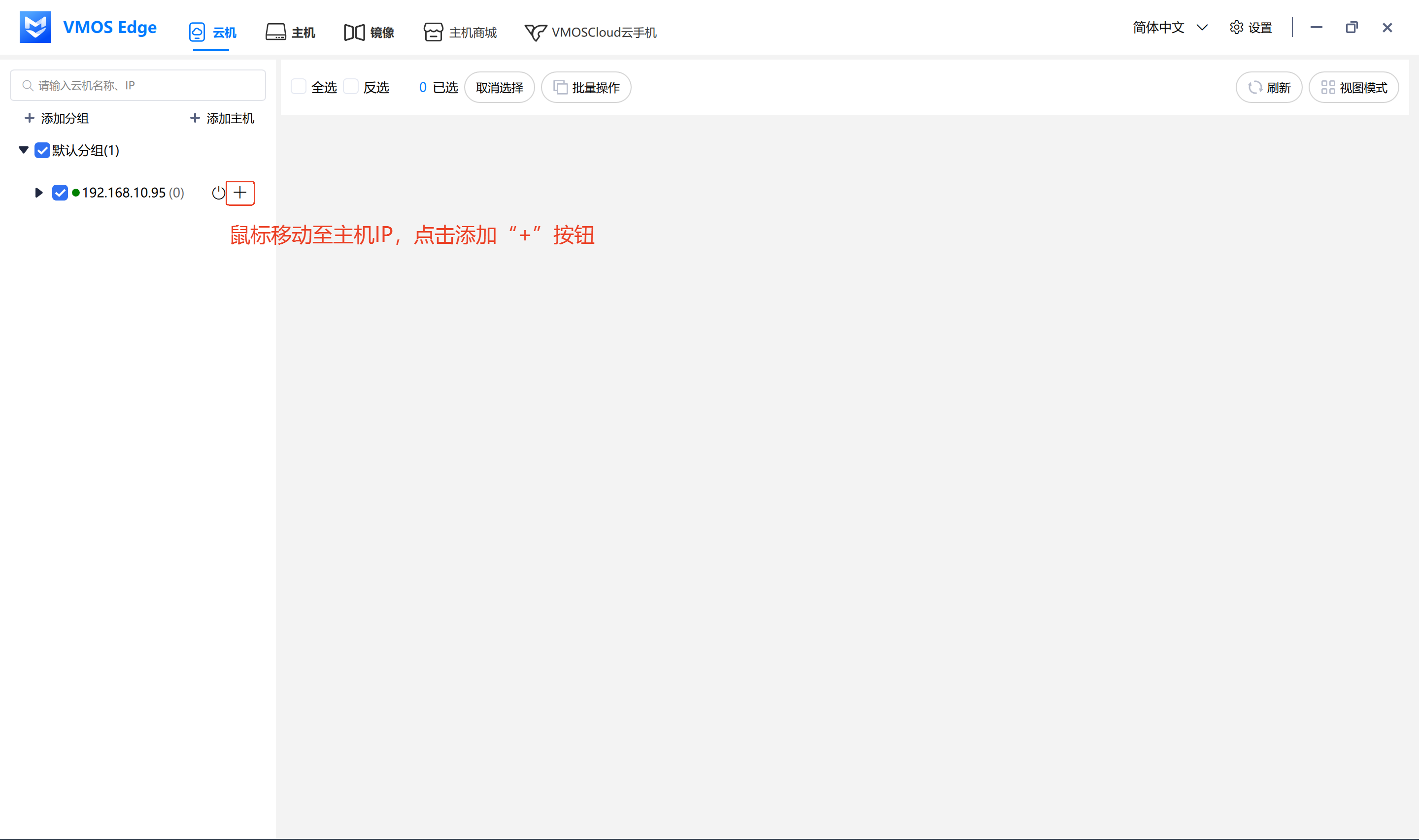
- Select:
- Android image version (factory preset image: vcloud_android13_edge_20251025200421)
- Cloud machine name (enter yourself)
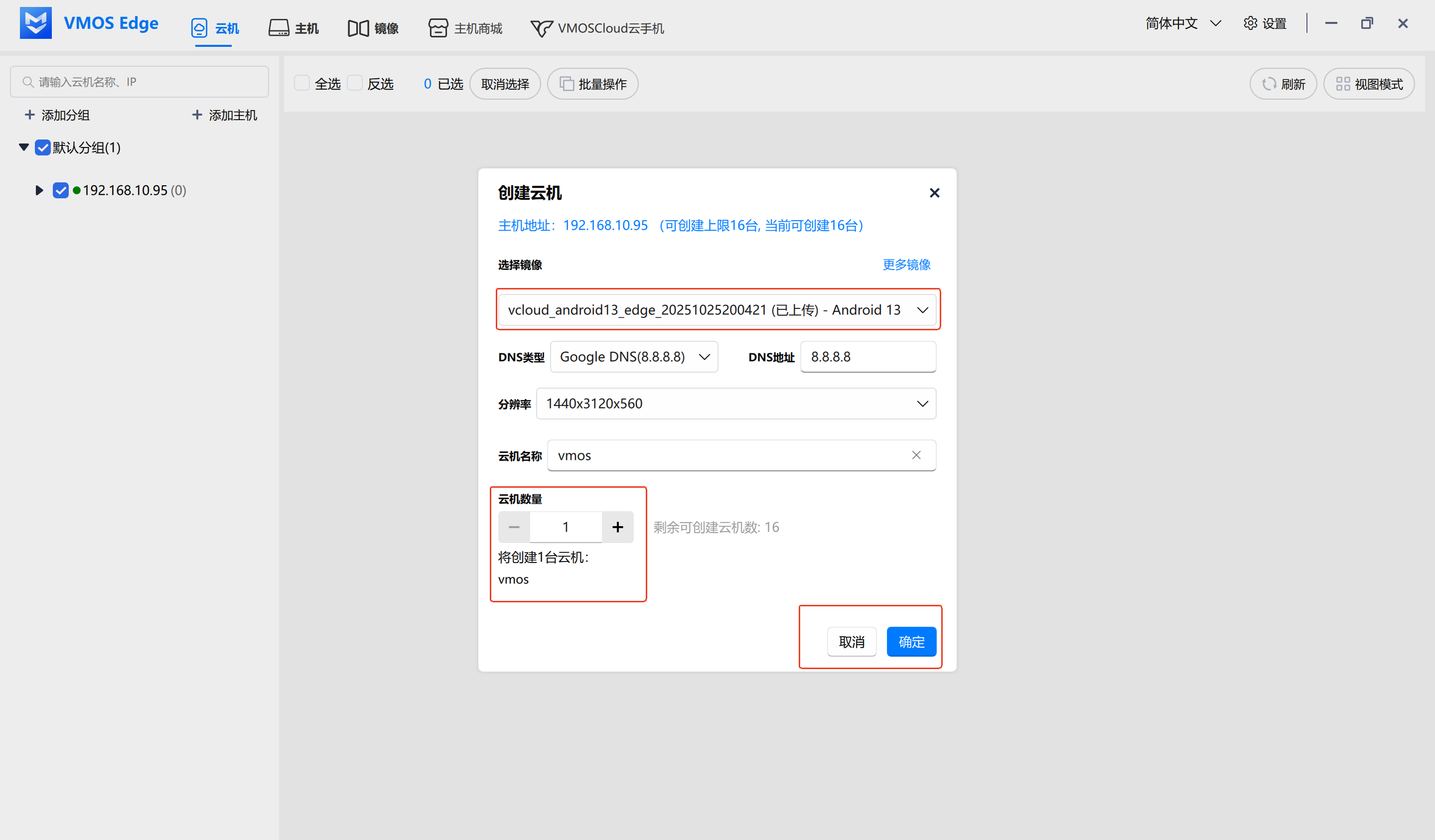
- Click [Confirm] to start creating.
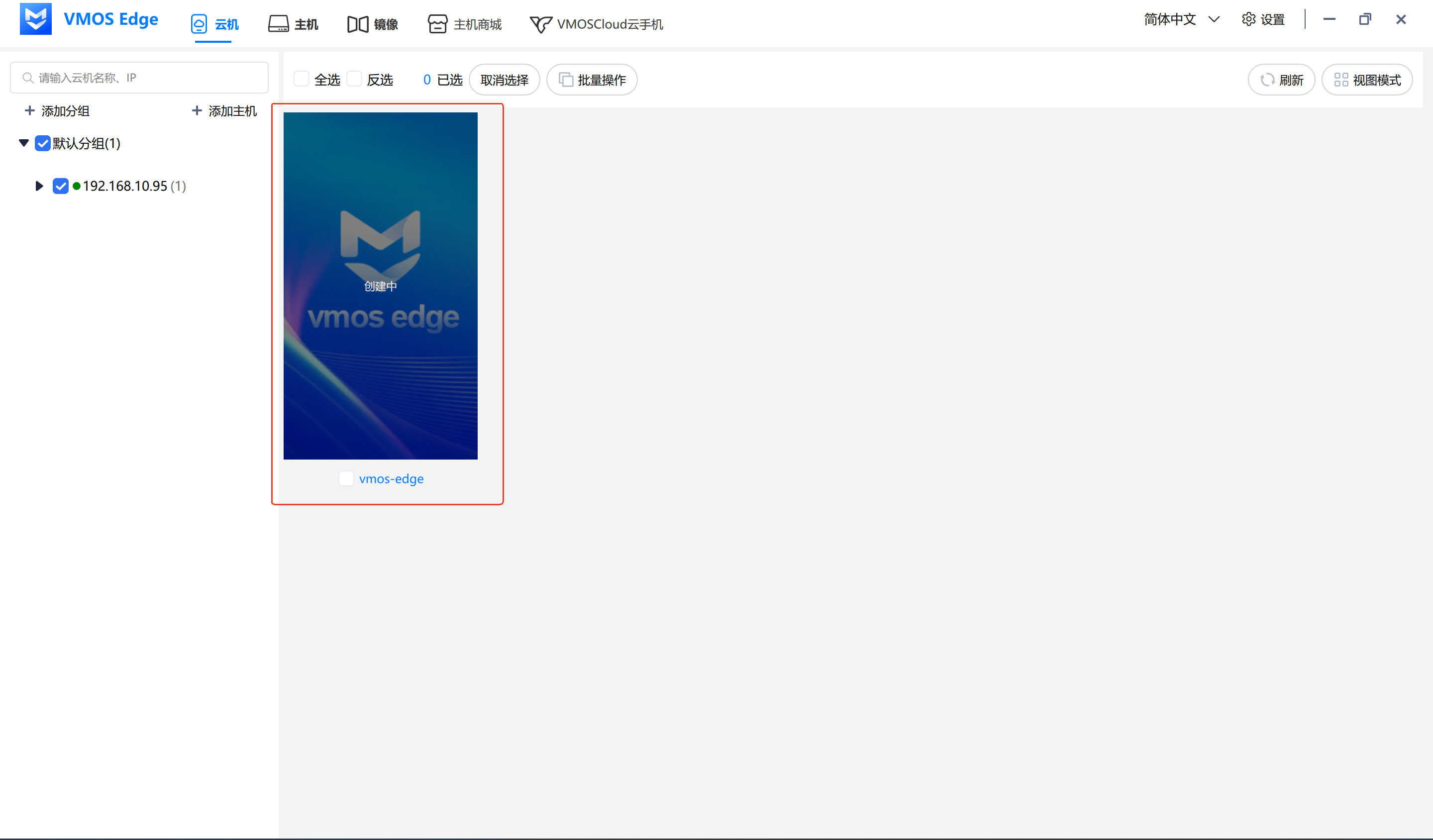
- Creation successful shows running.
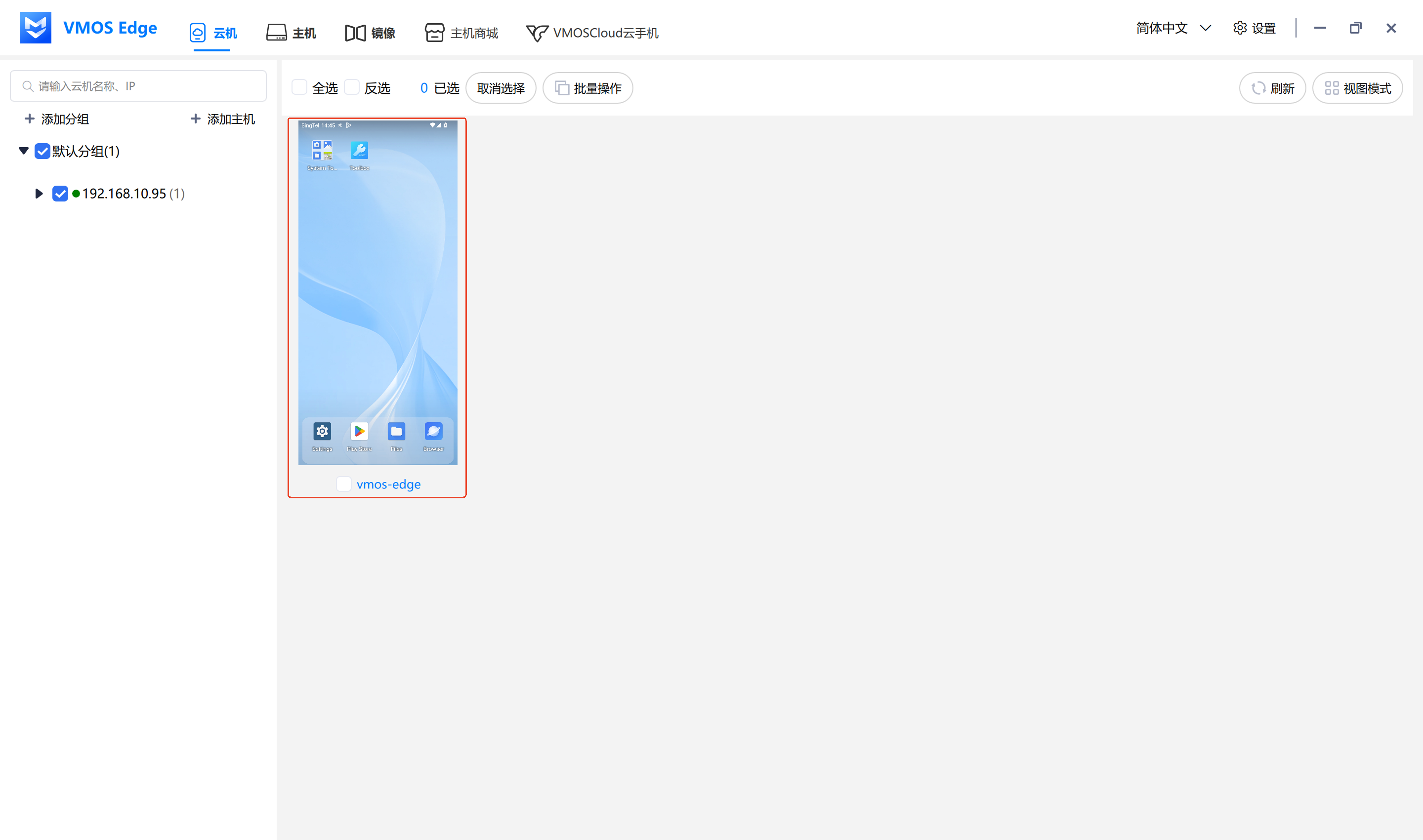
⏱️ Cloud machine creation takes approximately 1–2 minutes. After completion, you can see the status as "Running" in the list.



