
How to Warm Up TikTok on VMOSCloud?
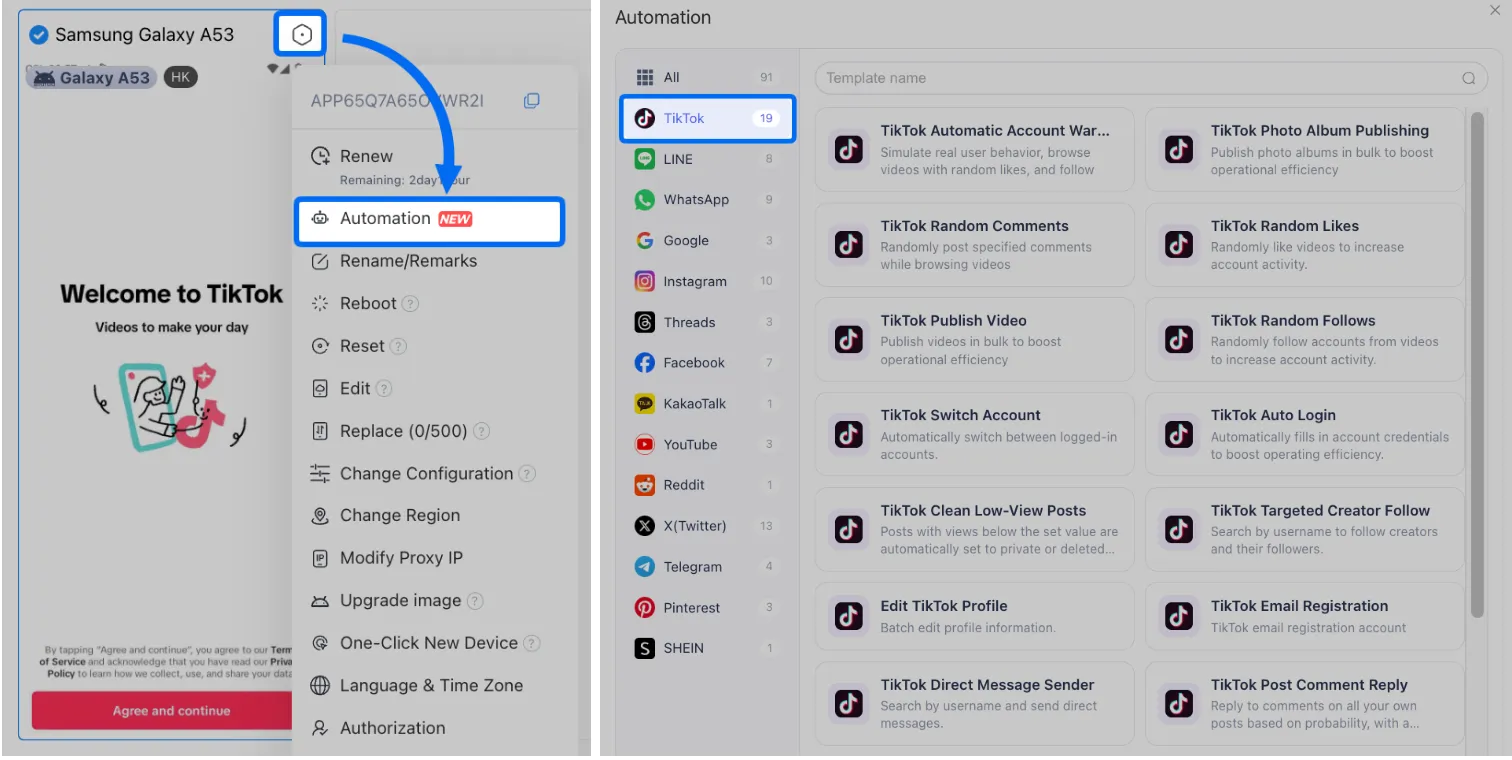
1. Go Automation-> Template store-> TikTok Automatic Account Warm-up - Enhanced template.
2. Download app:
➊ Click to Install TikTok into the selected cloud devices.
➋ Or enable "Skip installed devices" if TikTok is already installed.
➌ If need to download from the app store, check requirement #2 shown in the picture for version and language details.
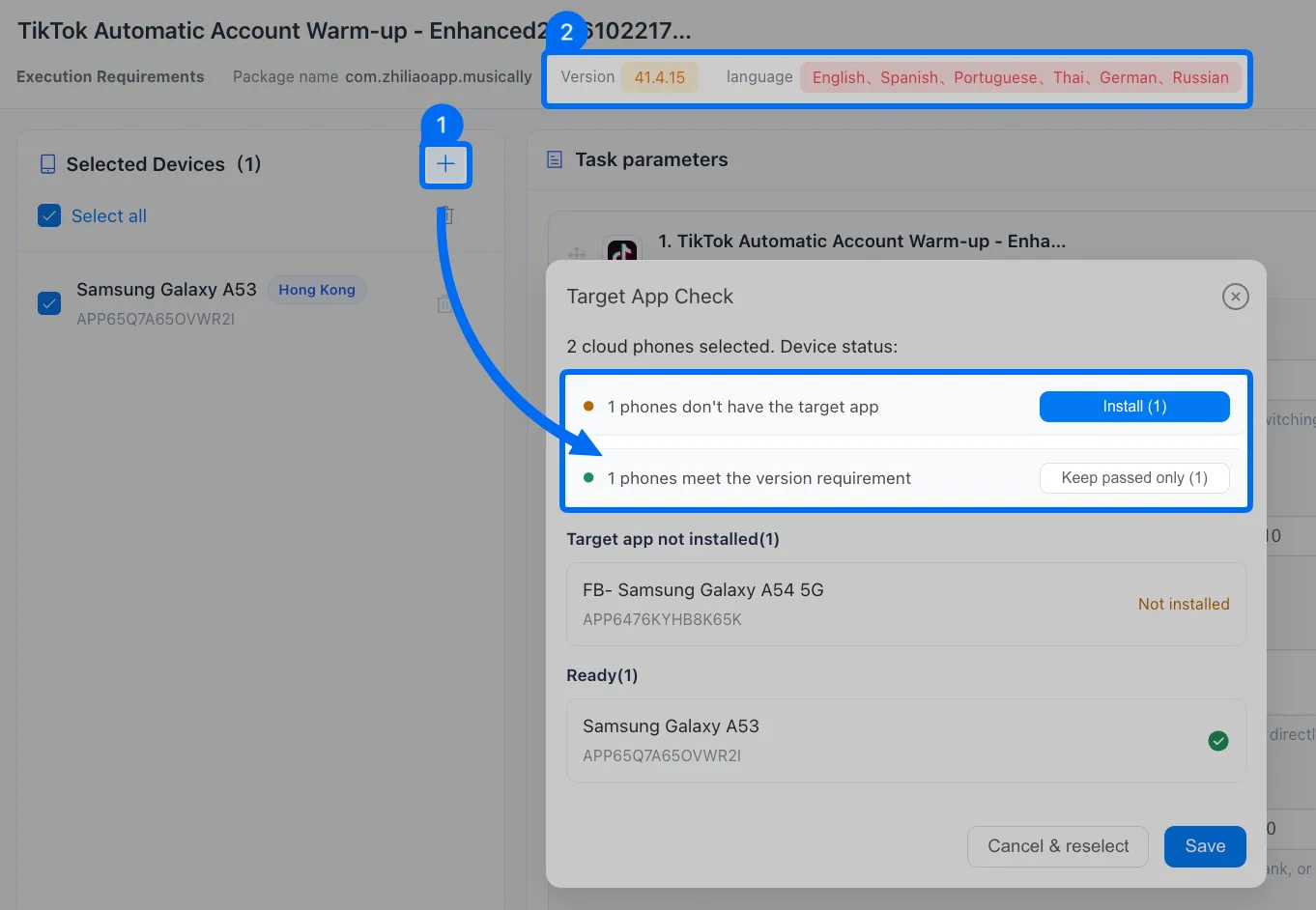
Note: If the current app version is no longer compatible with the template requirements, please update and this will not erase device data.
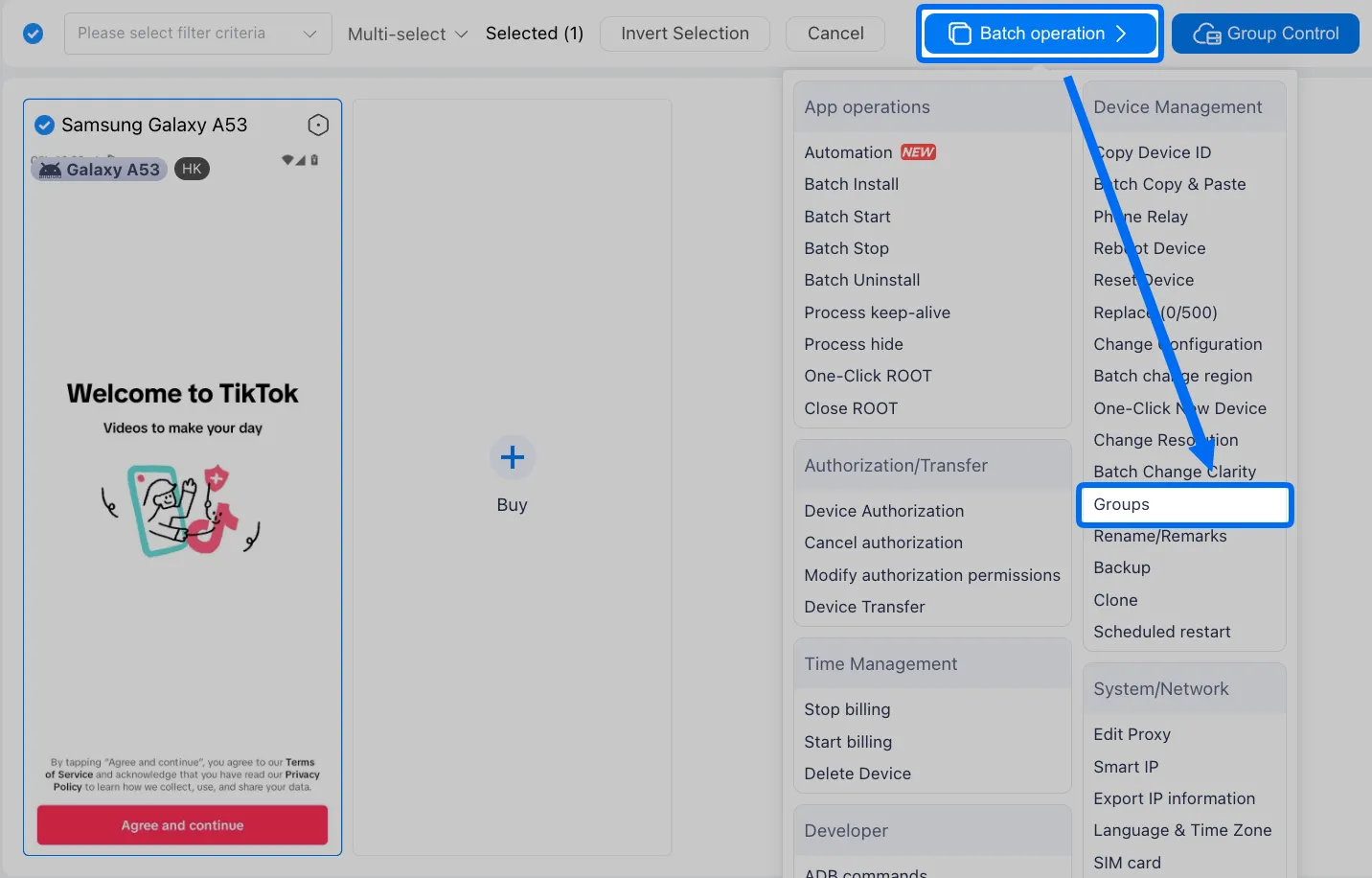
➍ Batch Install app to a group of devices: If you have multiple devices to scale, need Group devices first.
Go multiple devices-> batch operation-> groups, add these devices into any of existing groups or create a totally new one.
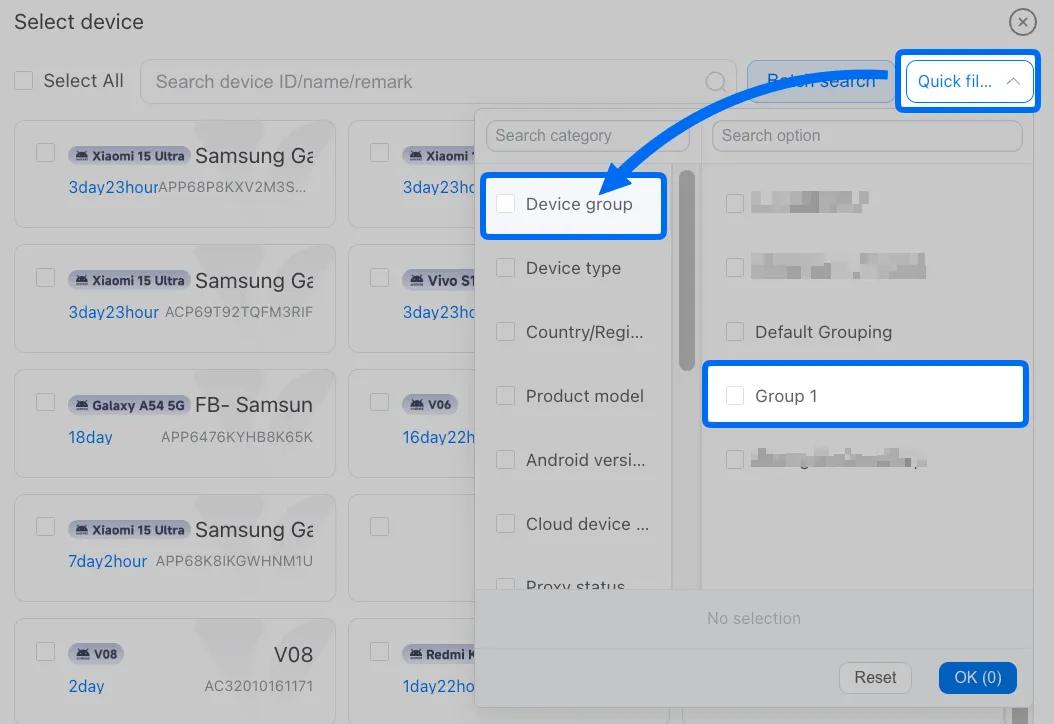
Then use Quick filter->device group in the template, select one group to batch install.
3. Login TikTok (must):
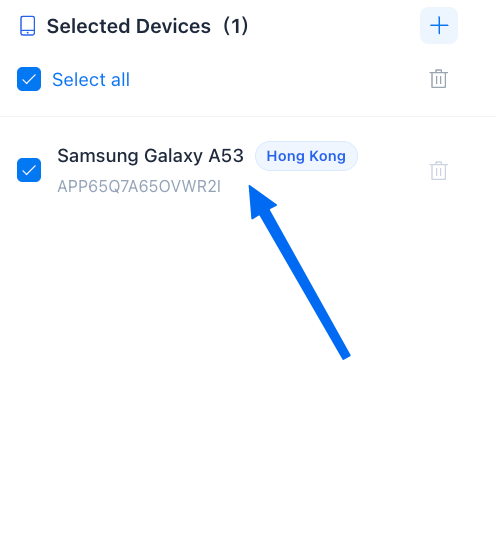
➊ Single device can click it to open and login.
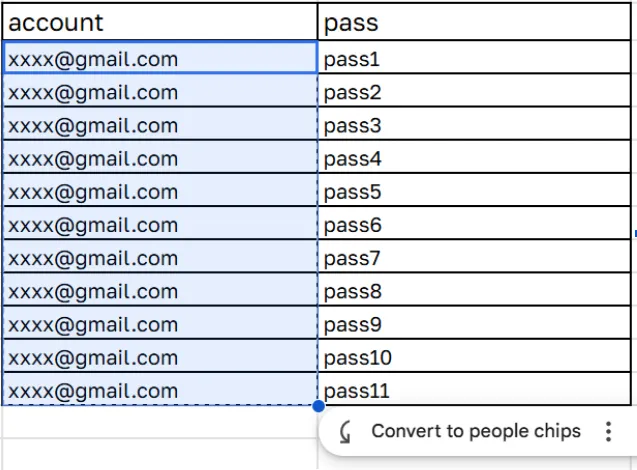
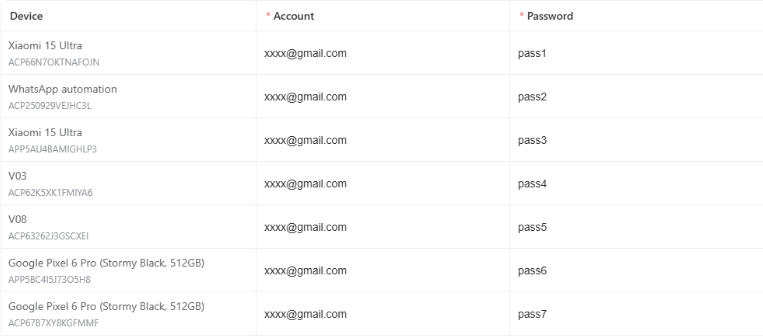
➋ For multiple devices, use the TikTok auto login template. Copy the credential list in excel to paste all in the template and finish login (see pic).
4. Steps for setting a warm up workflow for TikTok, and configure the actions that may happen randomly in the whole warming up process:
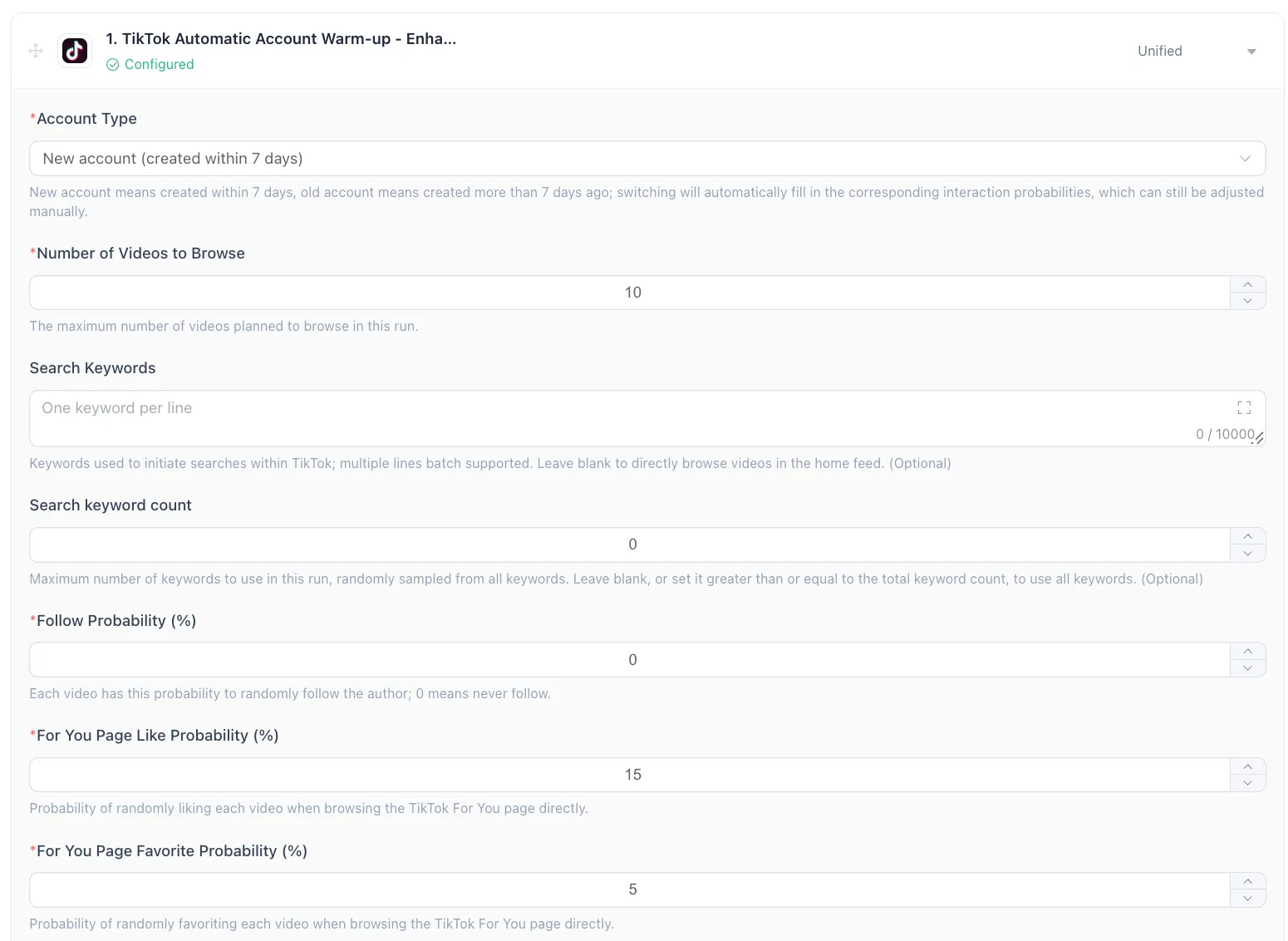
➊ Number of videos to browse: how many shorts need to watch, and set up the search keywords and counts to decide what content you're looking for before scrolling.
➋ Follow probability means the random chance when scrolling For you feeds.
➌ For You page like probability= 0 means no Thumbs Up to show support for any content.
➍ For You page favorite probability chance decides the random actions for private bookmarking.
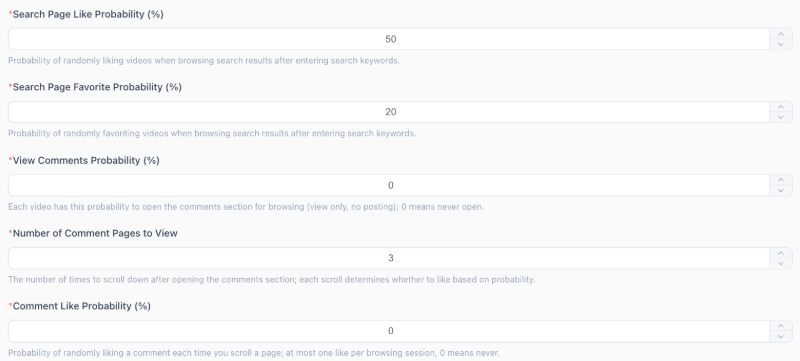
➎ Search page like probability and favorite probability depends the actions may happen after search a keyword.
➏ View-comment probability will give a specific random chance to call the comment section and read what has replied to the video. (no reply right now)
➐ Number of comment pages to view means how many scrolls down your 'fingers' will make when checking the comments, and will give a random like to some comments.
➑ Comment-like is a probability to like any of the comments in the video.
5. Steps for warm up work multiple TikTok accounts:
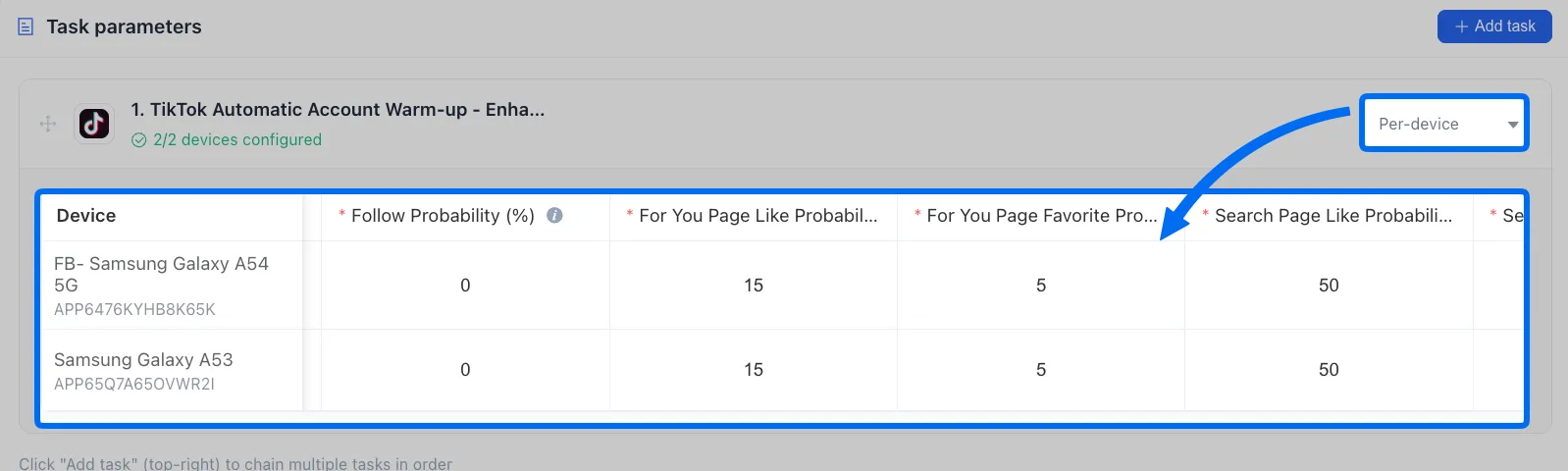
Use unified to assign one workflow to multiple tiktok devices for warming up.
Or use per-device to assign the different warming up workflows in different devices.
6. Scheduled the warm up workflow:
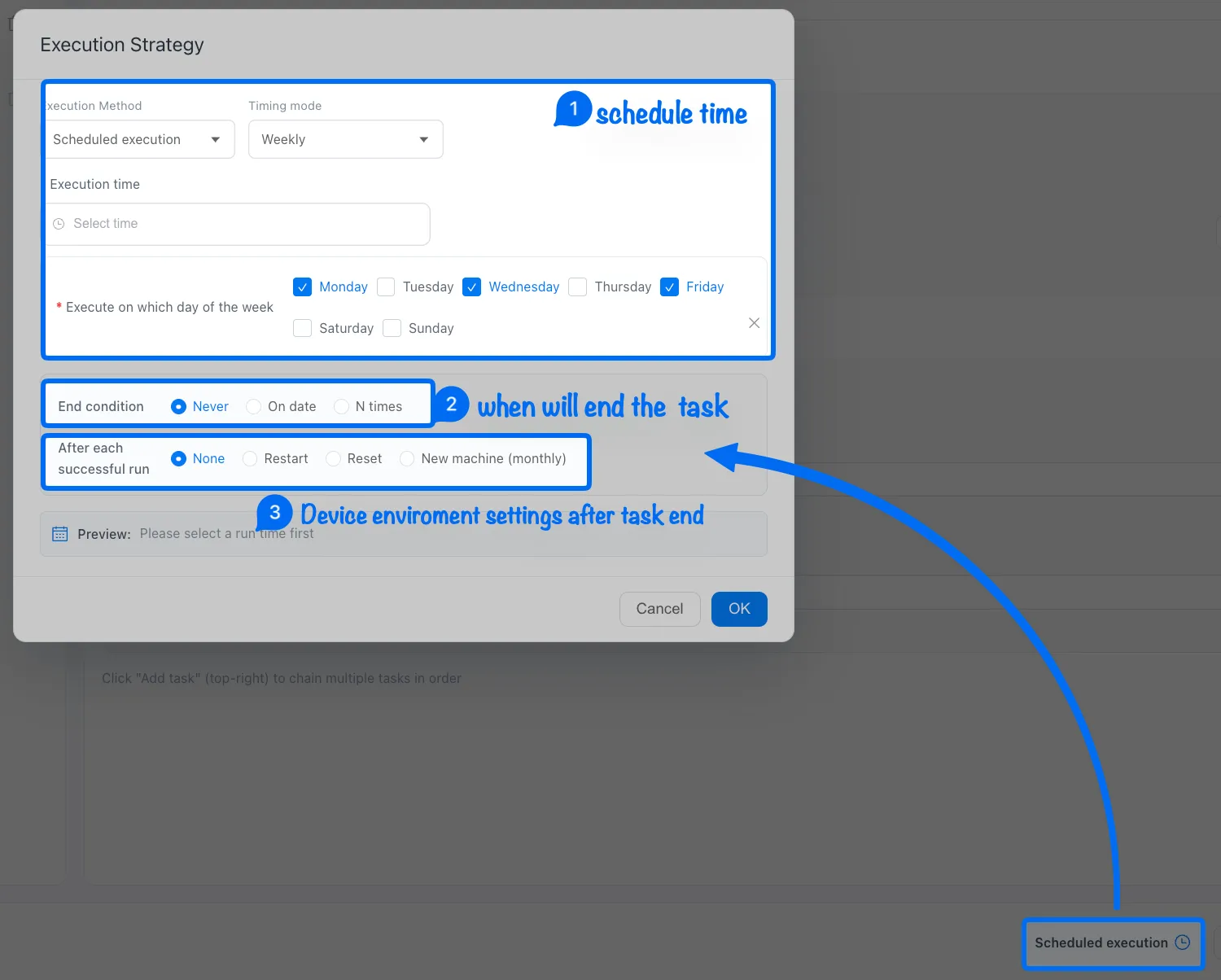
Note: ➌ None means keep the current device environment, restart the device after a task finished, or use Reset to clear the device environment data.



