
How to Use TikTok Random Like Template on VMOSCloud?
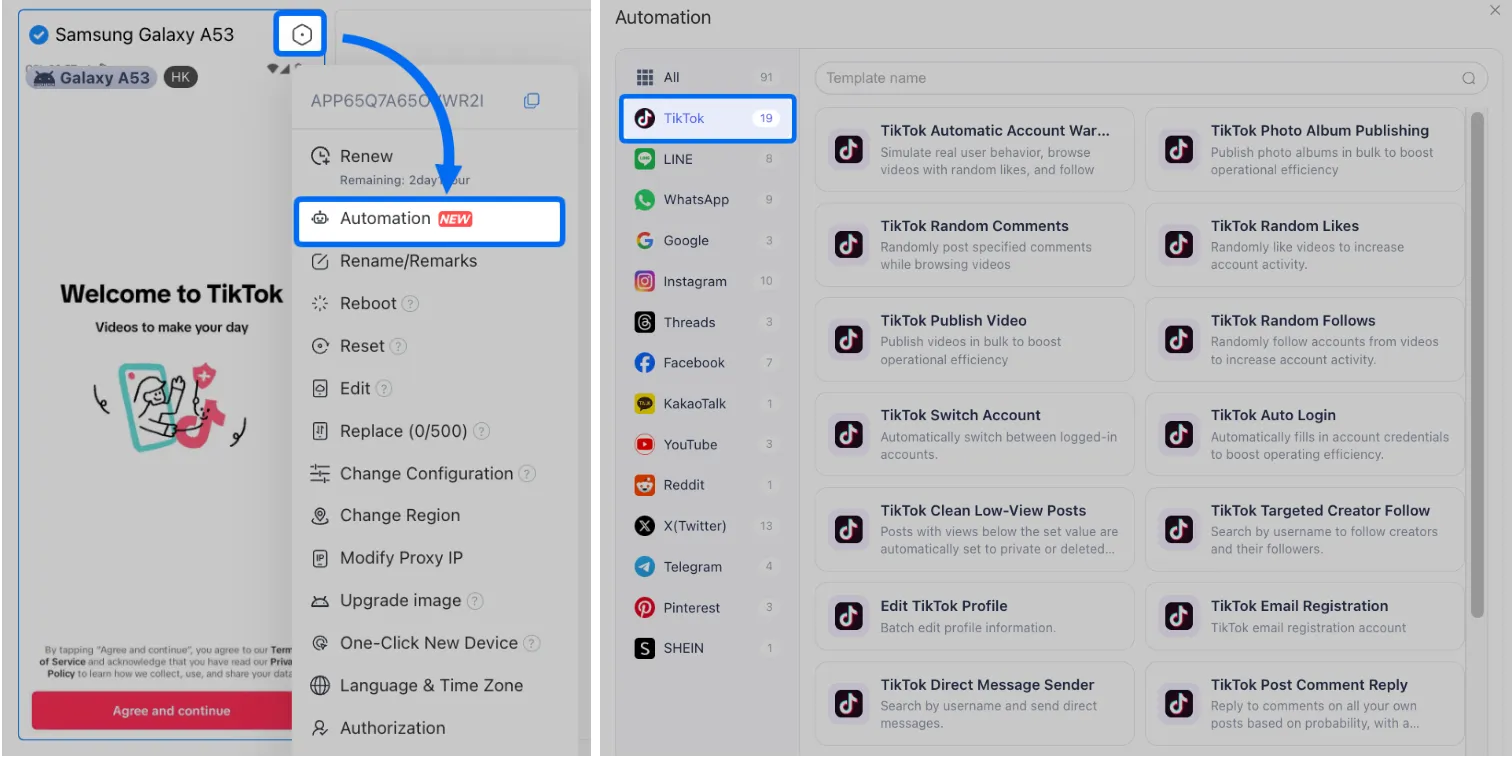
1. Go Automation-> Template store-> TikTok Random Likes template.
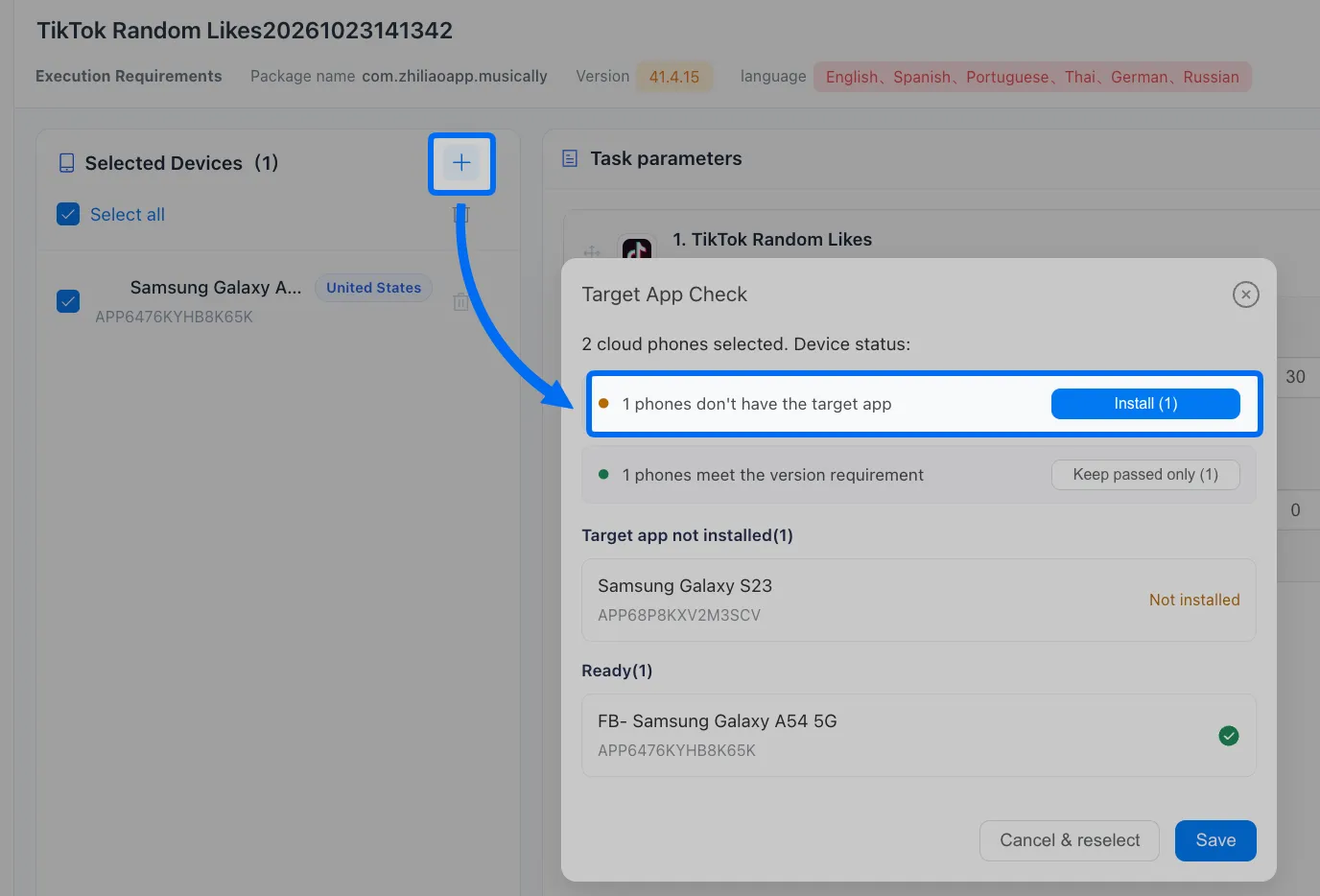
2. Download TikTok into the selected cloud devices.
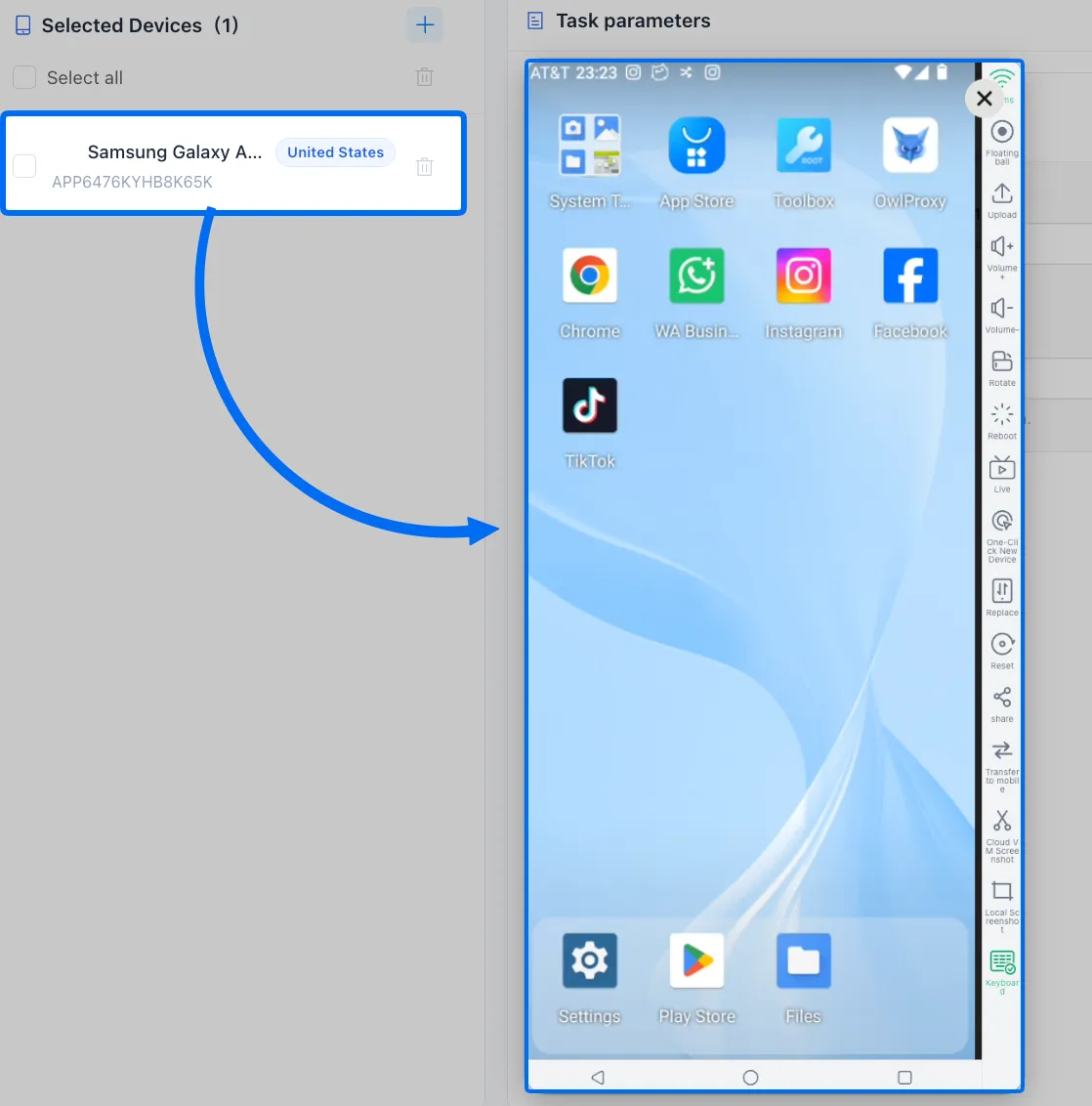
3. Click the device to open it and finish account login.
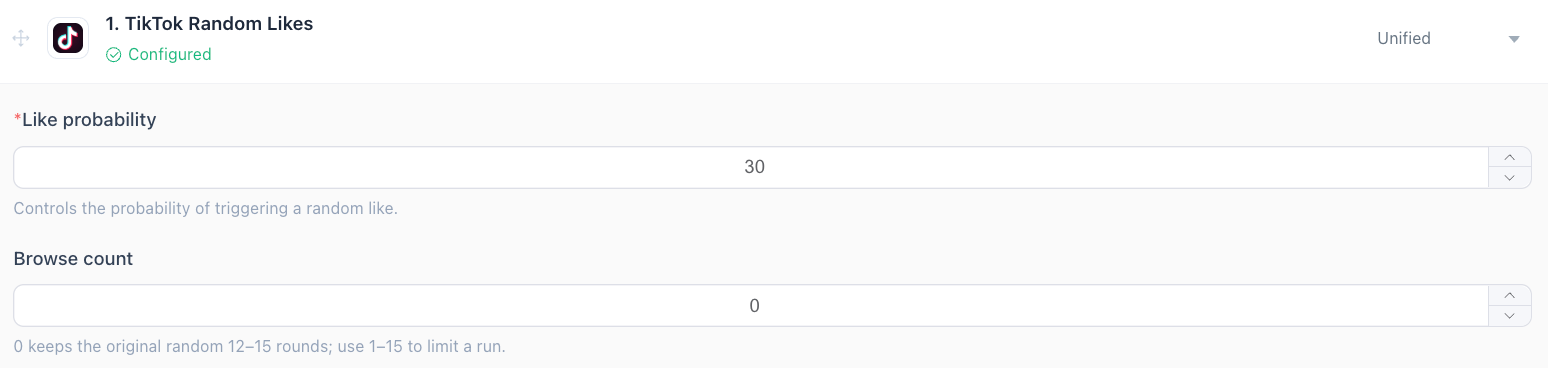
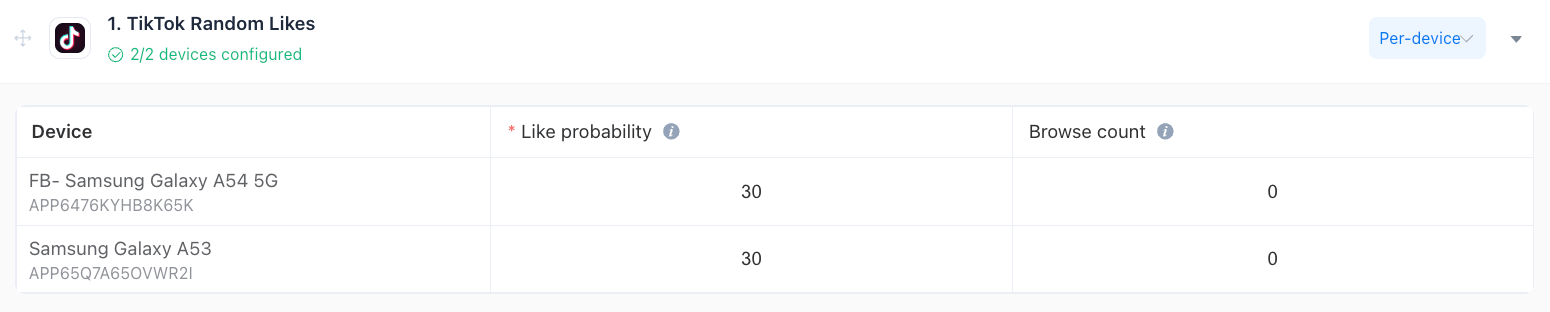
4. Like probability= 30, means there is a 30% probability to random like videos when scrolling down. Browse count means how many short videos need to watch, if =0, it will follow the default settings to watch 12-15 videos.
5. Steps to run multiple workflows:
Use unified to let multiple tiktok devices run the same one workflow.
Or use per-device to set the different workflows in different devices.
6. Scheduled when to start this workflow:
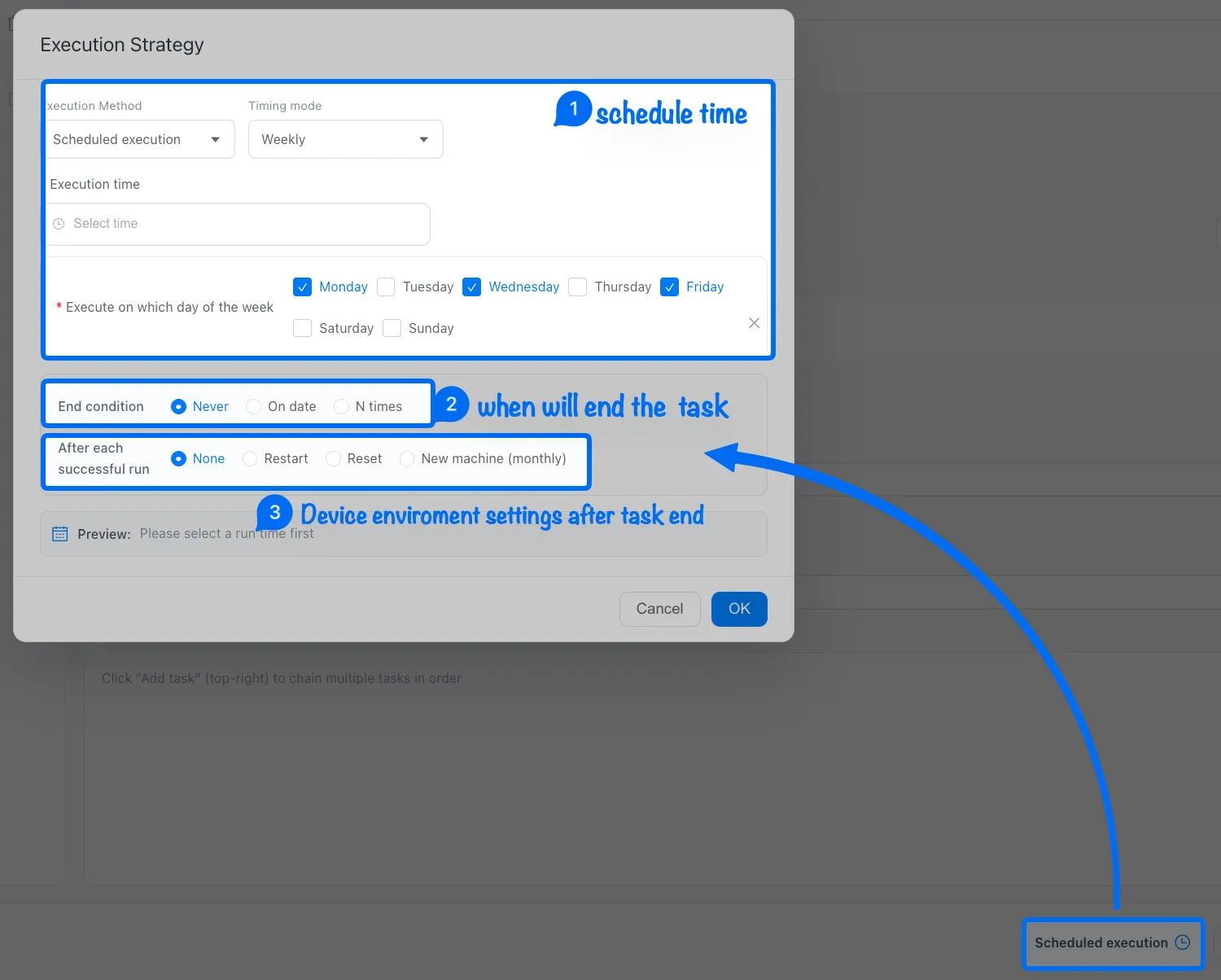
Note: ➌ None means keep the current device environment, restart the device after a task finished, or use Reset to clear the device environment data.
7. Once you've completed all the settings, just publish.



