
How to Use TikTok Target Creator Follow Template on VMOSCloud?
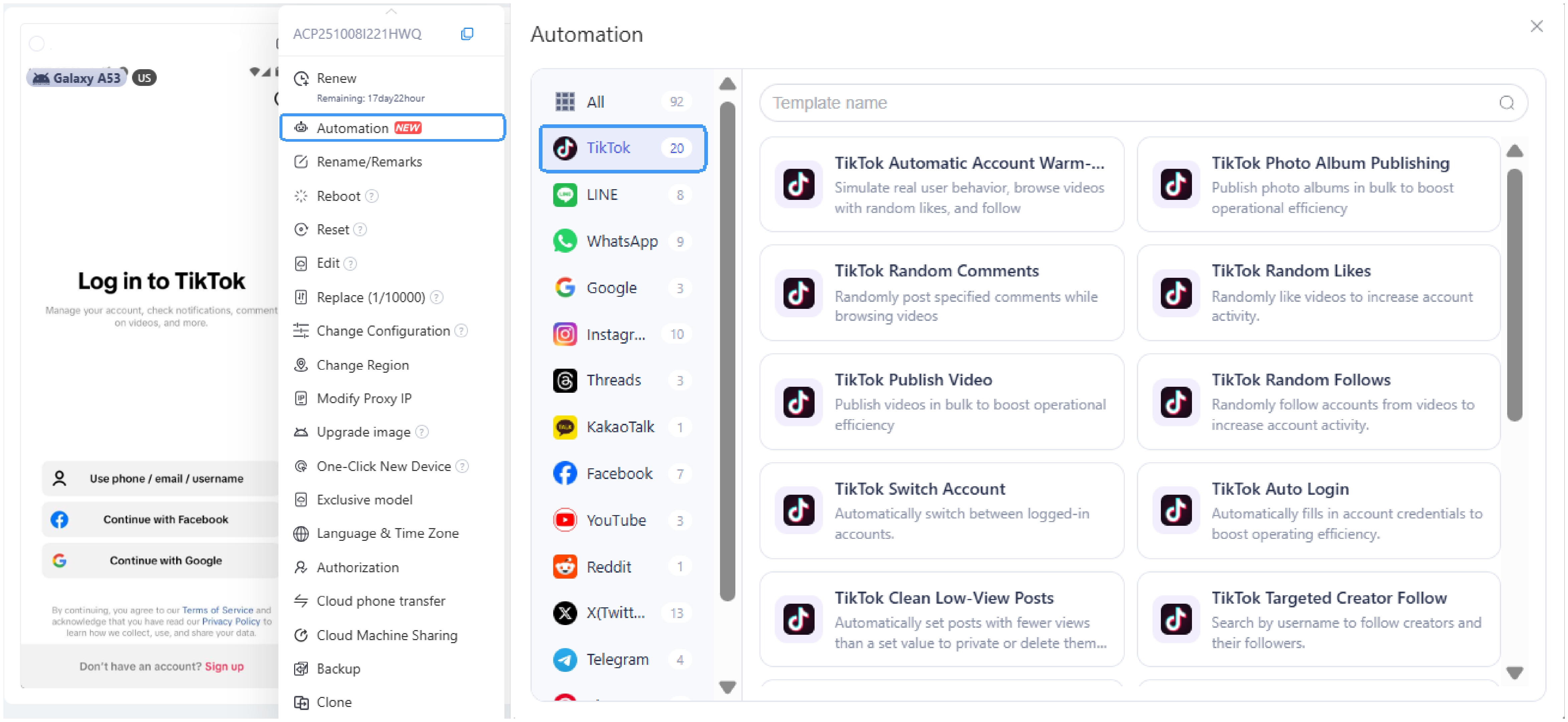
1. Go TikTok Target Creator Follow template.
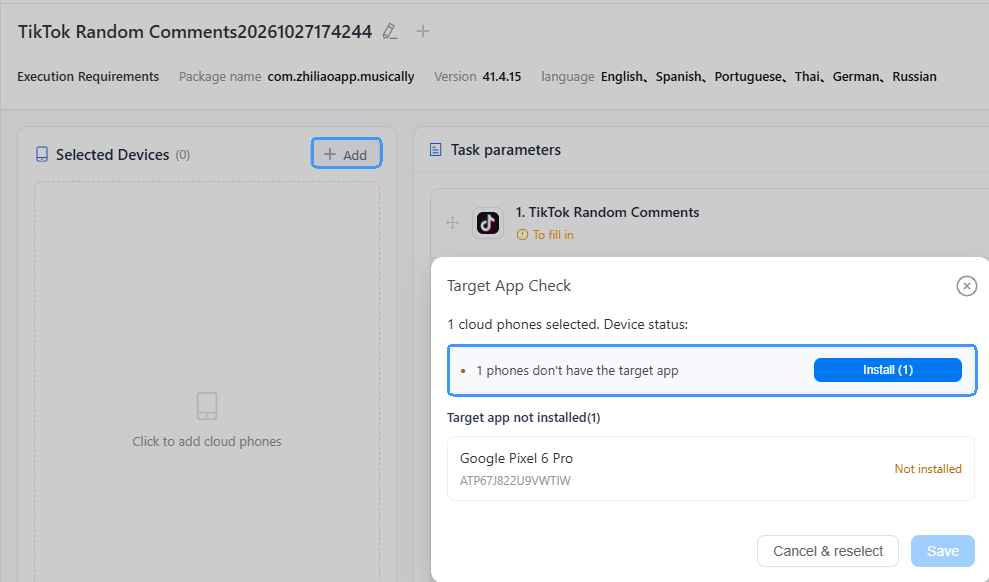
2. Click Add to select devices for the workflow, then Install TikTok on each device.
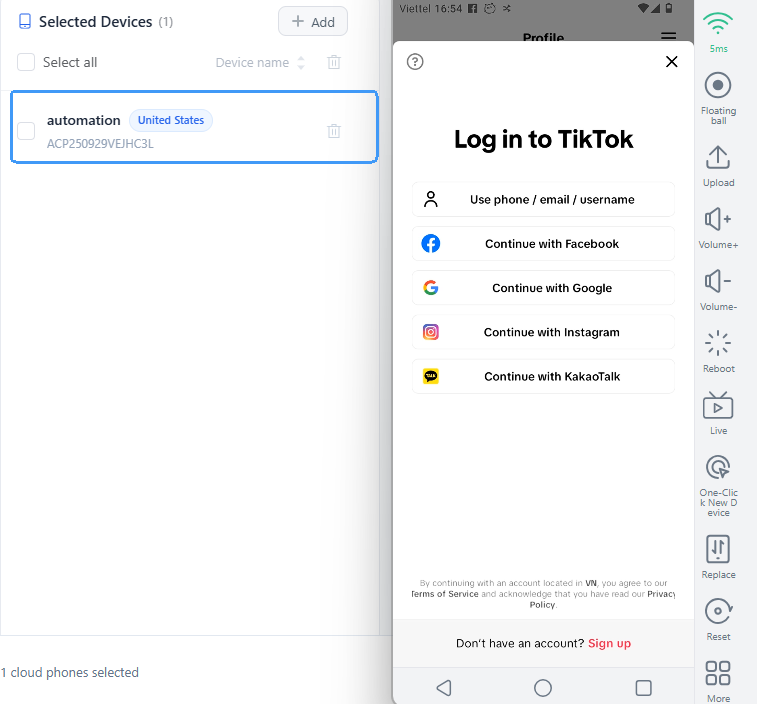
3. Open the device and sign in to your TikTok account.
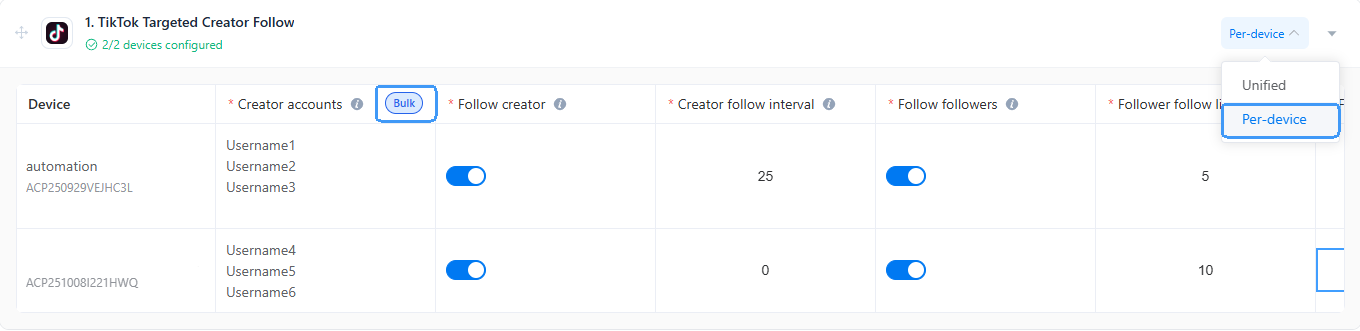
4. Paste the target username to the Creator accounts. To mass follow back, list one TikTok username per line.

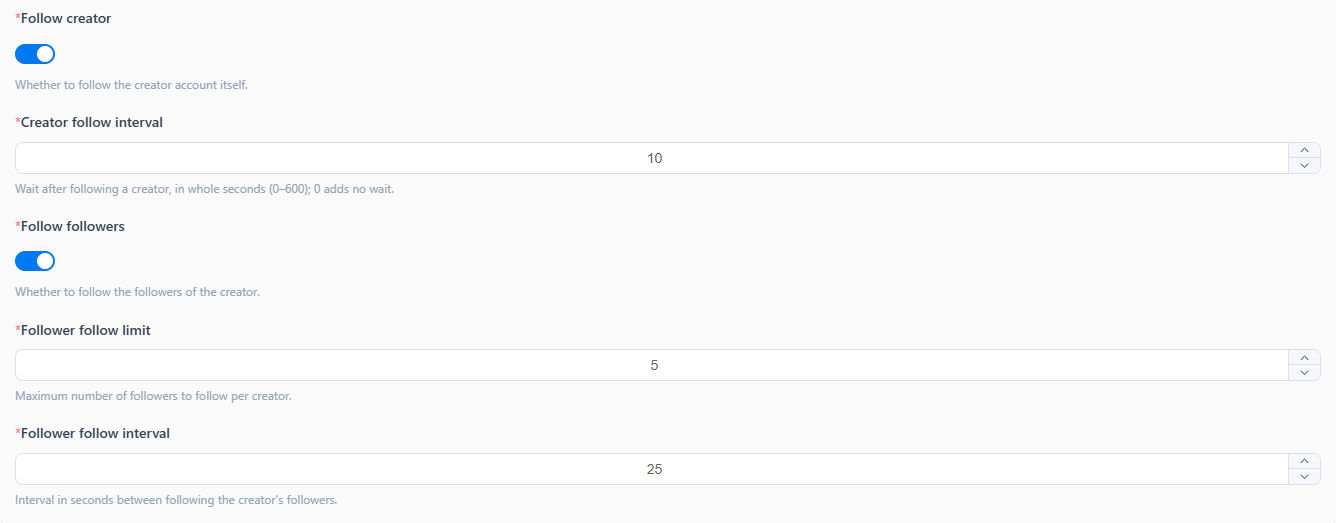
5. Configure the follow settings:
Enable Follow Creator to follow the creator's account itself, and Follow Followers to follow the creator's followers.
Set Creator follow interval as 10 to follow creators per 10 seconds.
Follower follow limit = 5 means follow up to 5 followers of each target creator.
Follower follow interval = 25 to wait 25 seconds between follows, or bring random follow behavior if skip it.
6. Steps to set up multiple workflows:
Choose Unified to apply one workflow across multiple devices.
Change to Per-Device to set up individual tasks for each device. Use Bulk to add multiple creator accounts in one batch and assign them to devices with one click.
7. Schedule task execution time:
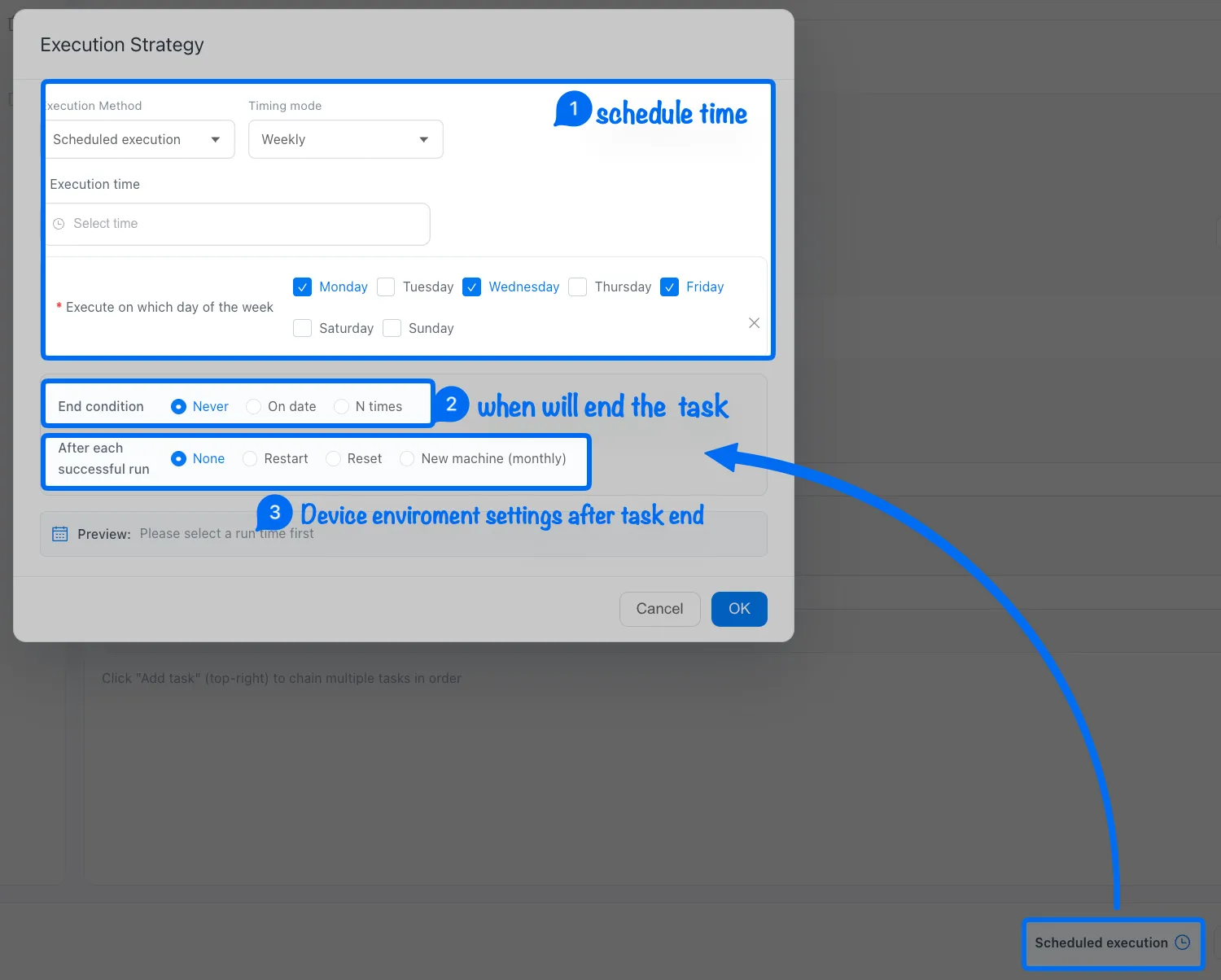
Note: ➌ None means keep the current device environment, restart the device after a task finished, or use Reset to clear the device environment data.
8. Once you've completed all the settings, just publish and track the running status in the Task Center.