How to upload file on VMOSCloud?
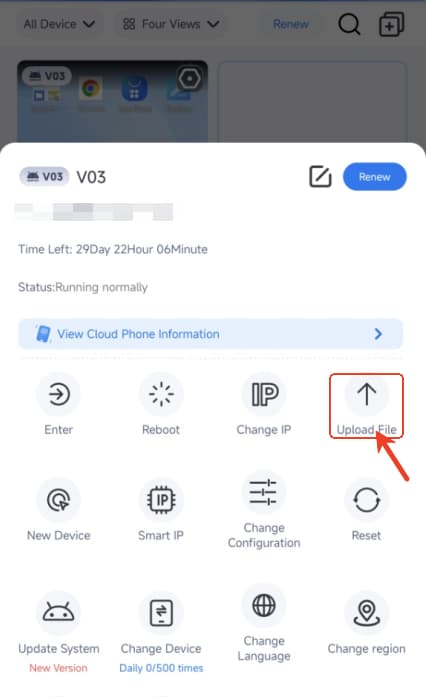
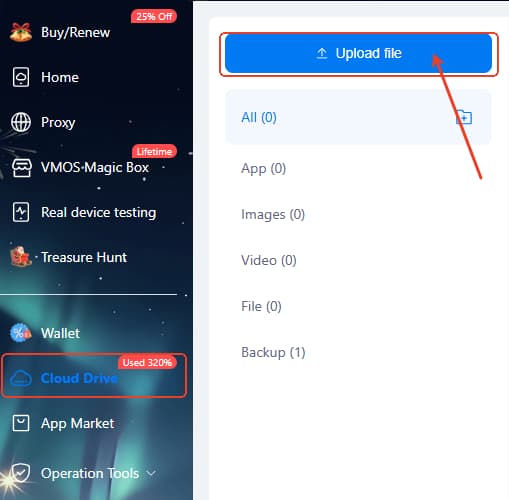
Way 1: Use Cloud Drive -> Upload File
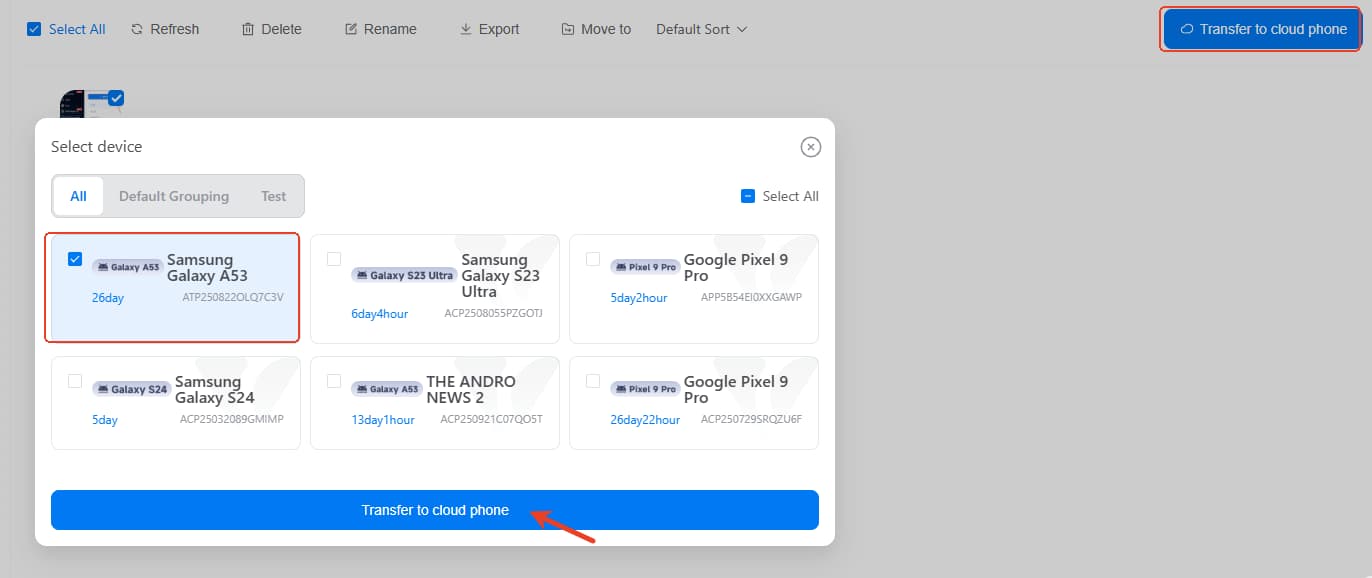
Tap the Upload File and then you can find the Click to Upload, after that select the item you want to upload in the cloud phone, use Transfer to cloud phone for uploading the file into your target device.
Supported formats : app, images, video, file and backup data.
Way 2: Use Upload Feature In the Device
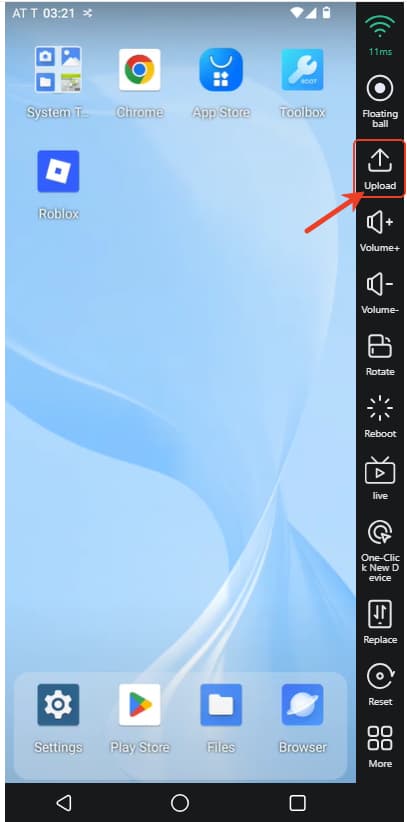
Find the Upload feature in your cloud phone, then follow the same steps as the Way 1.
Way 3: Use Upload Feature In the Device
Android users please find the Upload File as follows: