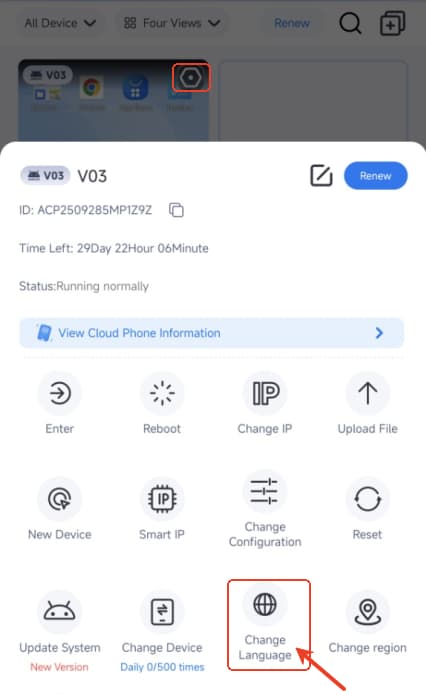
How to change the device's language on VMOSCloud?
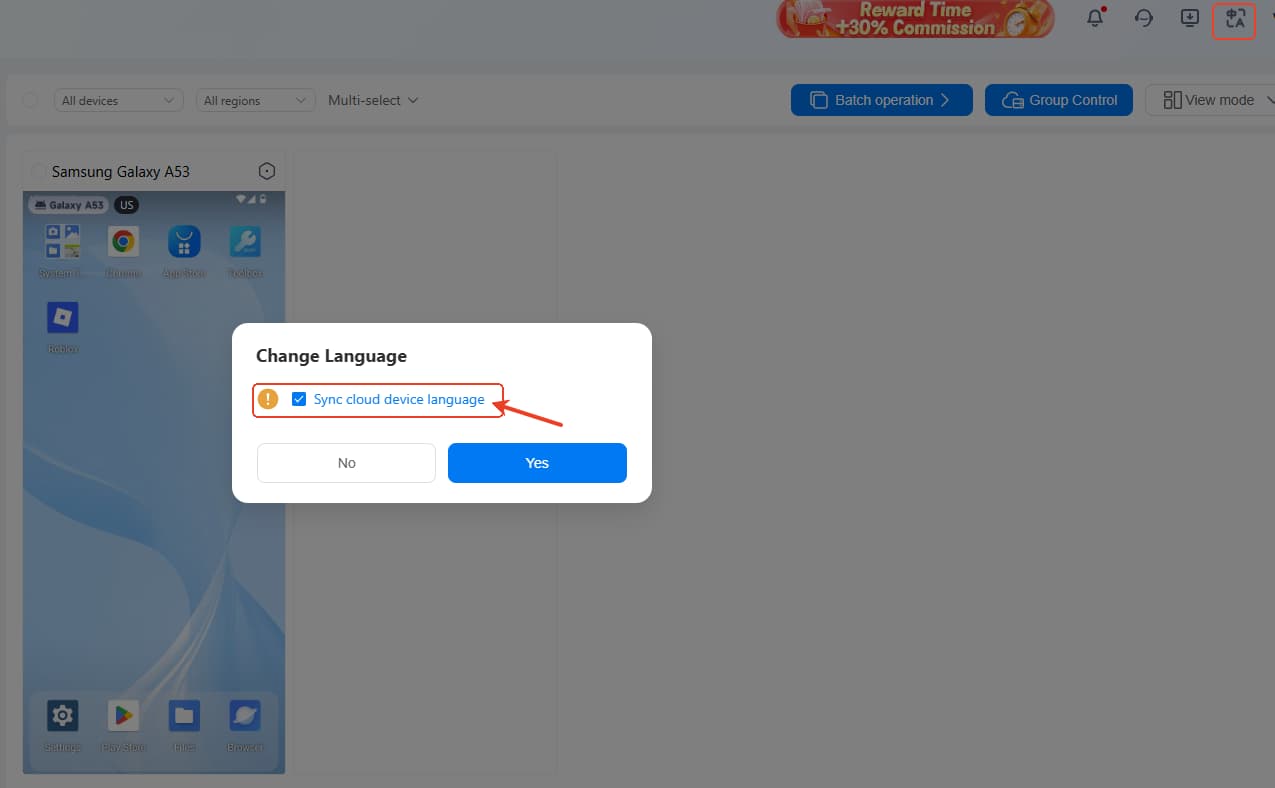
Way 1: Sync Language
Click the language icon at the right upper corner, then select the Sync cloud device language. Please know this not only change the vmos's language but change all the device's language.
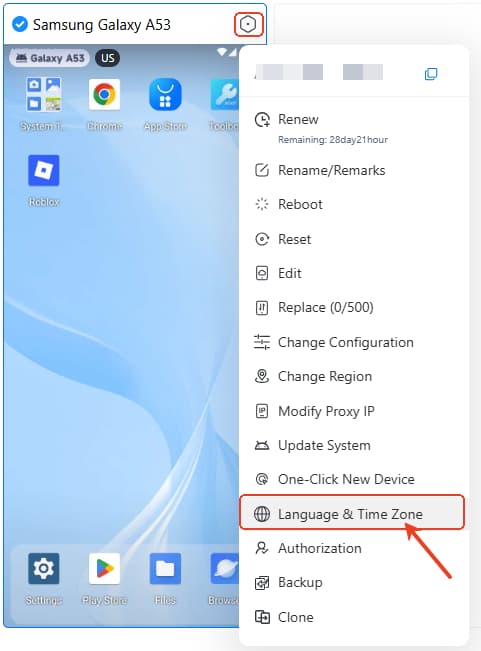
Way 2: Change -> Language and Time Zone
Click the Language & Time Zone to reset the device's information.
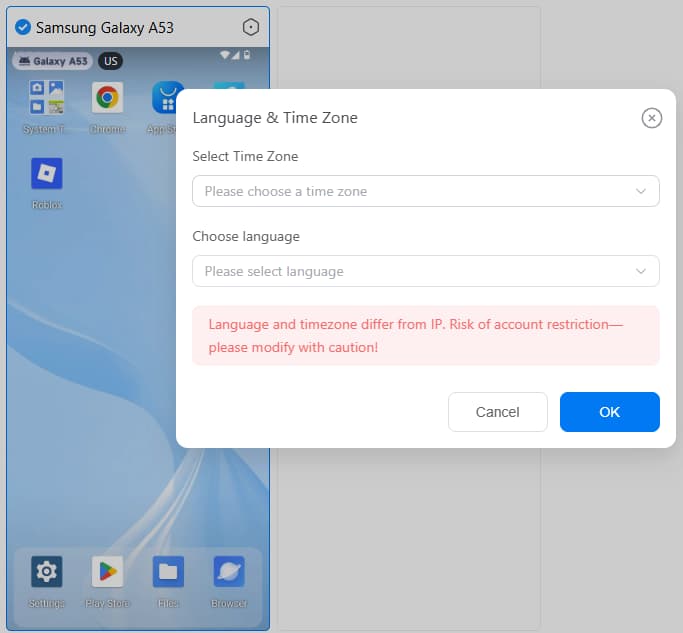
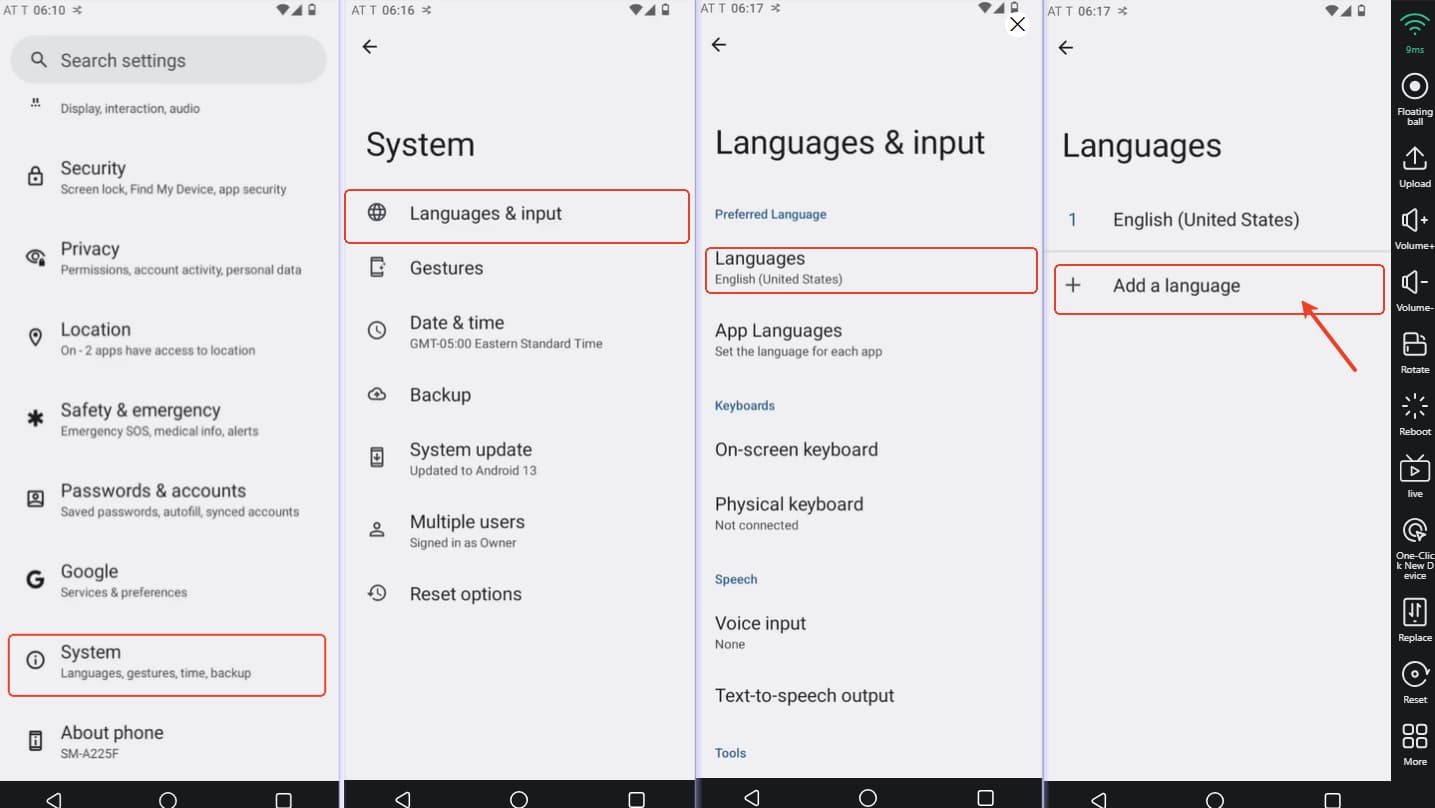
Way 3: Change device's language in the System
Click the System -> Language & input -> Languages-> Add Language-> Rank your language in the first
Way 4: Change device's language on Android
Click Change Language to reset the device's language.