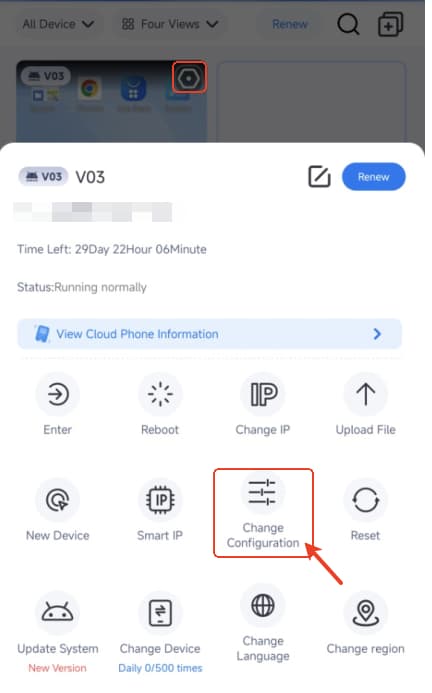
How to change device configuration on VMOSCloud?
Change configuration on VMOSCloud means change your device with a higher or lower configuration.And this will clear all the data, please confirm it before you make this action.
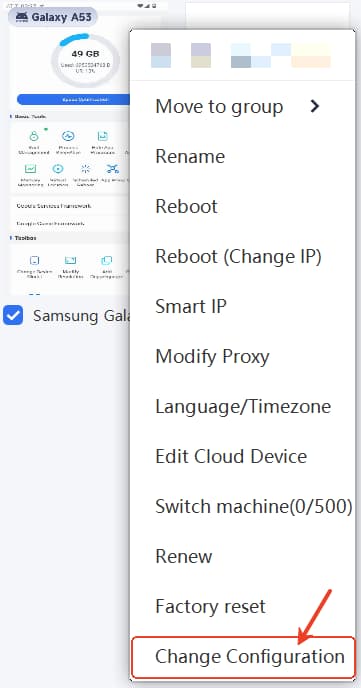
VMOSCloud Web Users:
Right click the target device -> select Change Configuration.
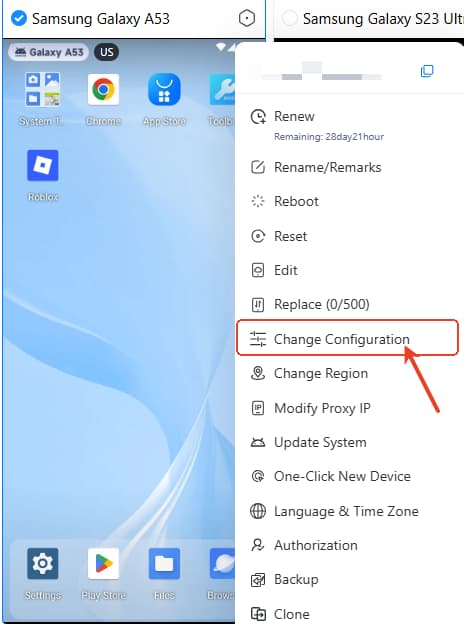
VMOSCloud Windows Users:
Right click the target device -> select Change Configuration.
VMOSCloud Android Users:
Click the target device -> select Change Configuration.