
How to Auto Post on Facebook?
1. What should you do before you start?
(1) Log in to your Facebook account on the cloud phone.
(2) Find Automation-> Template store in the left sidebar, and select -> Post on Facebook.
2.How to schedule time to start the automated workflow on a cloud phone?
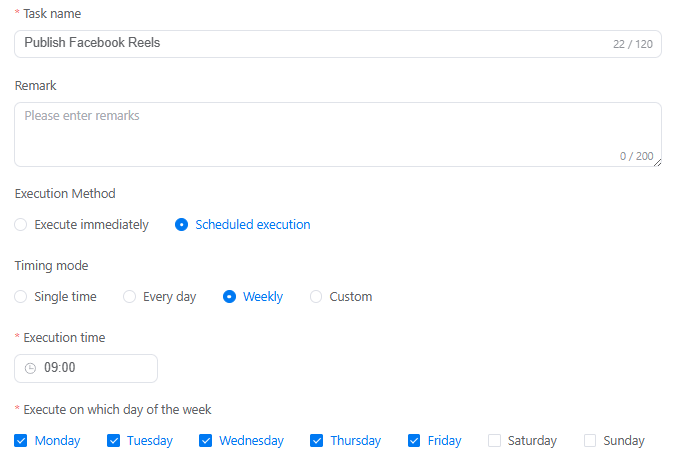
(1) Set Task name and Remark (not required).
(2) Execute immediately can schedule time to run tasks instantly, or use Scheduled execution to set up a recurring schedule on a specific time, day or week.
3. How to schedule the post sending on Facebook?
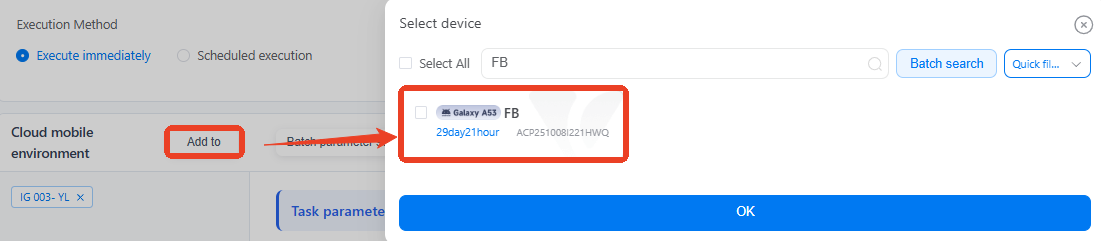
(1) Add to at least one device for this task.
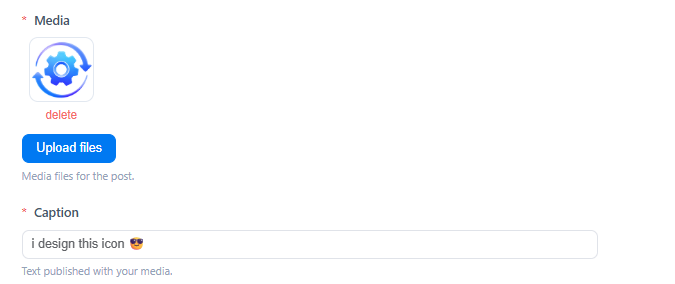
(2) Upload files for the posts, support formats like JPG, PNG and MP4, then input the content of hook or post copy in Caption. Once you've completed all the settings, just click Publish.
4. How to schedule different posts on multiple devices?
Add multiple cloud phones, and use Batch parameter settings to set different post content on different devices.

VMOSCloud's automation also supports you to schedule social posts across many popular platforms, including TikTok photo mode, Instagram carousel post, Threads album publish and more.
5. Common errors that will get you stuck on automated workflows
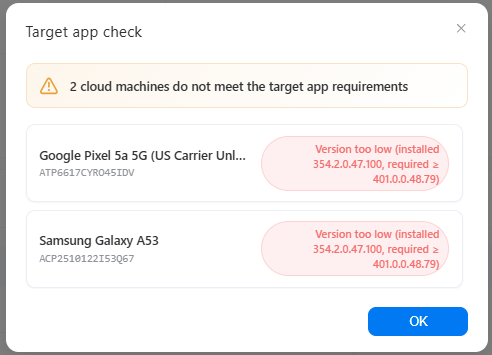
Error 1: Not meet the target app requirements
Error 2: target app not installed
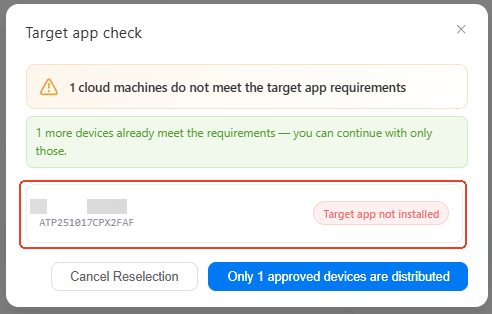
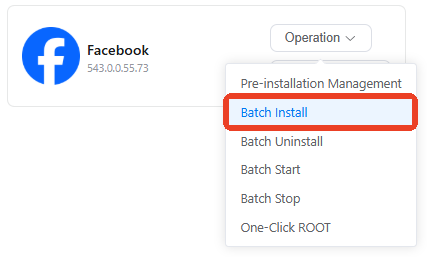
Solution: these two errors caused by the app in selected devices. Please go to App Market-> Official app market, search Facebook to install it. If you have multiple devices with the same issue, try using batch install.
6. How to check if my task workflow runs well or not?
On the Mission log page, you'll see the status of every single task there as a list. Click Details to view the report and find out which step fails.

7. Can I build upon existing templates to customize my own workflow?
Definitely. Try using the custom template to build your own workflow.
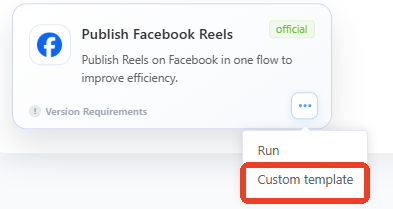
It will take you to the RPA workflow builder, where you can add, delete, or modify specific actions based on the existing setup.
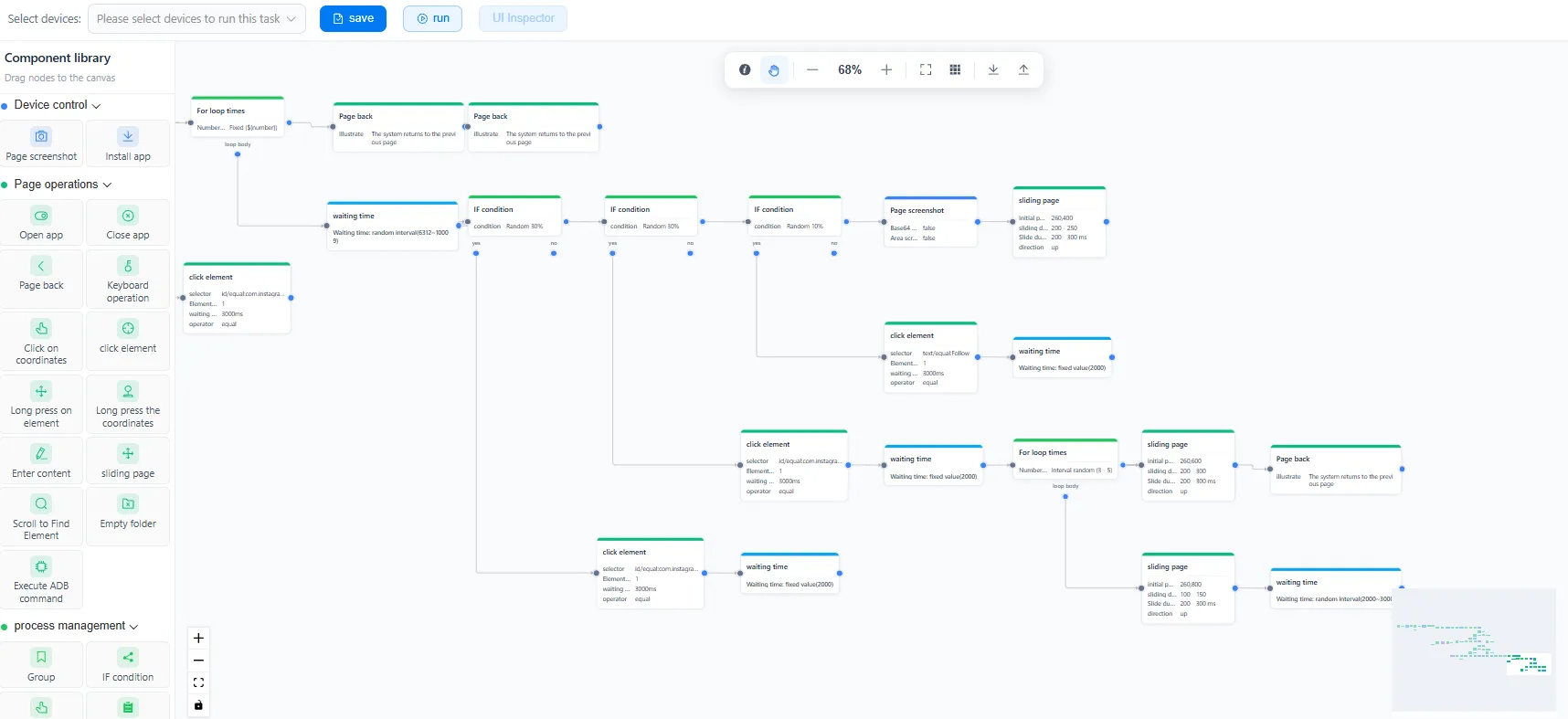
If you're just starting out in this field, click to see our beginners-level lesson: how to build RPA workflow step-by-step.



