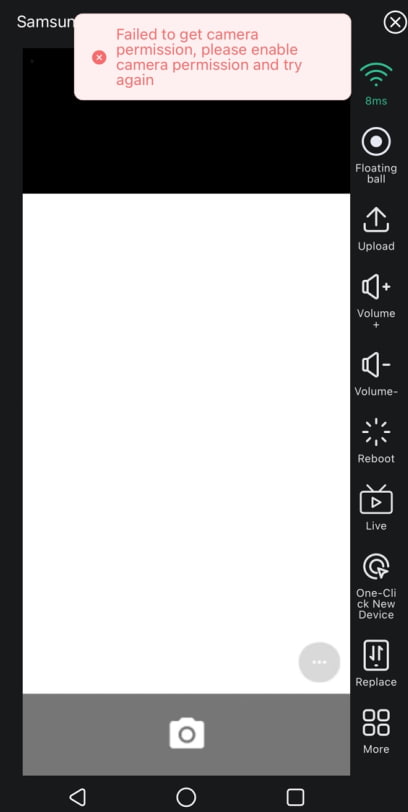
How to fix can't use camera caused by permission limit?
As the picture showns, get the error 'Failed togetcamera permission,please enable camera permission and try again.' when using the Camera on cloud phone, follwing this guide to fix the permission problem.
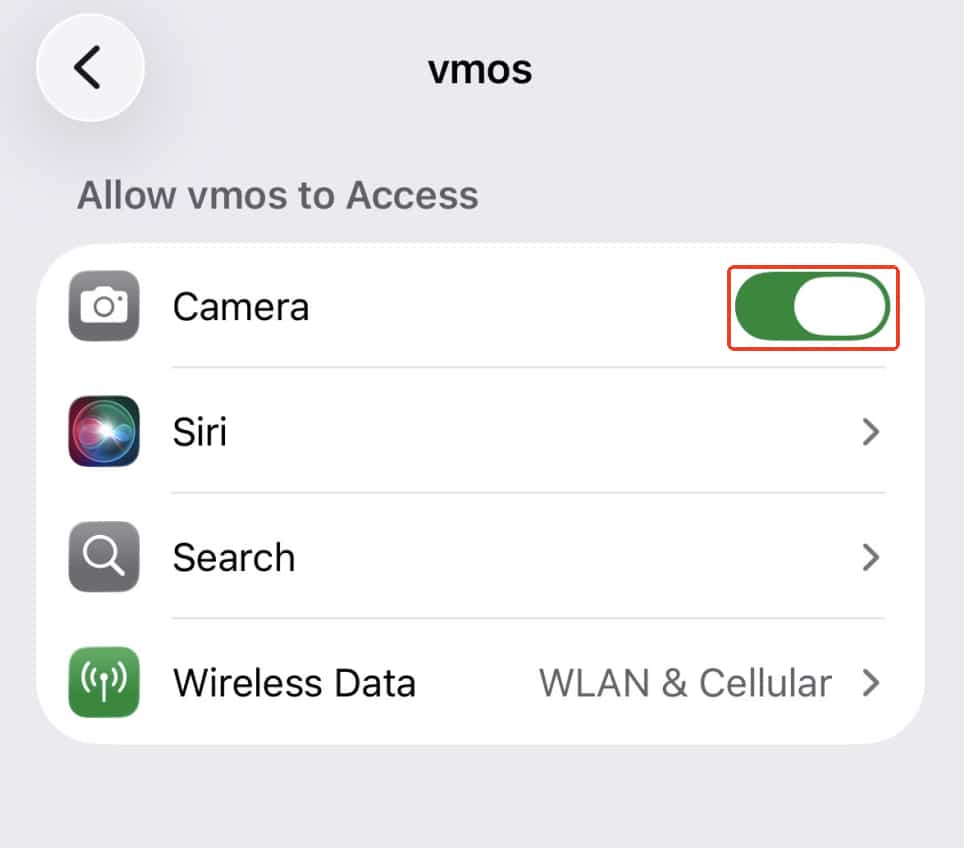
Enable the camera permission on iOS
Go to iPhone's Settings, find Apps> VMOS Cloud(or VMOS)> Camera, right slide to allow this permission.
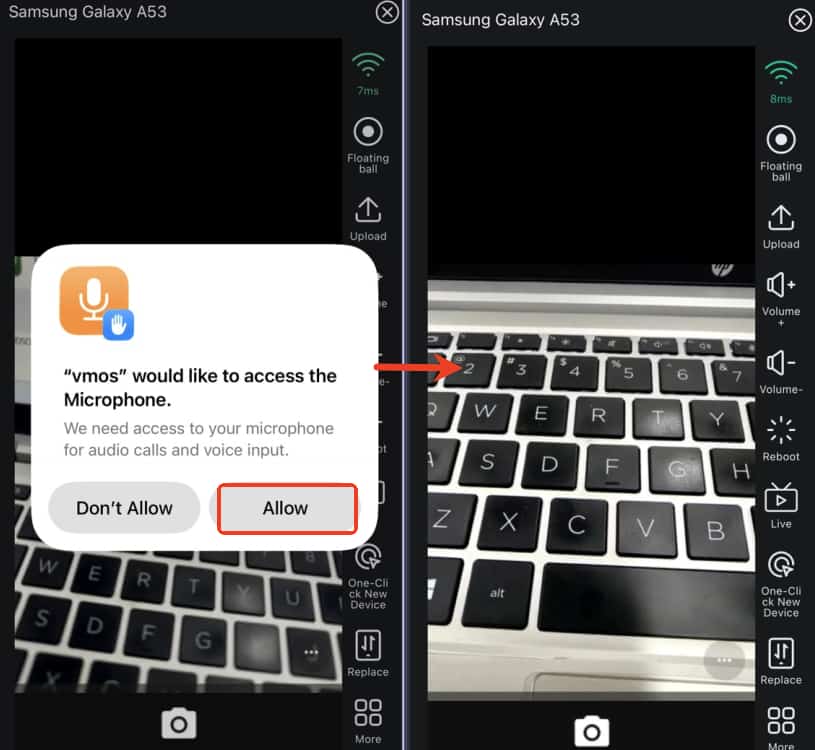
Back to the VMOS Cloud, open the Camera to Allow the permission asking from the system as follows. Then relaunch the cloud phone to use the camera.
Enable the camera permission on Web
In Safari Browser:
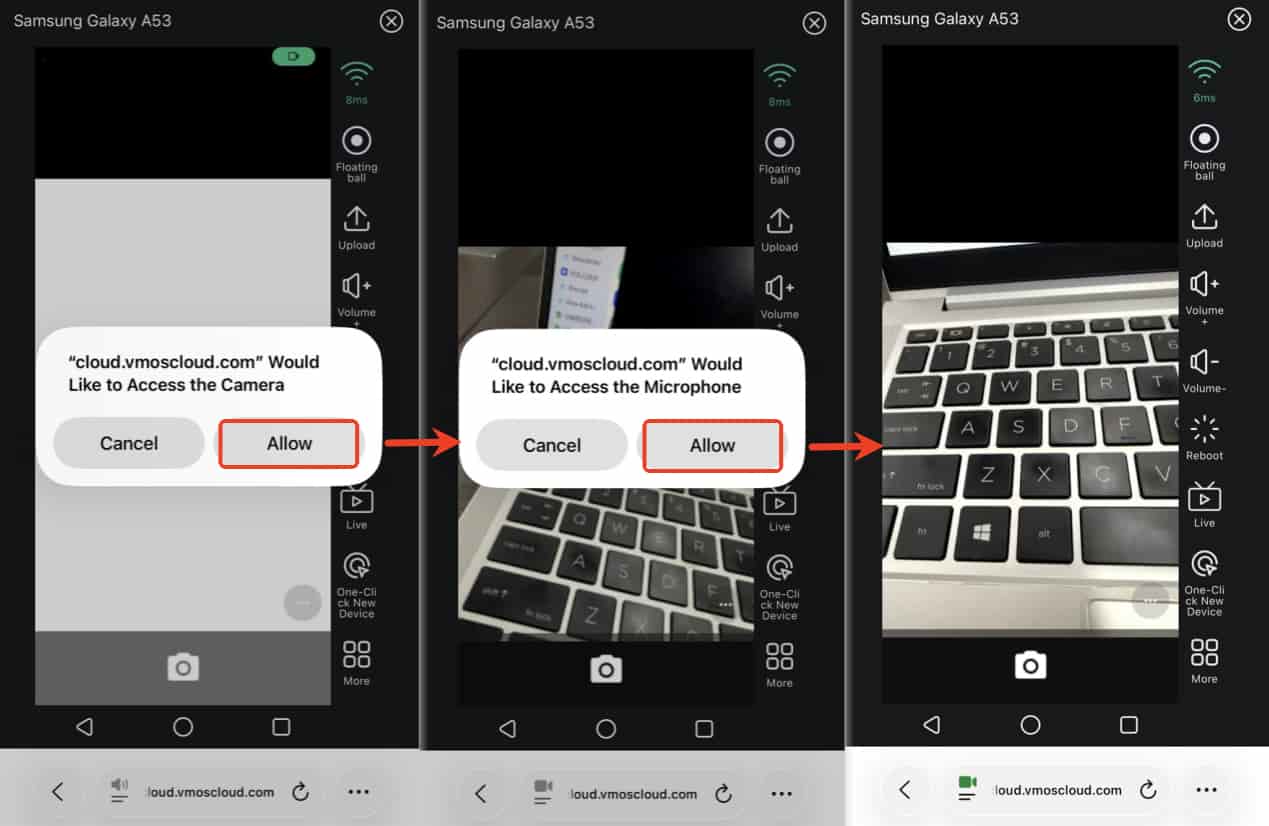
Following the picture guide, Allow the Camera and Microphone acess step by step. Then refresh the page and reopen the cloud phone to use the camera.
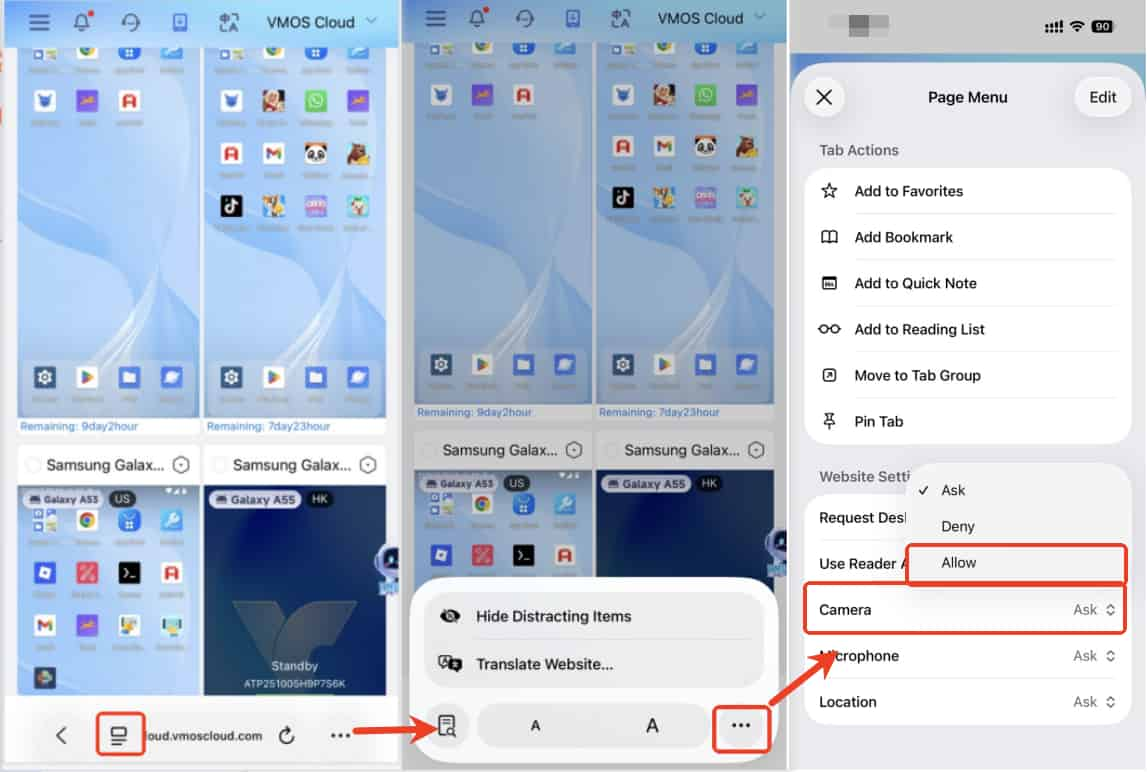
If no pop-up windows, Allow the Camera permission on Safari's website settings.
In Other Browsers:
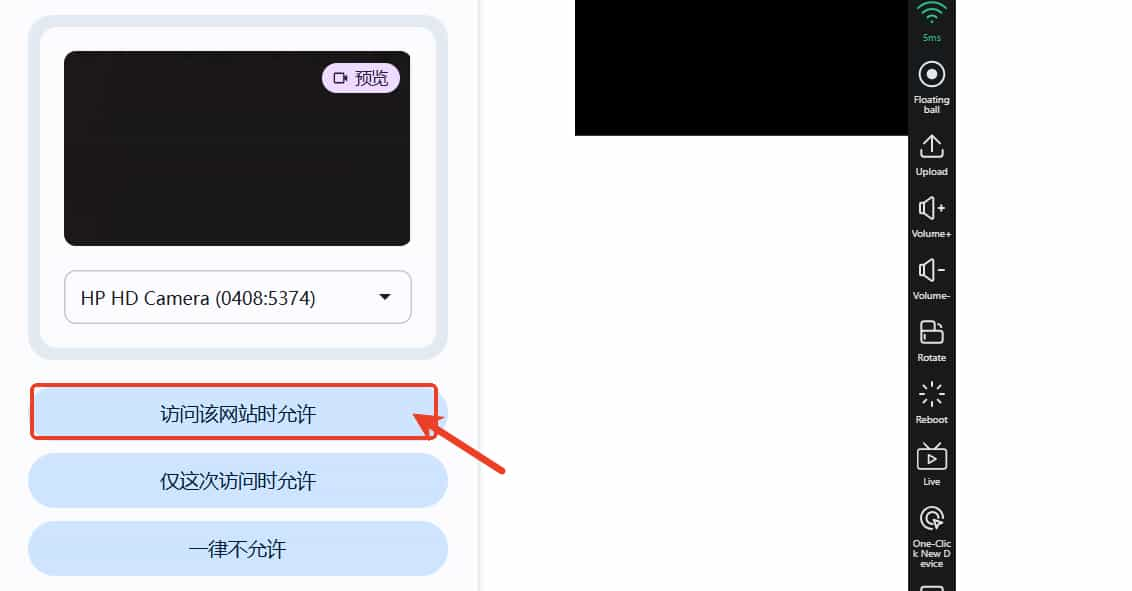
After open the Camera on web, such as Chrome, there will pop up a permission asking at the right top corner, Allow it, refresh the page and reopen the cloud phone to use the camera after that.
Enable the camera permission on Android
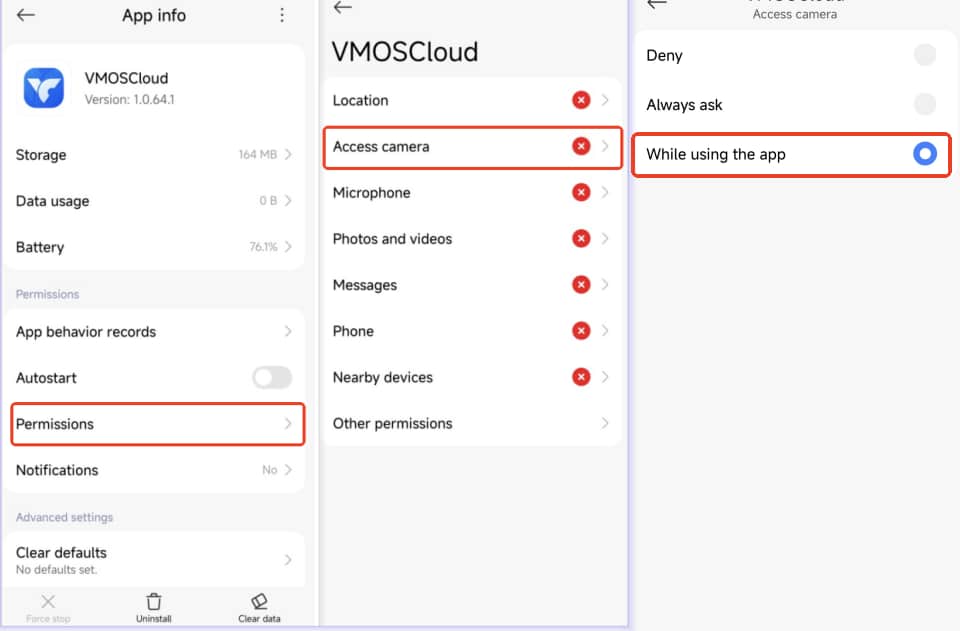
Go to real device's Settings, find Apps> VMOS Cloud(or VMOS)> Permission> Access Camera, allow this permission.
Back to the VMOS Cloud, restart the cloud phone to use the camera.