
How to Downgrade or Upgrade my current device model?
Change Configuration to Upgrade or Downgrade the Device Model
Warning: please know after changing configuration, all the cloud machine data will be deleted. Using the higher device model, you need pay for the price difference, while for downgrade the device model, such as change from High-end real device to V06, that's free.
Right click and select ->Change Configuration. Change the product model and make up the difference.
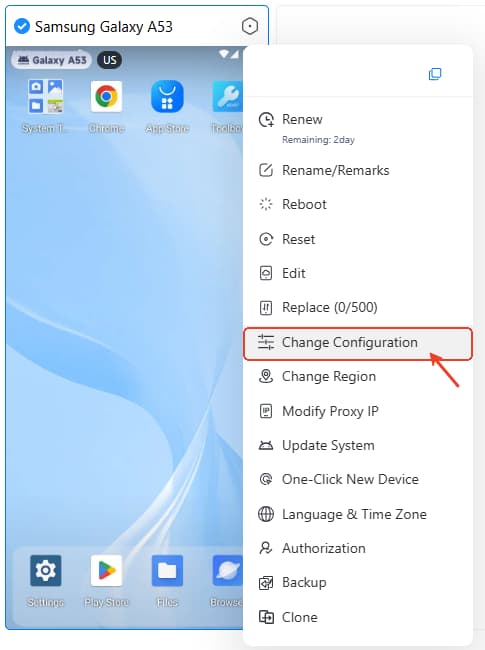
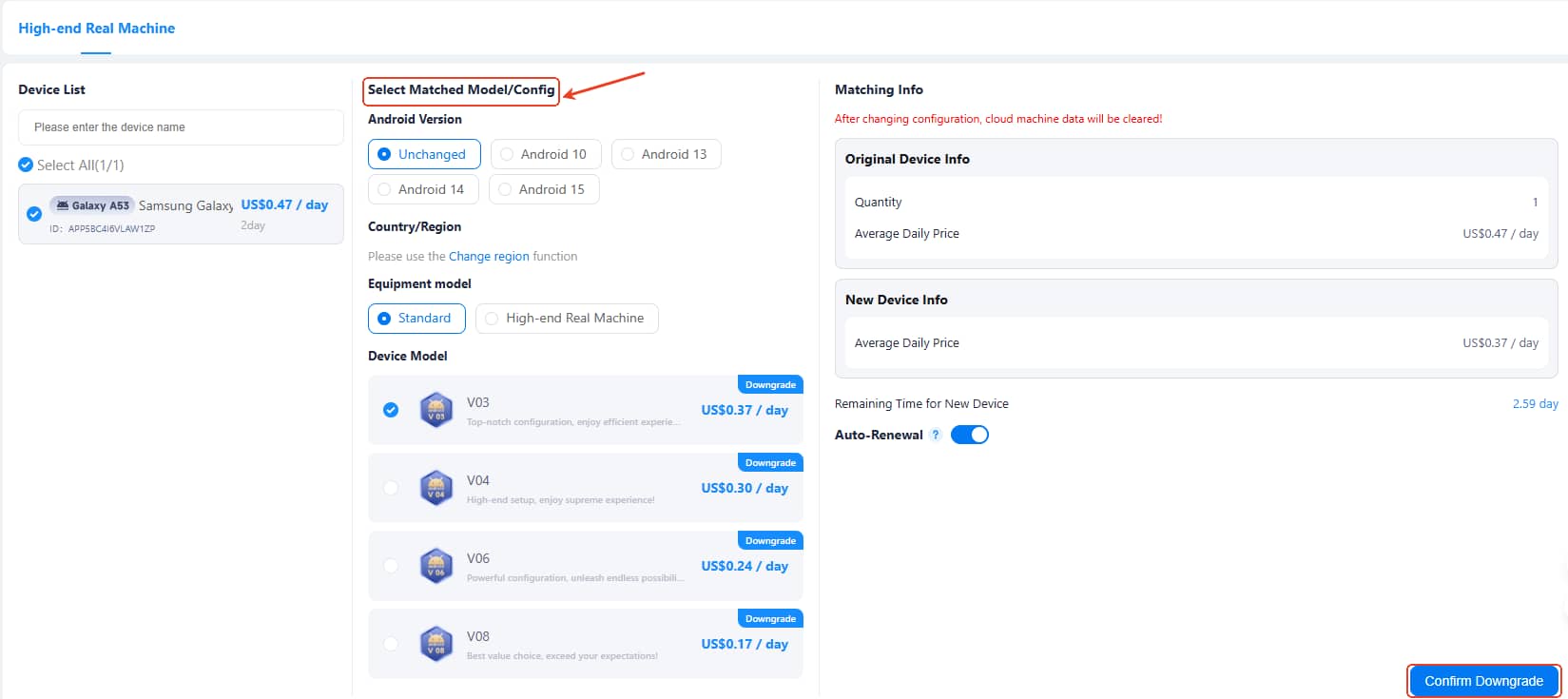
Android Users: Select ->Change Configuration as follows to upgrade or downgrade your device model.




