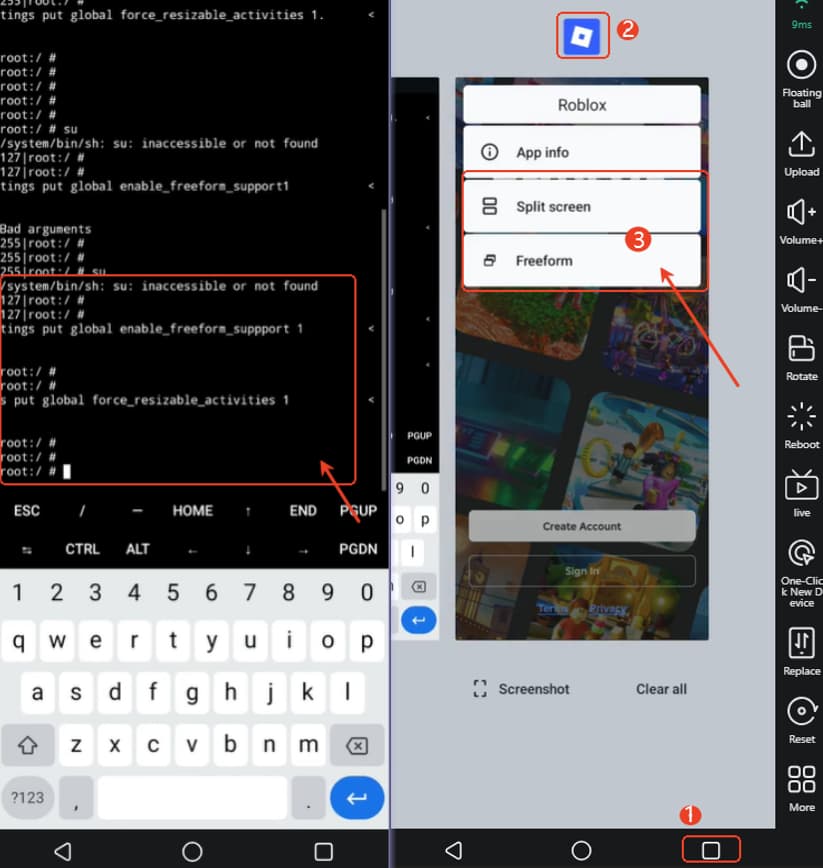
How to split screen on VMOSCloud?
Way 1: Use Split-screen Mode
Open the app first.
After that, switch to the taskbar multi-window view, Long-press the app icon you want to split-> select Split Screen.
New device should wait 24 hours then can unlock this feature.
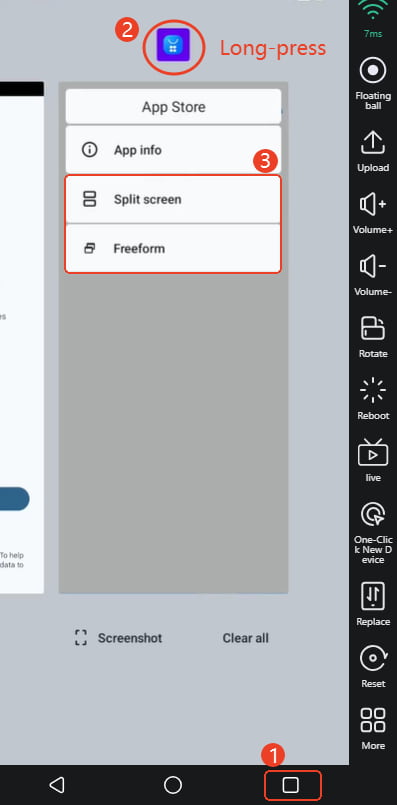
Way 2: Use Termux if Not Found Split Screen (Roblox)
Download Termux from the AppStore on mainscreen.
Grant Termux root access in Toolbox-> Root Management, exit the device and right click use-> Reboot to restart the device.
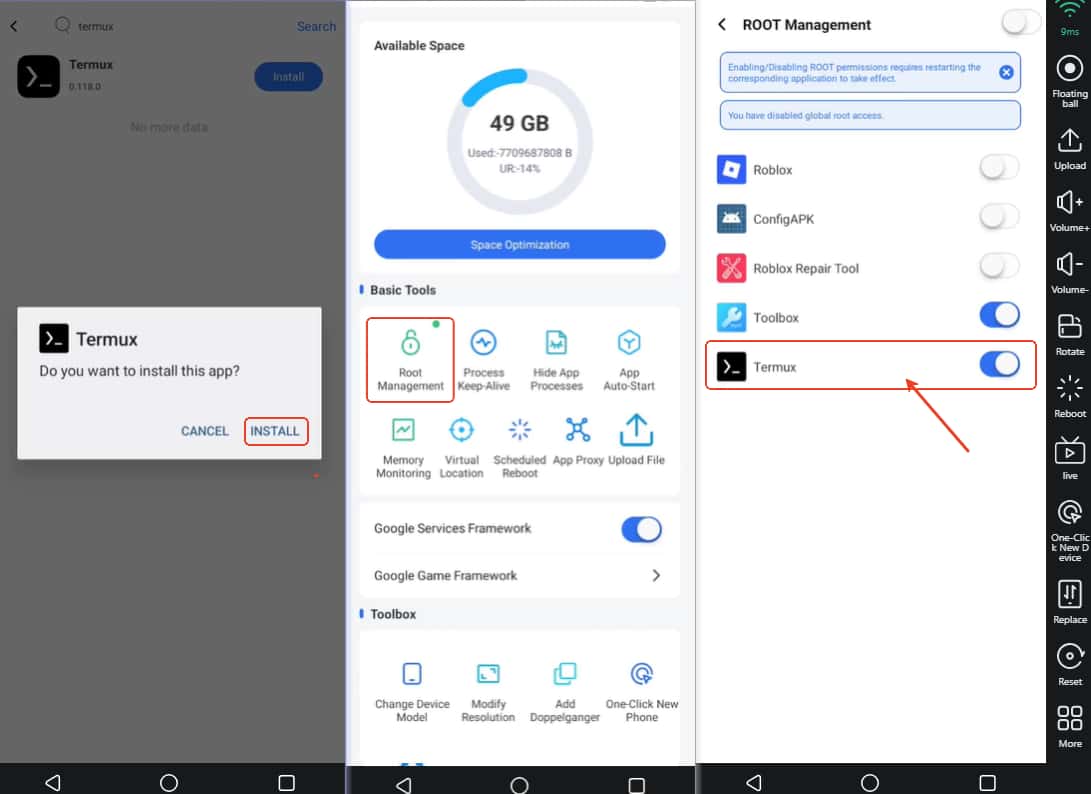
In Termux, typing the following three commands in sequence: use -> Enter to run the command after typing every command.
(1) su
(2) settings put global enable_freeform_support 1
(3) settings put global force_resizable_activities 1
Then you can use the split screen on Roblox.