
How to transfer device on VMOSCloud?
Warning: Once the device is transferred to another account, it cannot be retrieved!
Please make sure the recipient account and device information are correct, and proceed with the final operation cautiously.
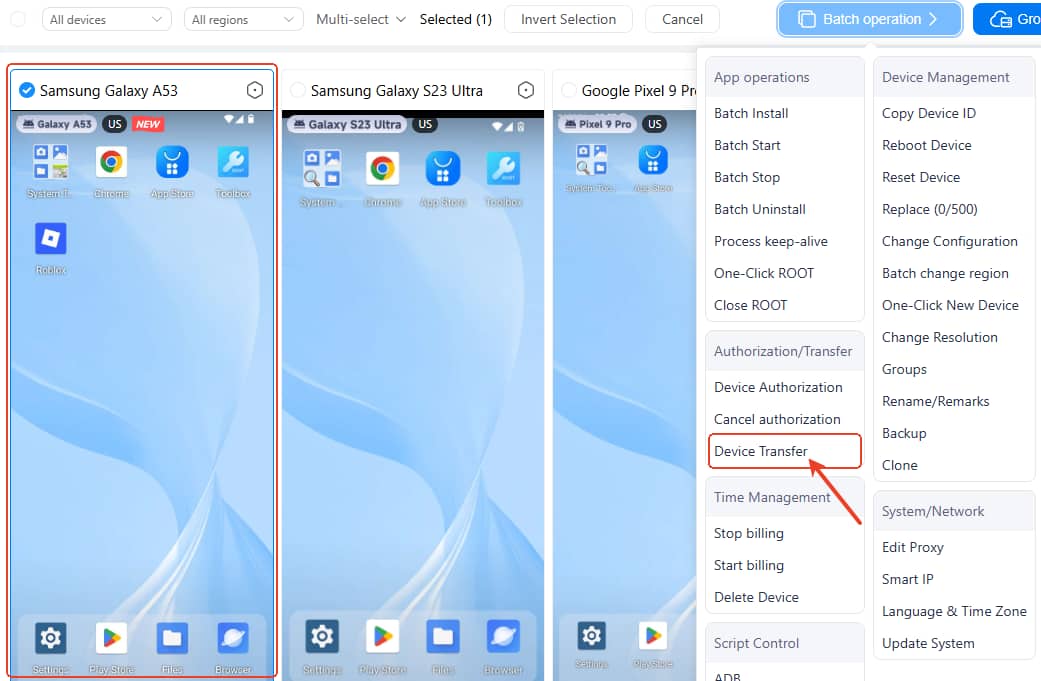
If you are Web users:
Go to Home page-> select the device you want to transfer-> Batch operation-> Device Transfer
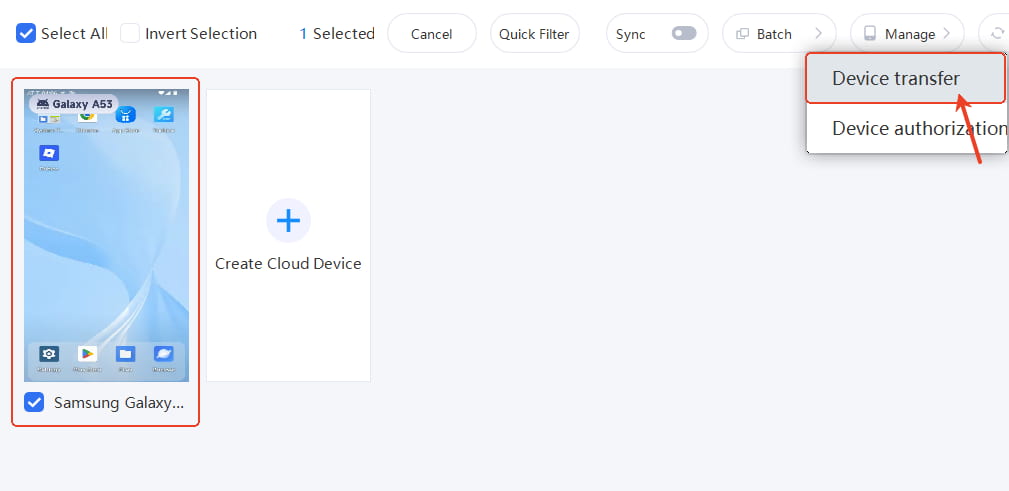
If you are Windows users:
Go to Home page-> select the device you want to transfer-> Manage-> Device Transfer
If you are iOS users:
Tap
 ->select the device you want to transfer-> select Device Transfer
If you are Android users:
Tap My-> select Device Transfer



