
How to Set a Targeted Follow on TikTok?
1. What should you do before you start?
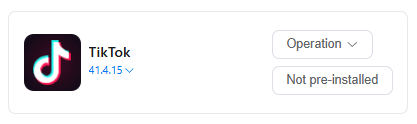
(1) Go to App Market-> Official app market, search TikTok to install version 41.4.15.
(2) Log in to your TikTok account in the cloud phone.
(3) Find Automation-> Template store in the left sidebar, and select -> TikTok Target Creator Follow template.
2.How to follow a specific profile on TikTok?
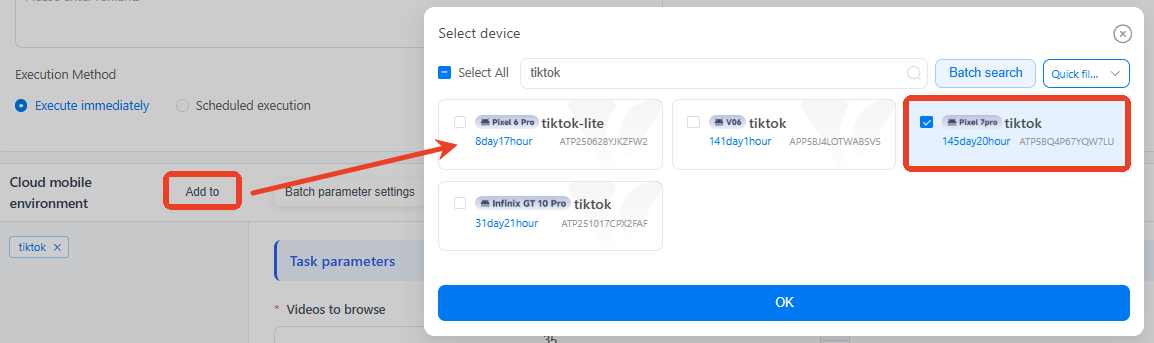
(1) Use Add to select one device that is already logged into TikTok.
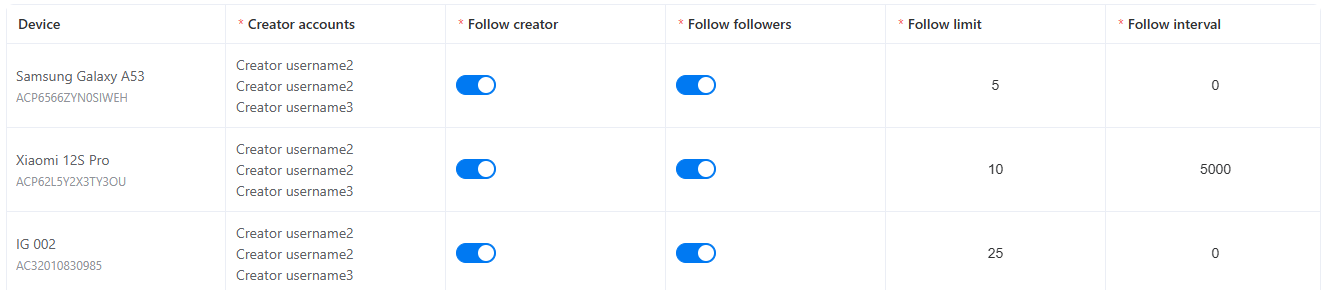
(2) Paste the target username to the Creator account. To mass follow back, list one TikTok username per line.

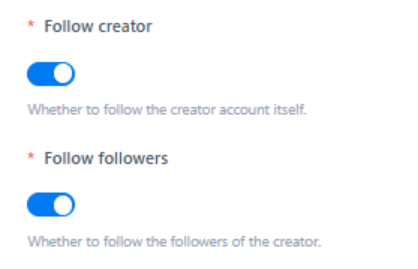
(3) Right slide to open the Follow creator. And if needed, Follow followers support to convert the fans of target profiles into one-way connections.
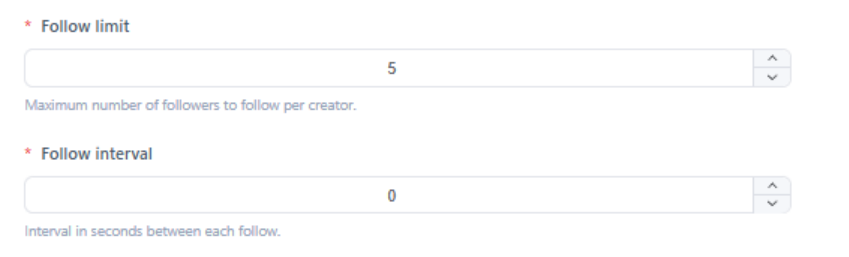
(4) Follow limit=5, this means you will follow up to 5 fans of each target creator.
(5) Follow interval= 5000 means start to follow per 5 seconds, or bring random follow behavior if skip it.
(6) Once you've completed all the settings, Publish it.
3. How to set multiple targeted follow workflows?
Select multiple cloud phones first, and use Batch parameter settings to set as required. And then publish this task to safely grow your mutuals on TikTok at scale.
4. Common errors that will get you stuck on automated workflows
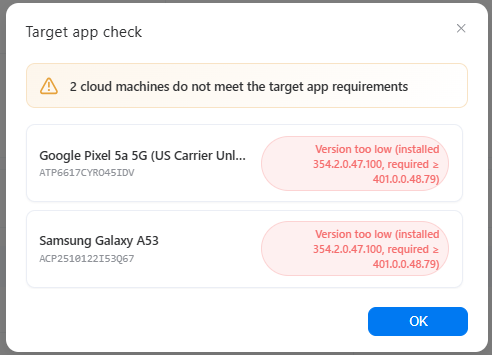
Error 1: Not meet the target app requirements
Error 2: target app not installed
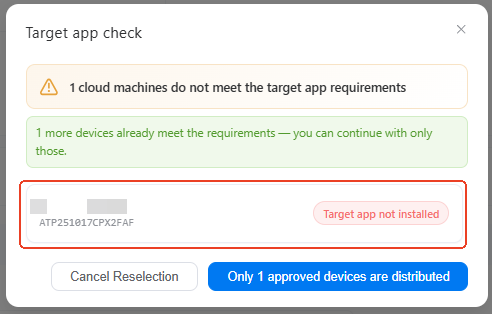
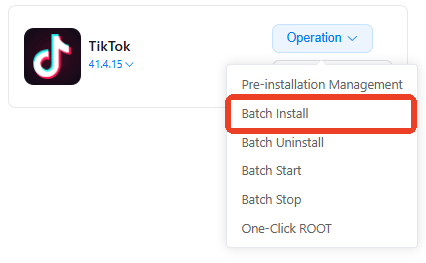
Solution: these two errors caused by the app in selected devices. Please go to App Market-> Official app market, install the correct TikTok version. If you have multiple devices with the same issue, try using batch install.
5. How to check if my task workflow runs well or not?
On the Mission log page, you'll see the status of every single task there as a list. Click Details to view the report and find out which step fails.

6. Can I build upon existing templates to customize my own workflow?
Definitely. Try using the custom template to build your own workflow. It will take you to the RPA workflow builder, where you can add, delete, or modify specific actions based on the existing setup.
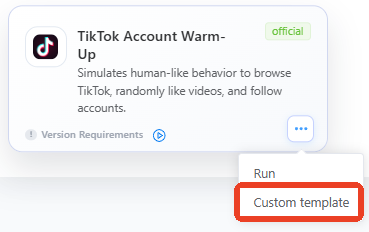
(example picture from vmoscloud)
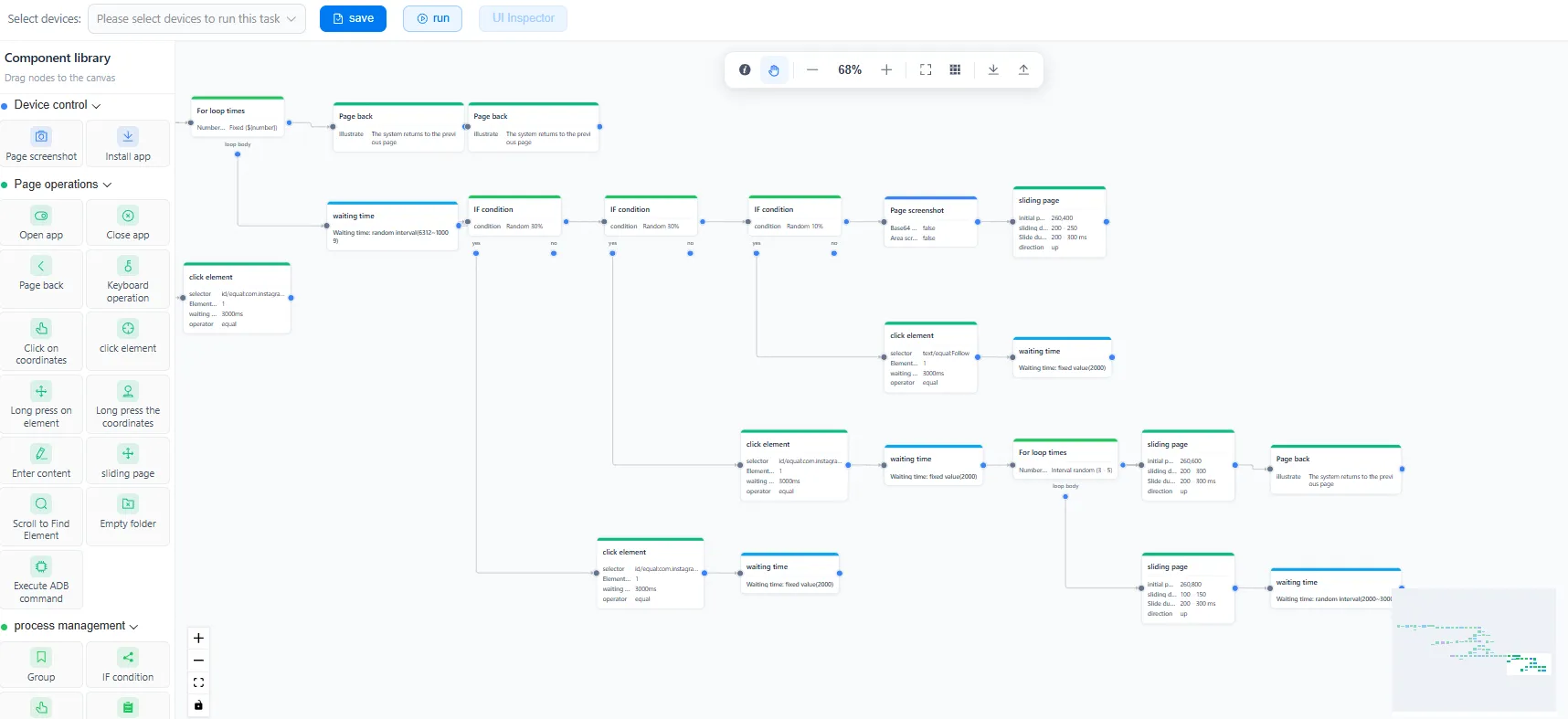
If you're just starting out in this field, click to see our beginners-level lesson: how to build RPA workflow step-by-step.



