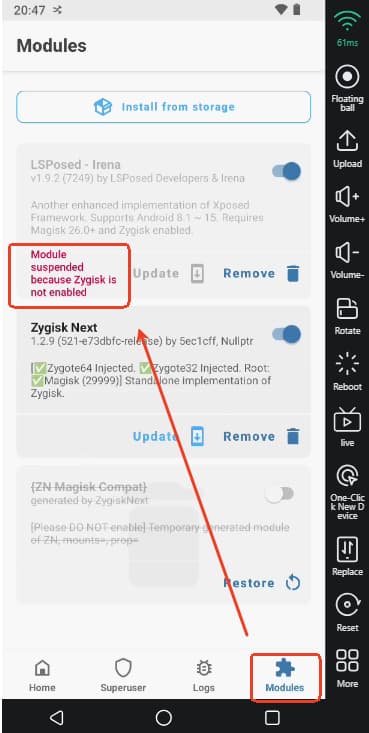
What to do if Zygisk not enabled on VMOSCloud?
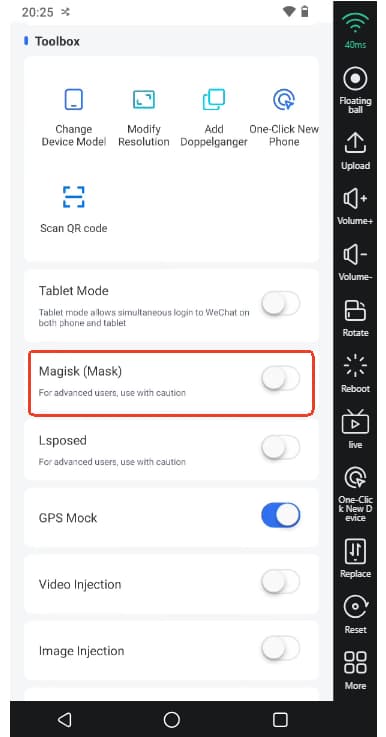
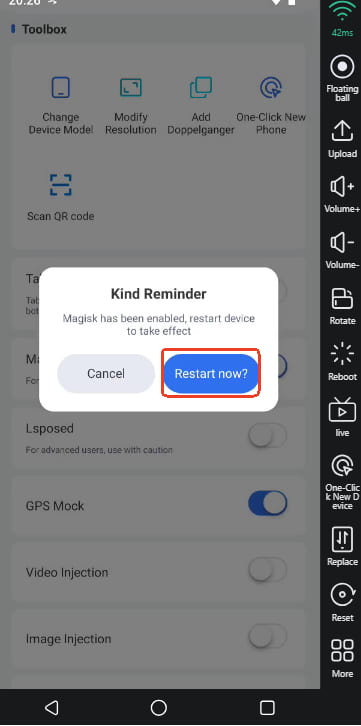
First, make sure you open -> the Magisk (Mask) on Toolbox, and confirm to Restart the device so that you can install the Mask tool on VMOSCloud sucessfully.
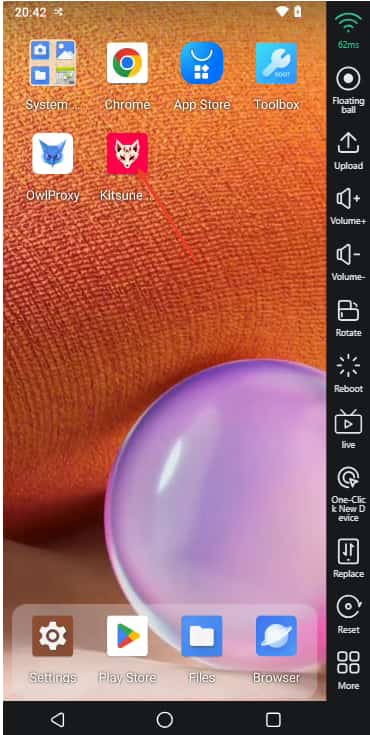
If you see the Kitsune Mask on the main screen after restarting the device, which means the Magisk tool installed sucessfully.
Second, click the Toolbox-> Lsposed to install it, same as before you need to restart it.
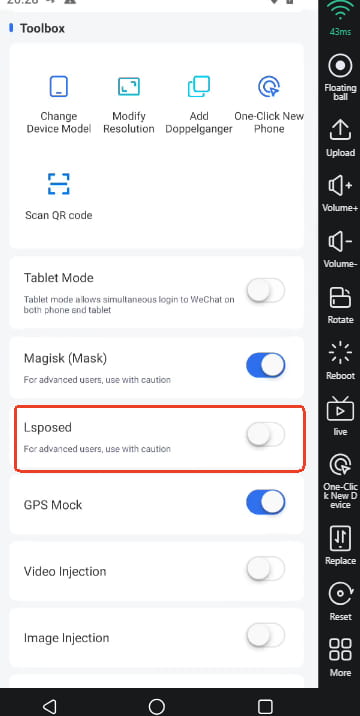
Third, find the Lsposed on Notice bar, and click to open it, then you sucessully see Activated the Mask tool.
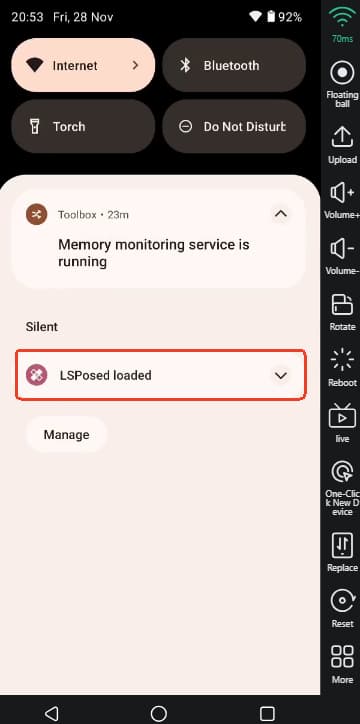
After that, you can directly open the Kitsune-> Module on the menu, and there is a red tips like: Module suspended because Zygisk is not enabled. Please know this is not an error, Lsposed will automatically set the Zygisk once it works. And you can ignore the message in Magisk that says“Zygisk not enabled," as long as Zygisk Next is working normally, everything should function as expected.