How to update the image version on VMOSCloud?
Way 1: Go Update System (PC/ Online/ iOS Users)
Find List Mode-> System to check Android system of the device.

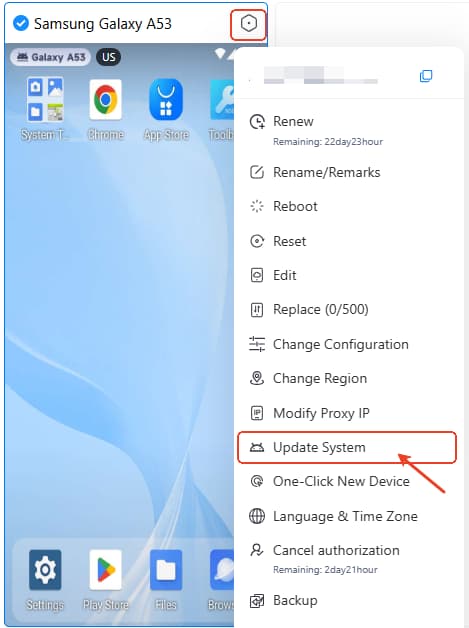
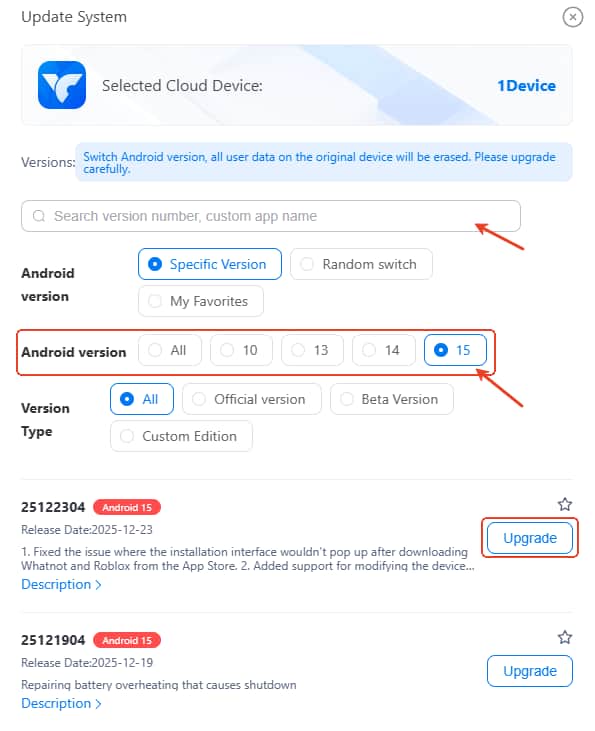
Then right click and follow Settings -> Update System, select the first one to update the latest image system. Or use the search bar to find the image system number you want to use.
Way 2: Update System on Android
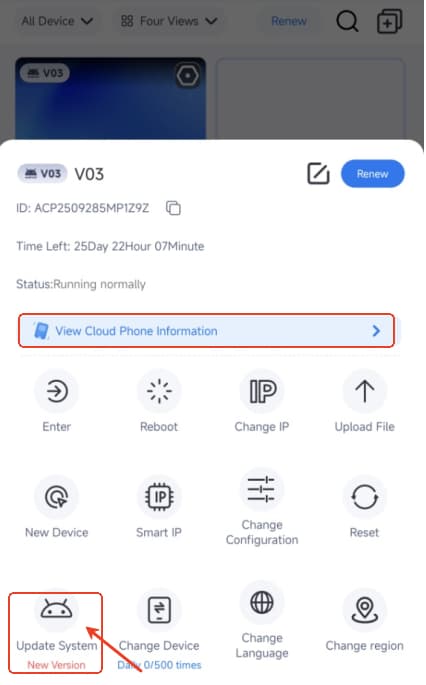
Check current device system in View Cloud Phone Information.
Then click Update System to update the latest image system.