How to Renew Cloud Phones' Subscription?
(1)To renewal monthly subscription:
Find Buy/Renew in the left siderbar, go to Renew-> Monthly subscription device.
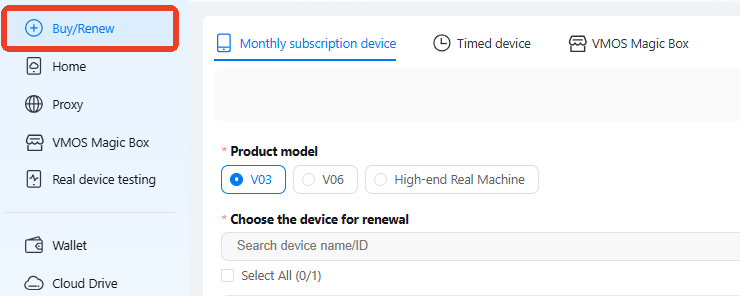
Can filter by Product model, expired time, and device ID.
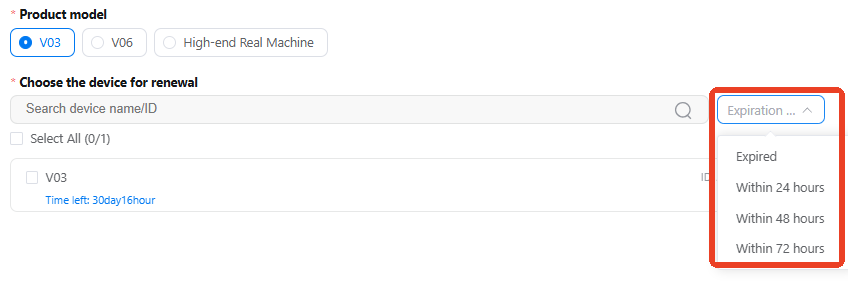
Choose any of our subscription packages to proceed with your renewal.
Turn on Auto-renewal to automatically extend plan, ensuring your subscription never expires and preventing any service interruptions. Expired devices will be retained for a 6-hour grace period to complete renewal in time. Please know all device data will deleted after that.
(2) To renewal timed device (Pay-as-you-go):
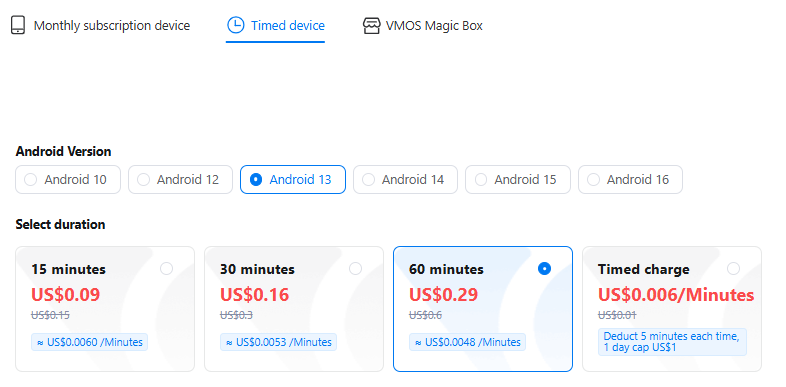
Find Renew -> Timed device.
Timed device no need Device ID, Buy a time pack then you can use the device.
PAYG subscription to rent device suit for only use it occasionally, it will stop billing if don't use device.
How to deduct the fee:
Initial Fee: a $0.29 non-refundable fee will be deducted for the 60 minutes pack.
Post-pack Billing: once the included 60 minutes are exhausted, billing switches to PAYG ($0.006/min), deducted directly from VMOSCloud's account balance. Or consider buy a new time pack.
Daily Cap: costs are capped at $1.00 per device per day. Enjoy unlimited usage for the rest of the day once the cap is hit.
(3) Fast way to renew device:
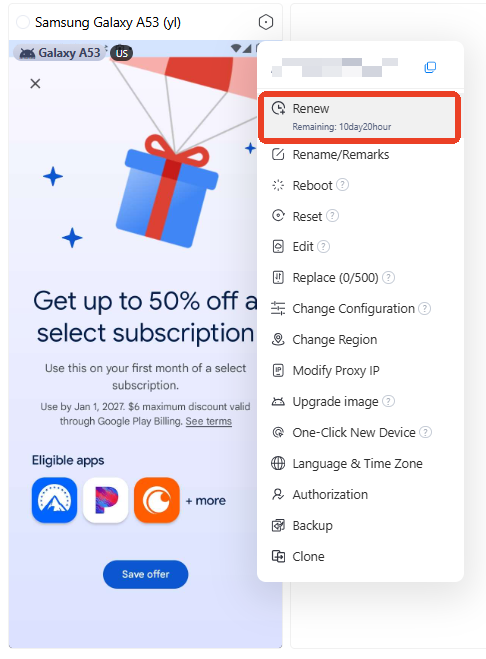
Right click the device to find the Renew option.